ineo+ 220/280/360 (Version 3) 7-5
7.2 Scanning double-sided documents
7
7.2 Scanning double-sided documents
Scan Settings
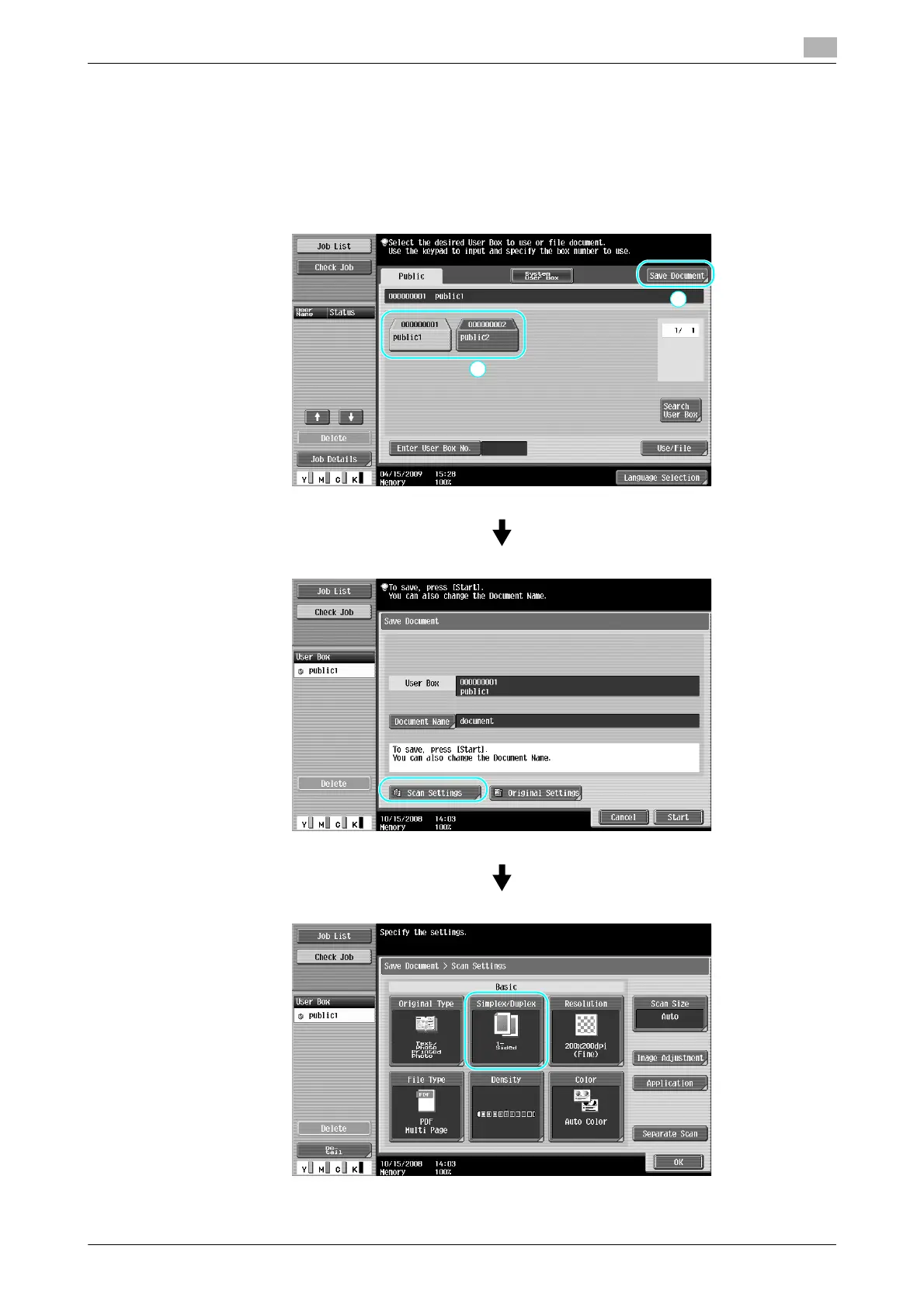
When saving data in a user box from User Box mode, press [Scan Settings] to change the settings for
scanning the document. To scan double-sided documents, select "2-Sided" in the Scan Settings screen.









 To Next Page