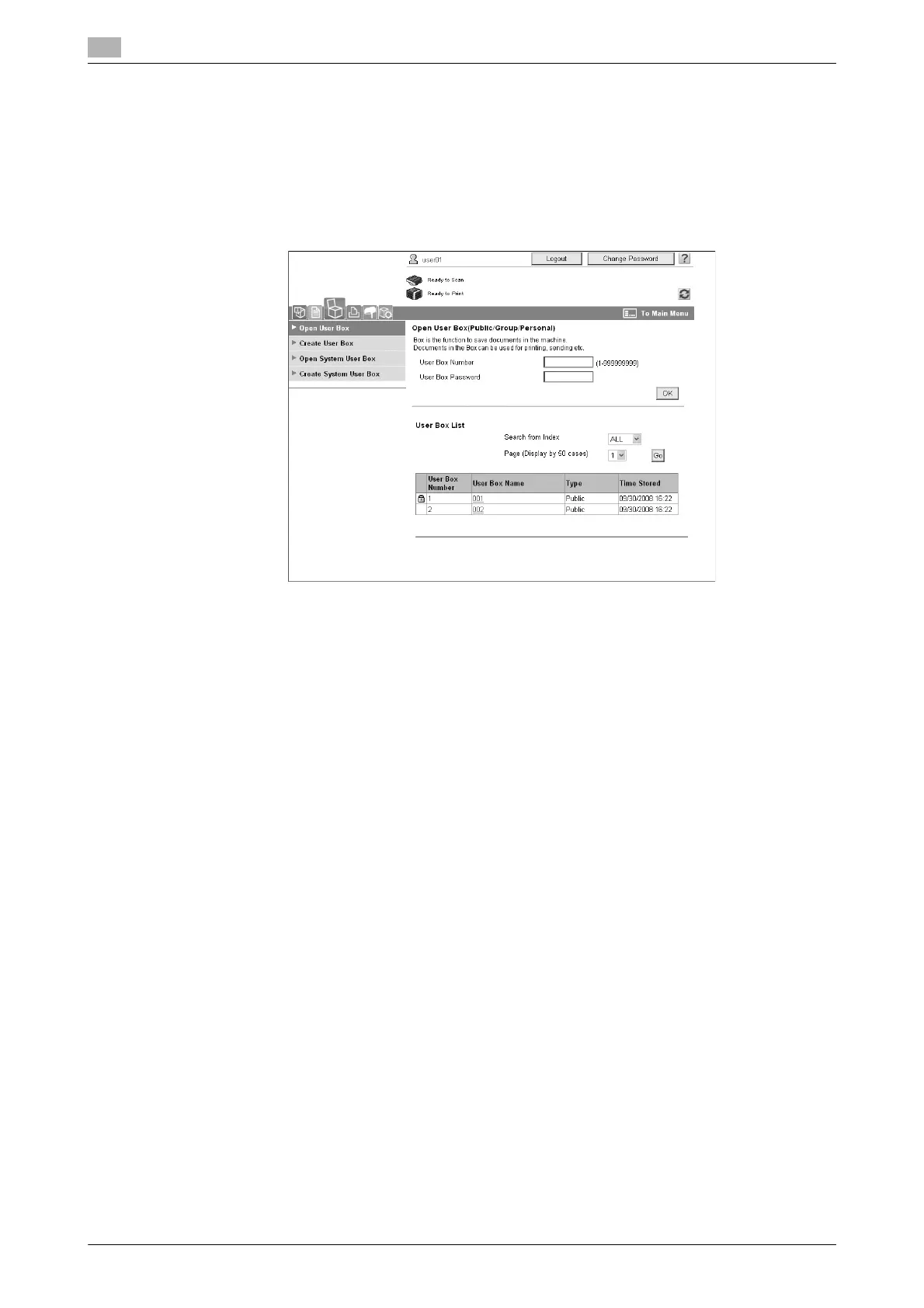
Performing box operations from a computer
7
7-16 ineo+ 220/280/360 (Version 3)
7.6
7.6 Performing box operations from a computer
Web Connection
User boxes can be created and operations can be performed on data in user boxes by using
Web Connection. You can use data in user boxes from the computer at your desk.
Enter the IP address of this machine in the "Address" box of the Web browser to use Web Connection to
connect with this machine.
The following operations can be performed from the Box tab of Web Connection.
- Create/edit/delete user boxes.
- Print/send data in user boxes.
- Download data from a user box to a computer.
- Copy/move/delete data in user boxes.
About Web Connection
Web Connection is a device management utility integrated into this machine.
Using a Web browser on a computer connected to the network, machine settings can be specified from
Web Connection.
The following basic operations can be performed from Web Connection.
- Check various machine information.
- Check a job.
- Perform operations with data in user boxes.
- Direct printing
- Register/edit destinations.
- MFP environment, security, authentication, network, printer, and fax settings
d Reference
For details, refer to chapter 9 of the [User’s Guide Box Operations].









 To Next Page