5
5-16 ineo+ 224/284/364/454/554
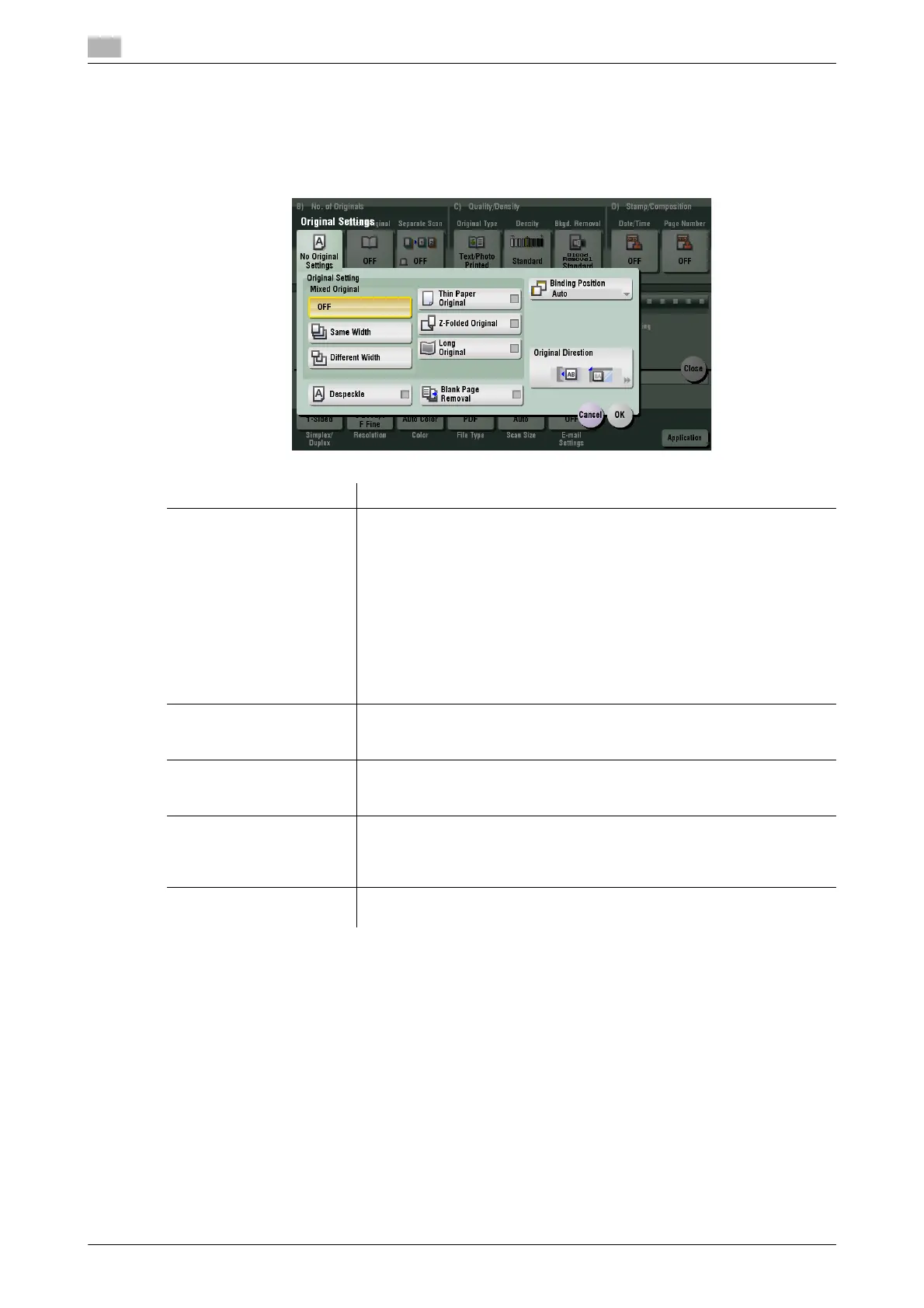
[Original Settings]
To display: [Scan/Fax] - [Application] - [No. of Originals] - [Original Settings]
Configure the setting so as to scan originals accurately according to the properties of the originals to be load-
ed.
Settings Description
[Original Setting] Configure the setting so as to scan originals accurately according to the
properties of the originals to be loaded.
• [Mixed Original]: Even for an original with pages of different sizes, by
using ADF, you can scan data while detecting the size for each page.
For details, refer to page 5-17.
• [Thin Paper Original]: Reduce the original feed speed of the ADF to pre-
vent the original from getting caught. For details, refer to page 5-17.
• [Z-Folded Original]: Even the original sizes of folded originals can be
detected accurately. For details, refer to page 5-18.
• [Long Original]: Select this option to load an original that has the longer
feeding direction than the standard size (11 e 17 or A3). For details, re-
fer to page 5-18.
[Despeckle] Scan originals using the ADF while removing dust from the Slit Scan
Glass.
For details, refer to page 5-19.
[Blank Page Removal] Blank pages contained in the original loaded into the ADF are skipped
when the original is scanned.
For details, refer to page 5-19.
[Binding Position] When scanning a 2-sided original, select the original binding position to
prevent the binding positions being reversed between the front and rear
faces.
For details, refer to page 5-20.
[Original Direction] Specify the orientation of the loaded original.
For details, refer to page 5-20.



 To Next Page