ineo+ 224/284/364/454/554 5-5
5
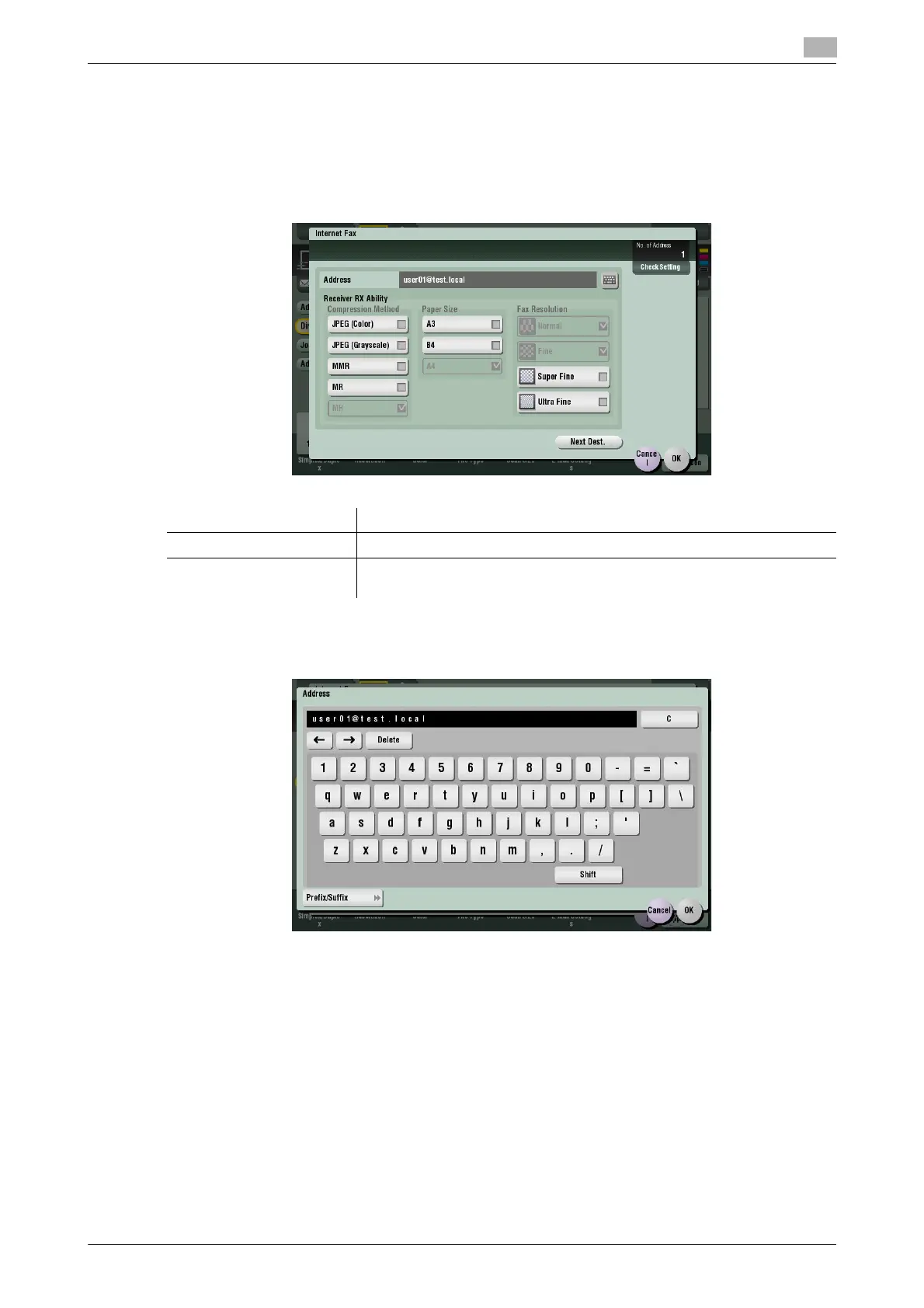
[Internet Fax]
To display: [Scan/Fax] - [Direct Input] - [Internet Fax]
Enter a destination E-mail address when scanned original data is sent by Internet fax. Also, select the spec-
ification of original data that the recipient machine can receive.
Tap [Next Dest.] to add a destination.
If E-mail address prefixes and suffixes are registered, you can recall a registered domain name etc. to com-
plement entry.
Related setting (for the administrator)
- By registering E-mail address prefixes and suffixes, you can complement E-mail address entry. For de-
tails, refer to page 7-21.
Settings Description
[Address] Enter a destination E-mail address.
[Receiver RX Ability ] Select the specifications of original data that the recipient machine can re-
ceive in [Compression Method], [Paper Size] and [Resolution].



 To Next Page