5
5-30 ineo+ 224/284/364/454/554
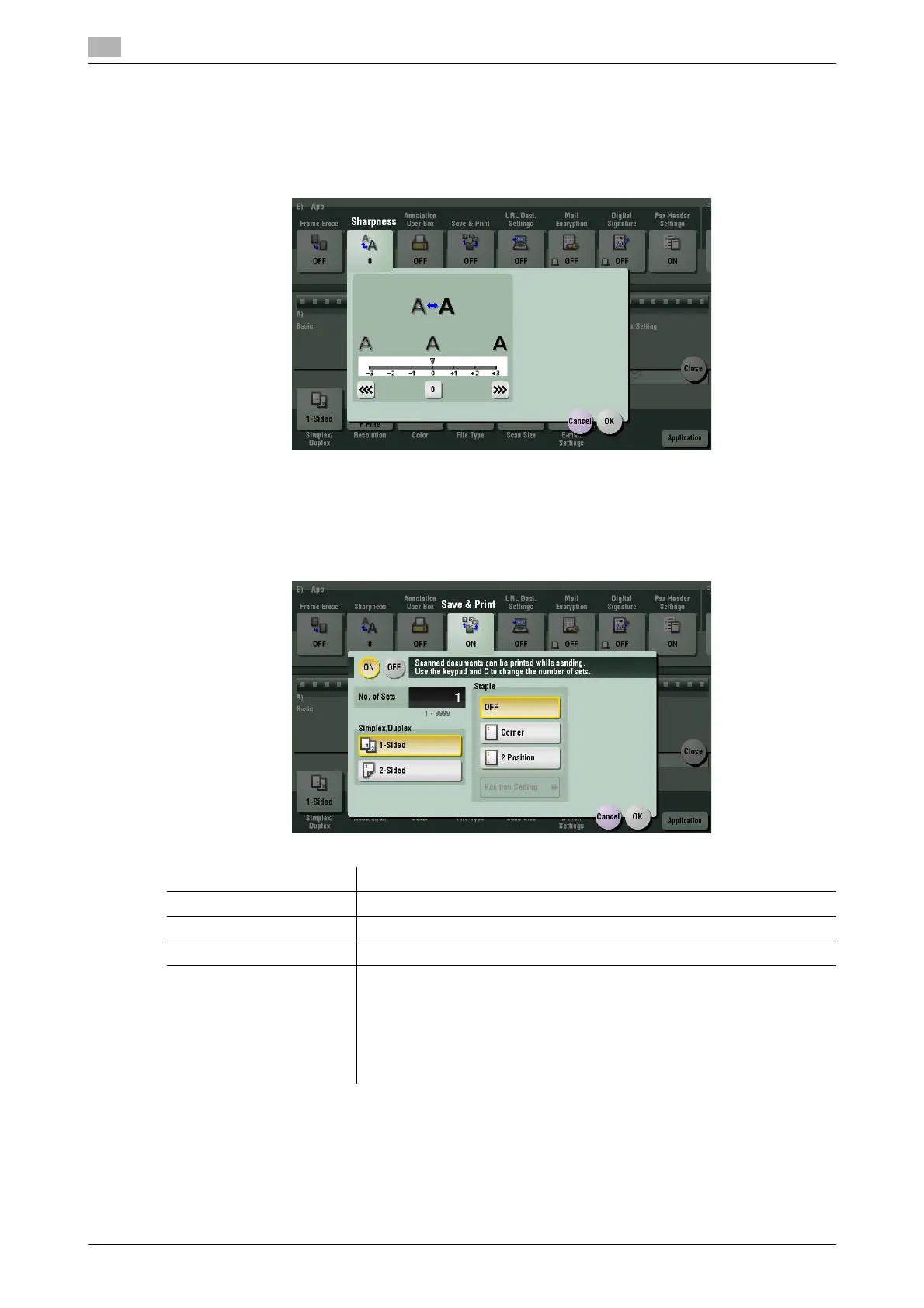
[Sharpness]
To display: [Scan/Fax] - [Application] - [App] - [Sharpness]
Sharpen the edges of the image to improve legibility. Smoothen rough contours of an image or sharpen
blurred image.
[Save & Print]
To display: [Scan/Fax] - [Application] - [App] - [Save & Print]
You can print data simultaneously using Scan or Fax TX.
Settings Description
[ON]/[OFF] Select [ON] to sand and print at the same time.
[No. of Sets] If necessary, enter the number of copies to print.
[Simplex/Duplex] Select [2-Sided] to print on both sides of sheets of paper.
[Staple] Select the binding positions for stapling the sheets.
• [Corner]: Each set of printed sheets is stapled in the upper-left or -right
corner before it is output.
• [2 Position]: Each set of printed sheets is stapled at two positions (in the
top, left, or right) before it is output.
• [Position Setting]: Select the binding position. If [Auto] is specified for
the binding position, the binding position is determined automatically.



 To Next Page