Option settings for fax transmission
1
1-24 ineo+ 224/284/364/454/554
1.4
1 Load the original.
NOTICE
Do not load more than 100 sheets at a time into the original tray, and do not load the sheets up to the
point where the top of the stack is higher than the , mark. Doing so may cause an original paper jam,
damage the originals, and/or cause an ADF failure.
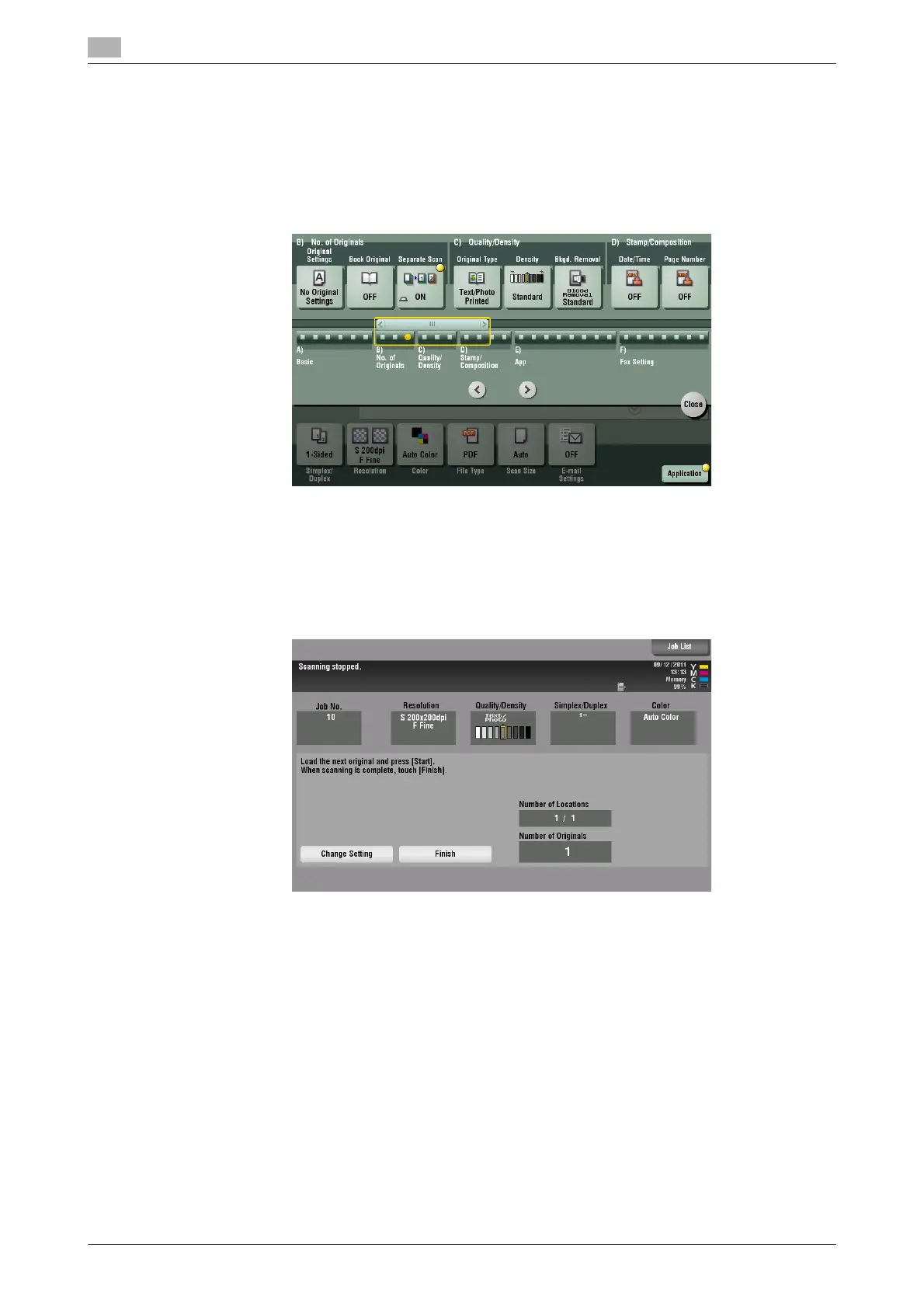
2 Tap [Application] - [No.of Originals] - [Separate Scan], and set to [ON].
3 Press the Start key.
The original is scanned.
4 Load the next original, then press the Start key.
% If desired, tap [Change Setting] to change the option settings according to the new original.
5 Repeat Step 4 until all originals are scanned.
6 After all originals have been scanned, tap [Finish], and press the Start key.
Transmission begins.
Related setting
- Select whether to always scan originals continuously without specifying [Separate Scan] when scan-
ning originals using the Original Glass (default: [No]). For details, refer to page 6-10.



 To Next Page