ineo+ 360i/300i/250i 4-5
4.1 Optional components
4
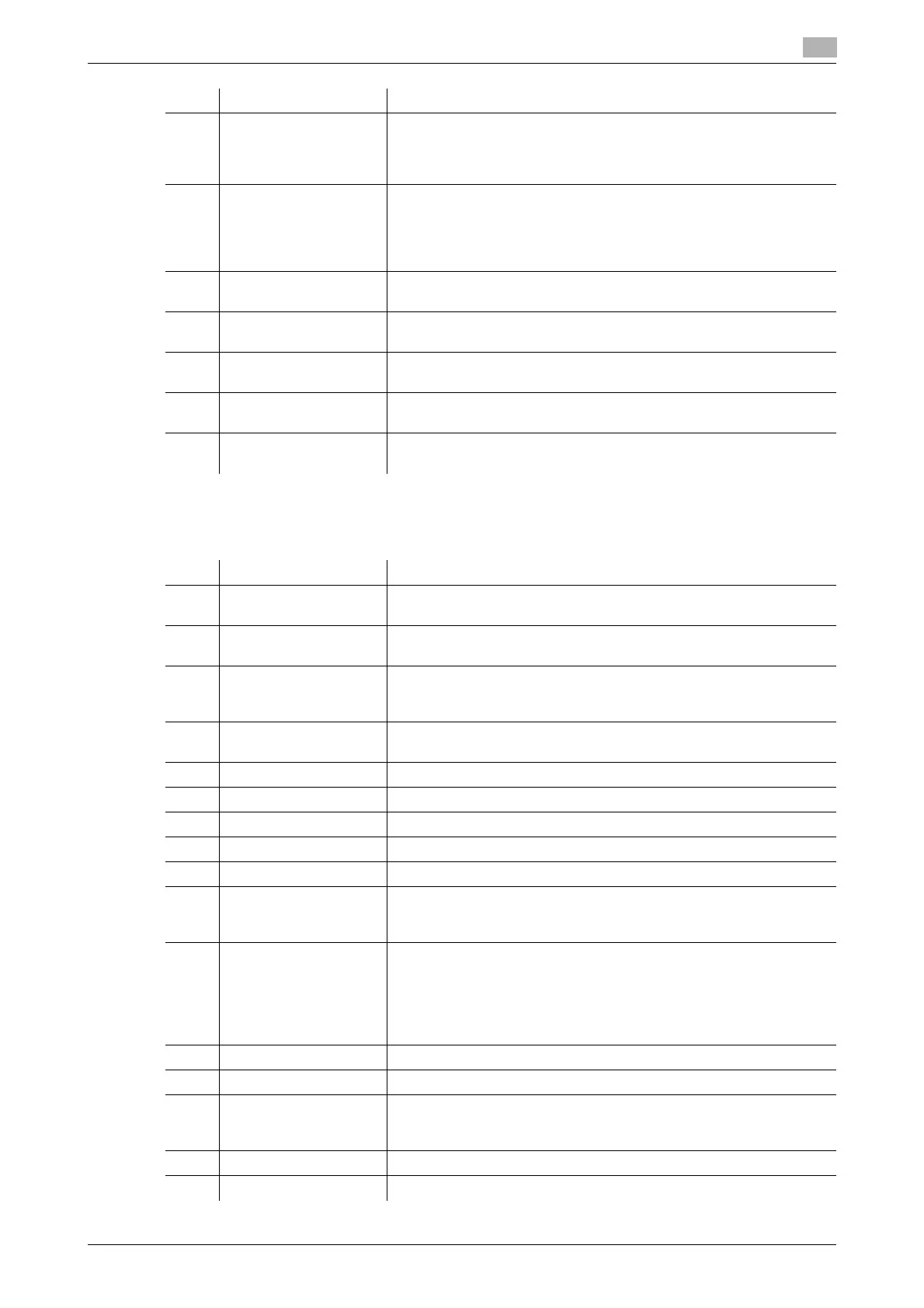
List of other optional components
The following options are built into this machine and are not shown in the figure.
27 Finisher FS-536 Sorts, groups and staples printed paper before outputting it.
To install the Finisher FS-536, the Relay Unit RU-513 is required. In
addition, the Paper Feed Cabinet PC-116, PC-216, PC-416 or
PC-417 or Desk DK-516 must be installed on this machine.
28 Finisher FS-536 SD Sorts, groups, staples, folds, and binds printed paper before output-
ting it.
To install the Finisher FS-536 SD, the Relay Unit RU-513 is required.
In addition, the Paper Feed Cabinet PC-116, PC-216, PC-416 or
PC-417 or Desk DK-516 must be installed on this machine.
29 Punch Kit PK-520 Install this unit onto the Finisher FS-536/FS-536 SD.
This unit supports the punching function.
30 Relay Unit RU-513 This unit is required to install the Finisher
FS-539/FS-539 SD/FS-536/FS-536 SD on this machine.
31 Finisher FS-533 Install this unit onto the output tray of this machine.
Sorts, groups and staples printed paper before outputting it.
32 Punch Kit PK-519 Install this unit onto the Finisher FS-533.
This unit supports the punching function.
33 Job Separator JS-506 Install this unit onto the output tray of this machine.
This unit sorts printed sheets.
No. Name Description
No. Name Description
1 Stamp Unit SP-501 Stamps a scanned original when sending a fax. This unit allows you
to check that the original has been scanned.
2 Spare TX Marker
Stamp 2
A replacement stamp for the Stamp Unit SP-501.
3 Local Interface Kit
EK-609
Install this unit when using the connection function with a Bluetooth
LE-compatible iOS terminal.
The receiving device for Bluetooth LE communication are added.
4 Video Interface Kit
VI-516
This unit is required to install Image Controller IC-420.
5 Upgrade Kit UK-115 This unit is required to install Image Controller IC-420.
6 i-Option LK-102 v3 Allows you to add the PDF processing function.
7 i-Option LK-105 v5 Allows you to add the searchable PDF function.
8 i-Option LK-106 Used to add a bar code font that is one of special fonts.
9 i-Option LK-107 Used to add a unicode font that is one of special fonts.
10 i-Option LK-108 Used to add an OCR font that is one of special fonts.
In the standard, the OCR-B font (PostScript) is available. Installing this
option allows use of the OCR-A font (PCL).
11 i-Option LK-110 v3 Allows you to convert a file into the DOCX or XLSX type or generate a
high functionality and the high-quality data generation function.
This option includes the function licenses for i-Option LK-102 v3 and
i-Option LK-105 v5. To purchase this option, you do not need to pur-
chase i-Option LK-102 v3 and i-Option LK-105 v5.
For details on the addable functions, refer to the HTML User's Guide.
12 i-Option LK-111 Allows you to add the ThinPrint function.
13 i-Option LK-114 Allows you to add the serverless pull printing function.
14 i-Option LK-115 v2 Allows you to add TPM (Trusted Platform Module). Security enhance-
ment is realized by encrypting confidential information such as certif-
icates and passwords of this machine.
15 i-Option LK-116 Allows you to add the virus scan function.
16 i-Option LK-117 Allows you to add the IP fax (SIP) function.











 To Next Page