6-4 ineo+ 360i/300i/250i
Loading paper
6
6.2
6.2 Loading paper
No paper setting is required because frequently used paper is loaded during general use.
This section describes how to use paper that is not usually loaded into a paper tray.
The methods for loading envelopes, postcards, label sheets, and index paper are as follows.
6.2.1 Loading paper in Tray 1 to Tray 2
Up to 500 sheets of plain paper can be loaded into each tray.
Applicable paper types
Plain paper, single-side-only paper, thin paper, postcard (4 e 6 (A6 Card)), envelope, special paper, thick pa-
per, letterhead, colored paper, recycled paper
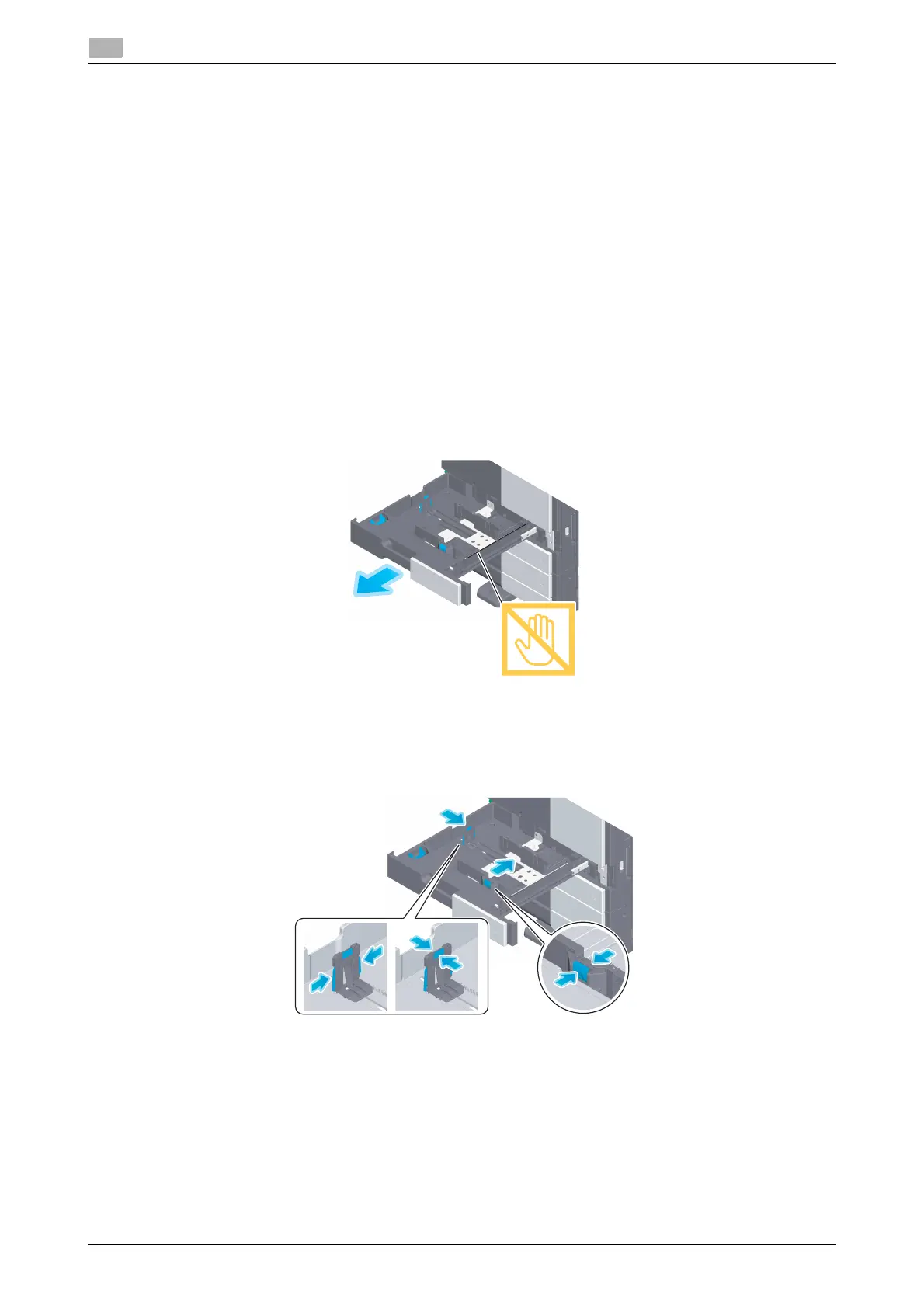
How to load paper
1
Pull out the tray.
NOTICE
Be careful not to touch the Film.
2
Slide the Lateral Guide to fit the size of the loaded paper.











 To Next Page