9-18 ineo+ 360i/300i/250i
When a message appears to replace consumables or carry out cleaning
9
9.4
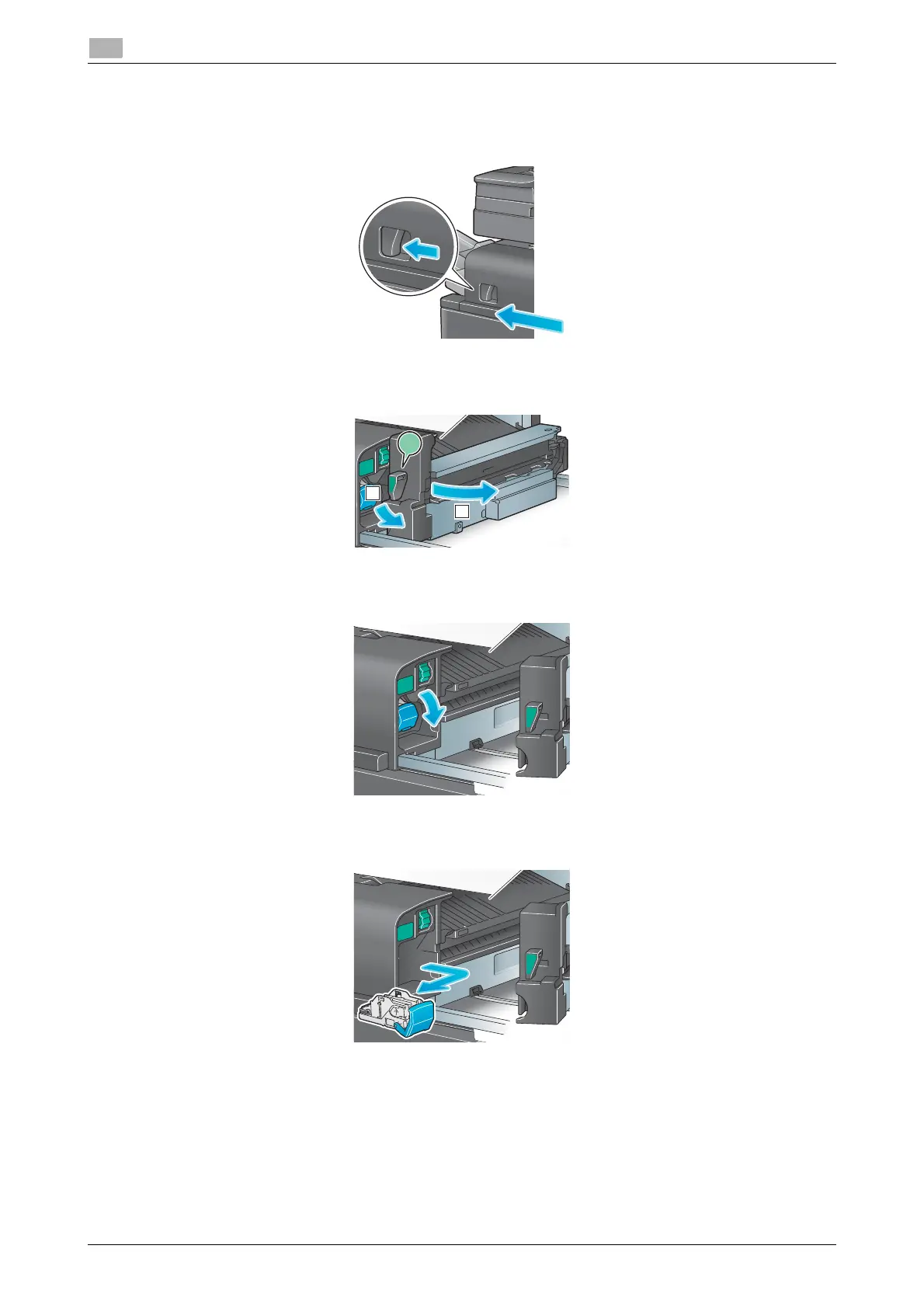
Replacing a Staple Cartridge (for Finisher FS-533)
1
Pinch the Lock Release Lever, and slide the Finisher.
2
Pull the Punch Kit Release Lever [FS2] in the arrow direction, and open the Punch Kit.
3
Unlock the Staple Cartridge.
4
Pull out the Staple Cartridge.
FS2
1
2











 To Next Page