ineo+ 360i/300i/250i 9-21
9.4 When a message appears to replace consumables or carry out cleaning
9
4
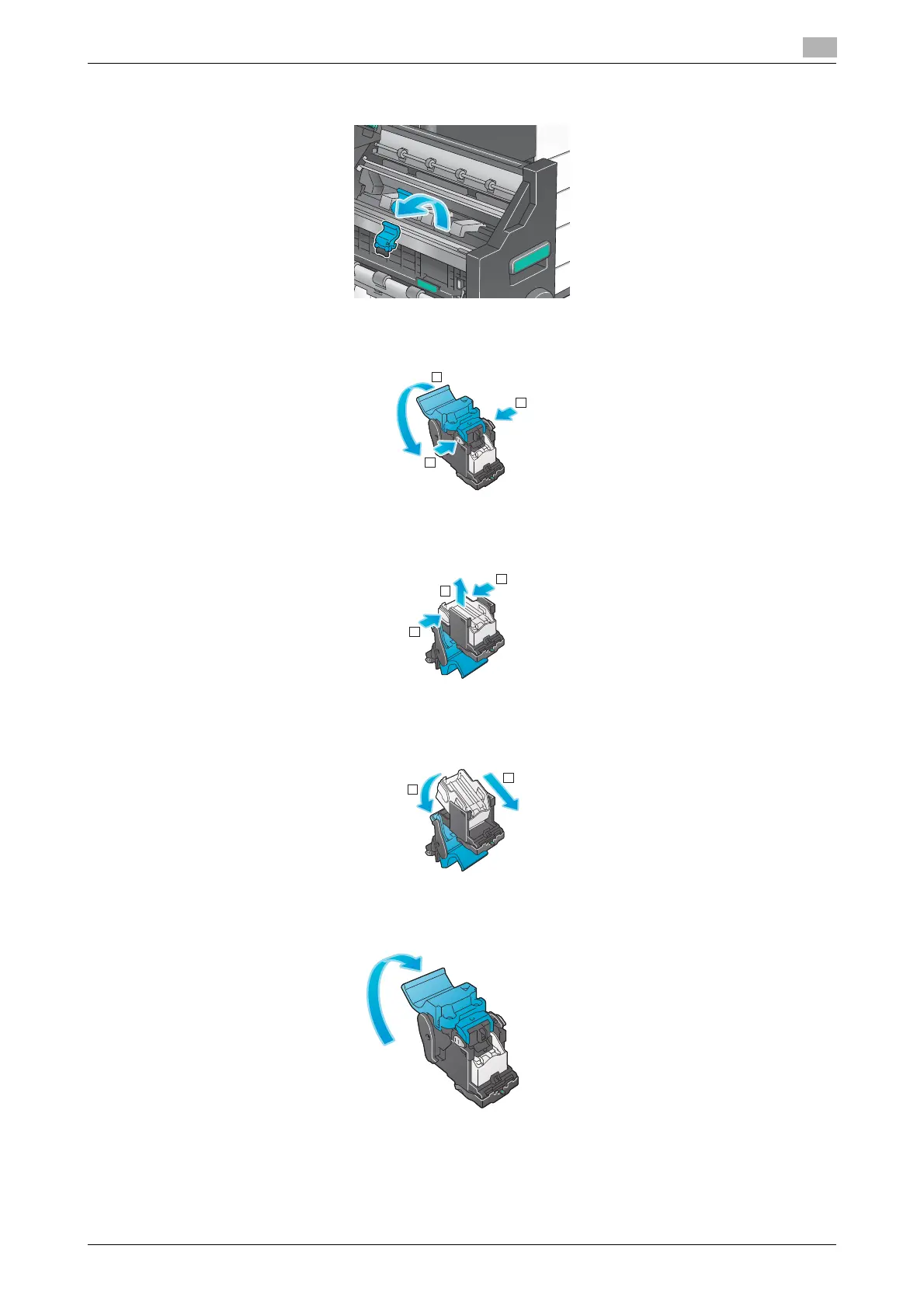
Pull out the Saddle Staple Cartridge.
5
Open the Saddle Staple Cartridge cover.
6
Remove any empty staple cases from the Saddle Staple Cartridge.
7
Attach a new staple case to the Saddle Staple Cartridge.
8
Close the Saddle Staple Cartridge cover.
1
1
2
1
1
2
2
1
1
1
2











 To Next Page