5
5-20 ineo+ 224/284/364/454/554
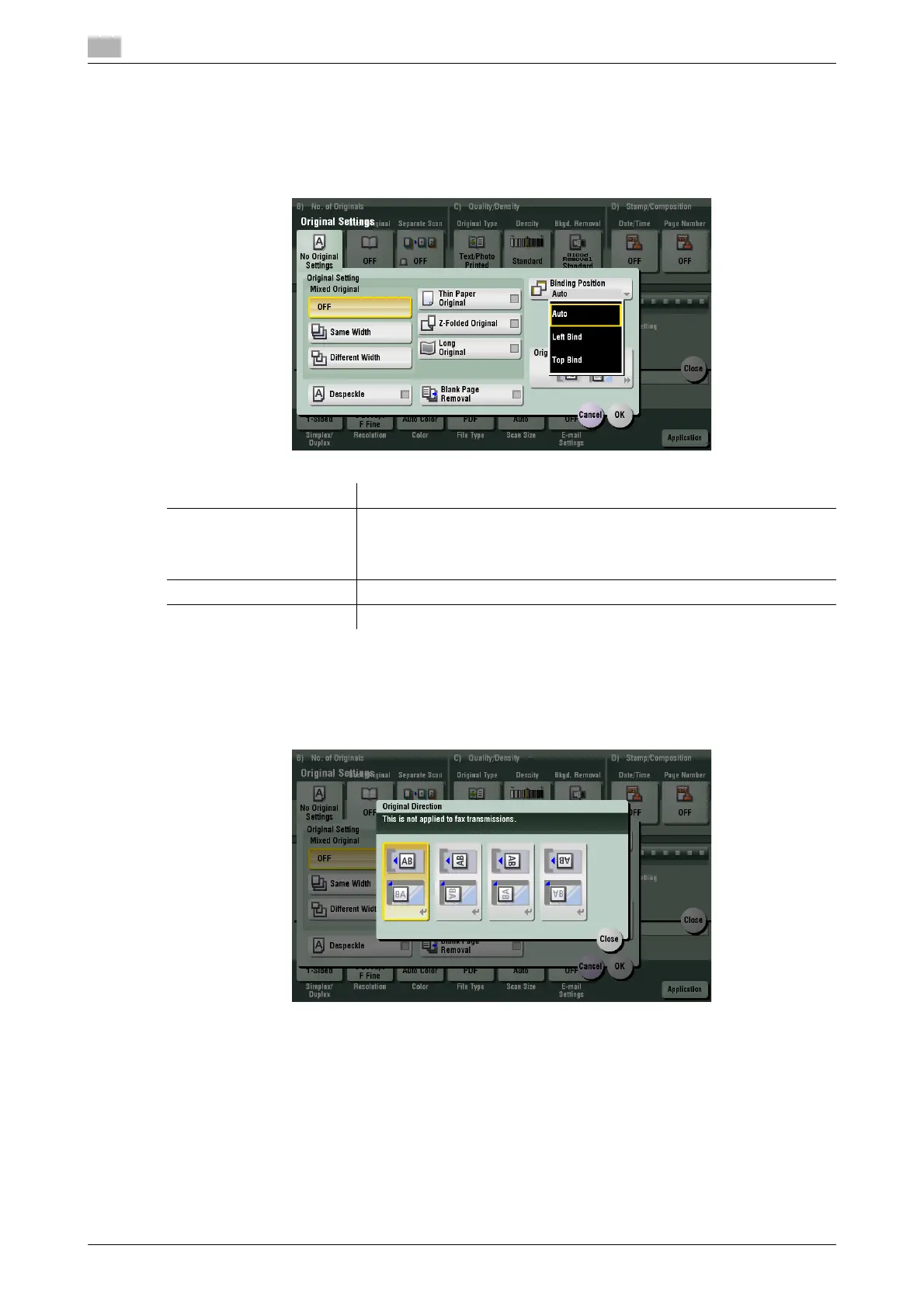
[Binding Position]
To display: [Scan/Fax] - [Application] - [No. of Originals] - [Original Settings] - [Binding Position]
When scanning a 2-sided original, select the original binding position to prevent the binding positions being
reversed between the front and rear faces.
[Original Direction]
To display: [Scan/Fax] - [Application] - [No. of Originals] - [Original Settings] - [Original Direction]
Specify the orientation of the loaded original.
Settings Description
[Auto] The binding position is automatically set. A page binding posi-tion along
the long side of the paper is selected if the original length is 11-11/16 inch-
es (297 mm) or less. A page binding along the short side of the paper is se-
lected if the original length exceeds 11-11/16 inches (297 mm).
[Left Bind] Select this option when the binding position is set to the left of the original.
[Top Bind] Select this option when the binding position is set to the top of the original.



 To Next Page