ineo+ 224/284/364/454/554 4-3
4.1 Registering frequently used destinations (Address Book)
4
4 Managing Destinations
4.1 Registering frequently used destinations (Address Book)
Address Book
Registering a frequently used destination on this machine will save you the trouble of having to enter it each
time you send a fax. A destination registered on this machine is called an "Address Book".
You can register up to 2000 address books. The destination types which can be registered are E-mail ad-
dress, computer name, etc. depending on the transmission mode.
Related setting (for the administrator)
- You can specify whether to allow the user to register or change destinations (default: [Allow]). For de-
tails, refer to page 7-8.
Registering an Internet fax destination
Register destination E-mail addresses.
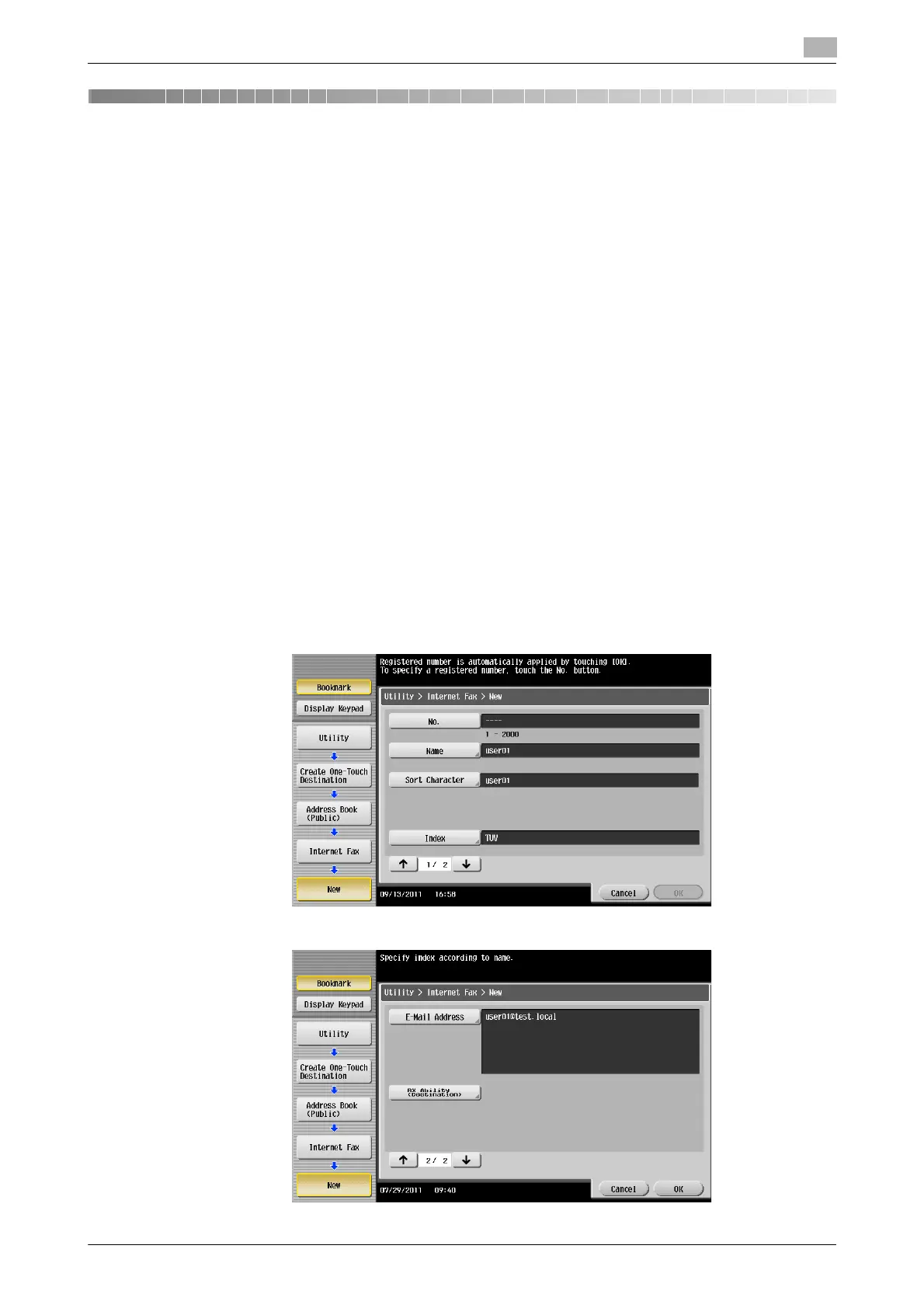
1 Tap [Utility] - [One-Touch/User Box Registration] - [Create One-Touch Destination] - [Address Book
(Public)] - [Internet Fax] - [New].
% The administrator can perform the same actions by selecting [Administrator Settings] - [One-
Touch/User Box Registration].
2 Enter destination information, then tap [OK].
% For details on registration information, refer to page 6-6.



 To Next Page