ineo+ 224/284/364/454/554 1-15
1.3 Specifying a destination
1
Related setting
- You can select the index or destination type to be displayed at the top when [Address Book] is dis-
played (default: [Favorites]/[All]). For details, refer to page 6-11.
- You can select the sorting order of destinations to be displayed in [Address Book] by registration
number or by registered name (default: [Number Order]). For details, refer to page 6-11.
- You can select the button or list view mode as the default display of the [Address Book] (default: [One-
Touch Button Layout]). For details, refer to page 6-11.
Related setting (for the administrator)
- You can specify whether to prohibit users from specifying multiple destinations (broadcasting) (default:
[OFF]). For details, refer to page 7-9.
Specifying a group destination
When you frequently send data by broadcast transmission, it is convenient to use a group destination that
groups multiple destinations.
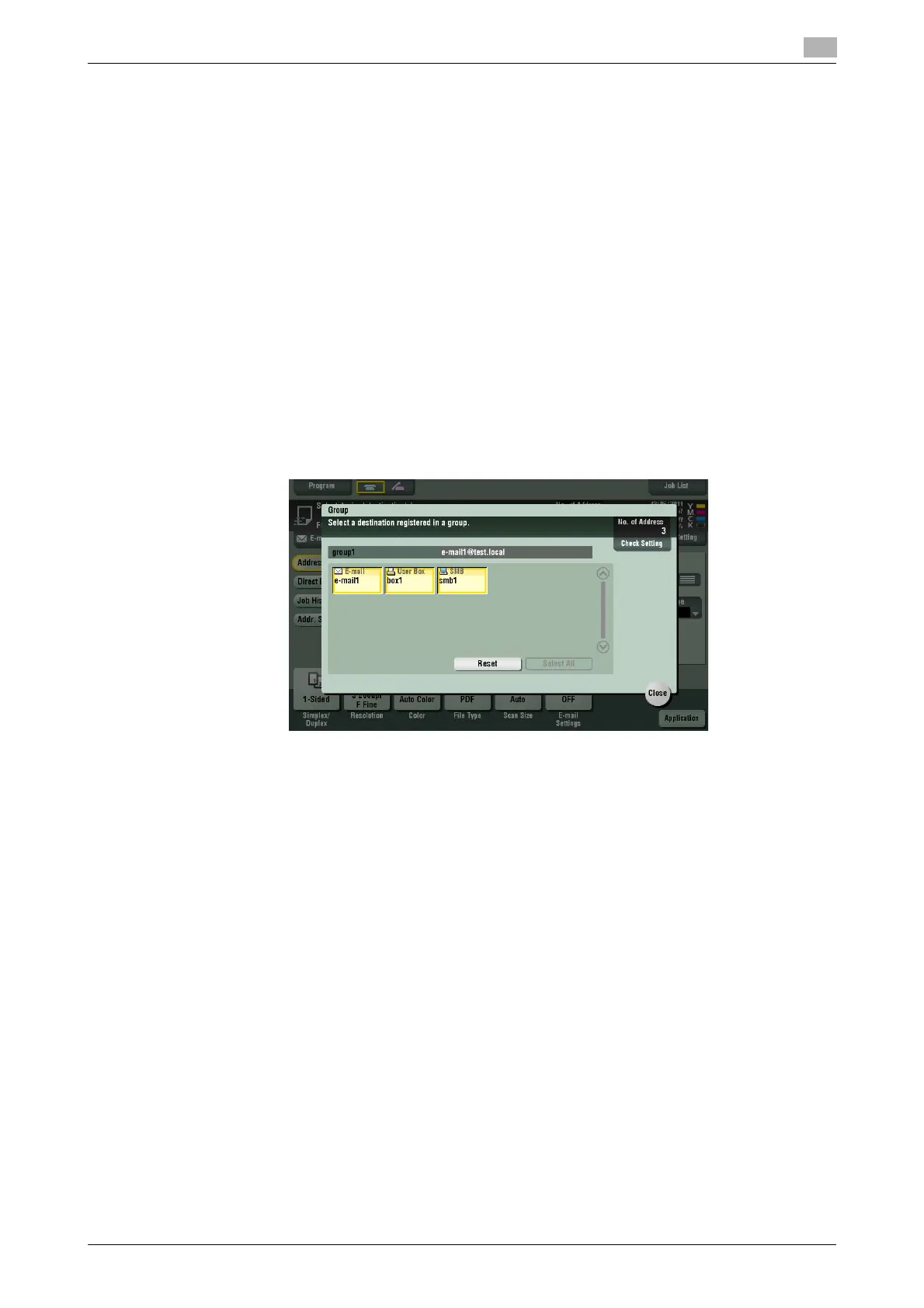
When a group destination is selected in [Address Book], select the destinations you want send data among
the destinations registered in the group. If there is certain destination that you want to delete from sending
data among the destinations registered in the group, tap [Select All], then tap the target destination to dese-
lect.
For details on how to register a group destination, refer to page 4-6.



 To Next Page