Registering multiple destinations as a group (Create Group)
4
4-6 ineo+ 224/284/364/454/554
4.2
4.2 Registering multiple destinations as a group (Create Group)
Create Group
Register multiple destinations as a group. Create Group is a convenient way to broadcast a fax.
Up to 100 groups can be registered for Group.
Related setting (for the administrator)
- You can specify whether to allow the user to register or change destinations (default: [Allow]). For de-
tails, refer to page 7-8.
Registering a group
0 To register a group, you must register the one-touch destinations to be added to the group in advance.
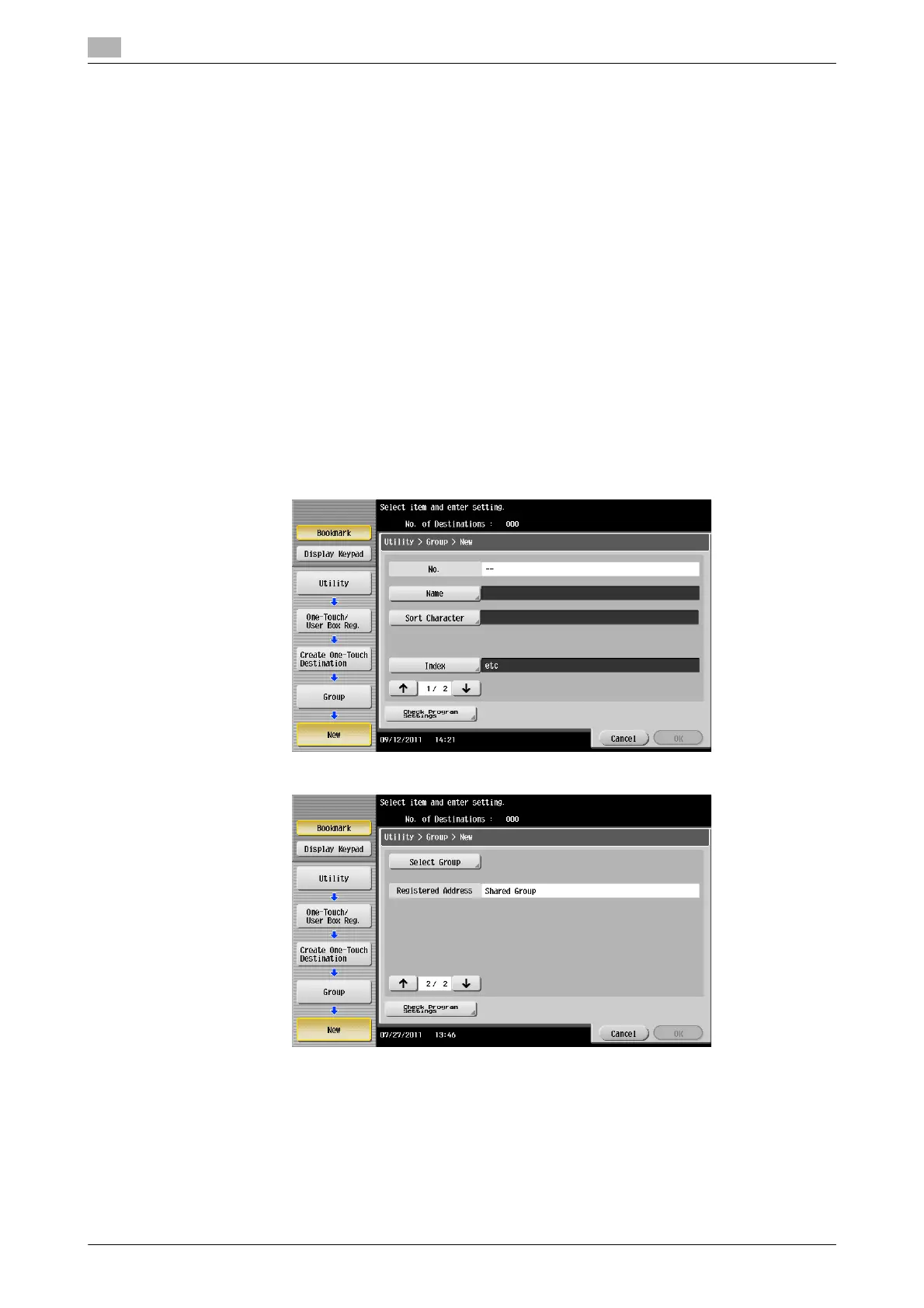
1 Tap [Utility] - [One-Touch/User Box Registration] - [Create One-Touch Destination] - [Group] - [New].
% The administrator can perform the same actions by selecting [Administrator Settings] - [One-
Touch/User Box Registration].
2 Enter destination information, then tap [OK].
% For details on registration information, refer to page 6-7.
Tips
- To check the settings for a registered group, select its registered name, then tap [Check Job Set.].
- To change the settings for a registered group, select its registered name, then tap [Edit].
- To delete a registered group, select its registered name, then tap [Delete].



 To Next Page