SE-900
Operation
9
Model 9000 Altitude Selection
Model 9000 has manual altitude selection. This allows
the patient to correct the CPAP pressure when traveling.
To correct the CPAP pressure for altitude changes:
1. Plug CPAP into AC power using appropriate power
cord. Will work on 100 to 240 volts AC (50 or 60 Hz) with no changes except for
the end of the power cord where it plugs into the wall.
2. The display will show
Set Pres and the CPAP will increase to the prescribed CPAP
pressure.
3. Press the Select button on the keypad until the LCD display shows
Altitude.
4. Use the UP or DOWN keys on the keypad to change the altitude setting.
5. Operate the CPAP normally.
6. Remember to return
Altitude to its original setting upon returning home.
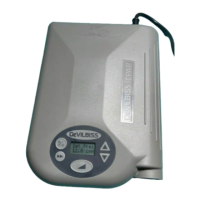
Model 9000 LCD Display Window Definitions
Pressing the SELECT button changes the display to show information about the CPAP.
Press the UP or DOWN button to change the displayed setting. (The patient can only
change the Altitude and Language.)
• Set Pressure– CPAP pressure (cmH20) prescribed by your doctor
• Altitude Range– Patient selectable, corrects CPAP pressure for changes in altitude
while traveling. See Operating instructions for ranges and use.
• Delay Time– Time for the CPAP to reach the prescription pressure after pressing
the Delay button.
• Delay Pressure– Pressure delivered during the delay cycle.
• Compliance Hours– Number of hours recorded while breathing was present.
• Unit Hours– Number of hours recorded while CPAP blower was ON.
• Firmware Version– Identification for firmware installed in the CPAP.
• Serial Number– Serial number of the CPAP unit, same as on the label.
• Language– Language selected for LCD display messages.
• Off- Blower is OFF; AC or DC power is connected.
• Error- An error has been detected by the firmware, the CPAP is in a fail safe mode.
Operation
SE-900
8
OPERATION OF THE 9000
CO
2
Rebreathing
CO2 rebreathing is minimized during use by providing
3cmH2O minimum pressure, which creates airflow
through mask vent holes. It is important that mask
vent holes are not blocked.
During a single fault, the blower is maintained within
spec or at less than the maximum limited pressure. For
a firmware detected fault, the blower is set to a fail
safe mode in which the blower is turned off and the
detected error code is shown on the LCD display. CO2
rebreathing is minimized by keeping the mask vent
holes open at all times.
1. Plug CPAP into AC power using appropriate power
cord. Will work on 100-240 volts AC (50 or 60
Hz) with no changes except for the end of the
power cord where it plugs into the wall.
2. The display will show
Set Pres and the CPAP will
increase to the prescribed CPAP pressure.
3. The display shows the CPAP pressure prescribed
by the doctor.
NOTE—Your physician has chosen the appropriate
delay time (0, 10, 20, 30 or 45 minutes) that
has been preset by your Sunrise Medical
provider or clinician.
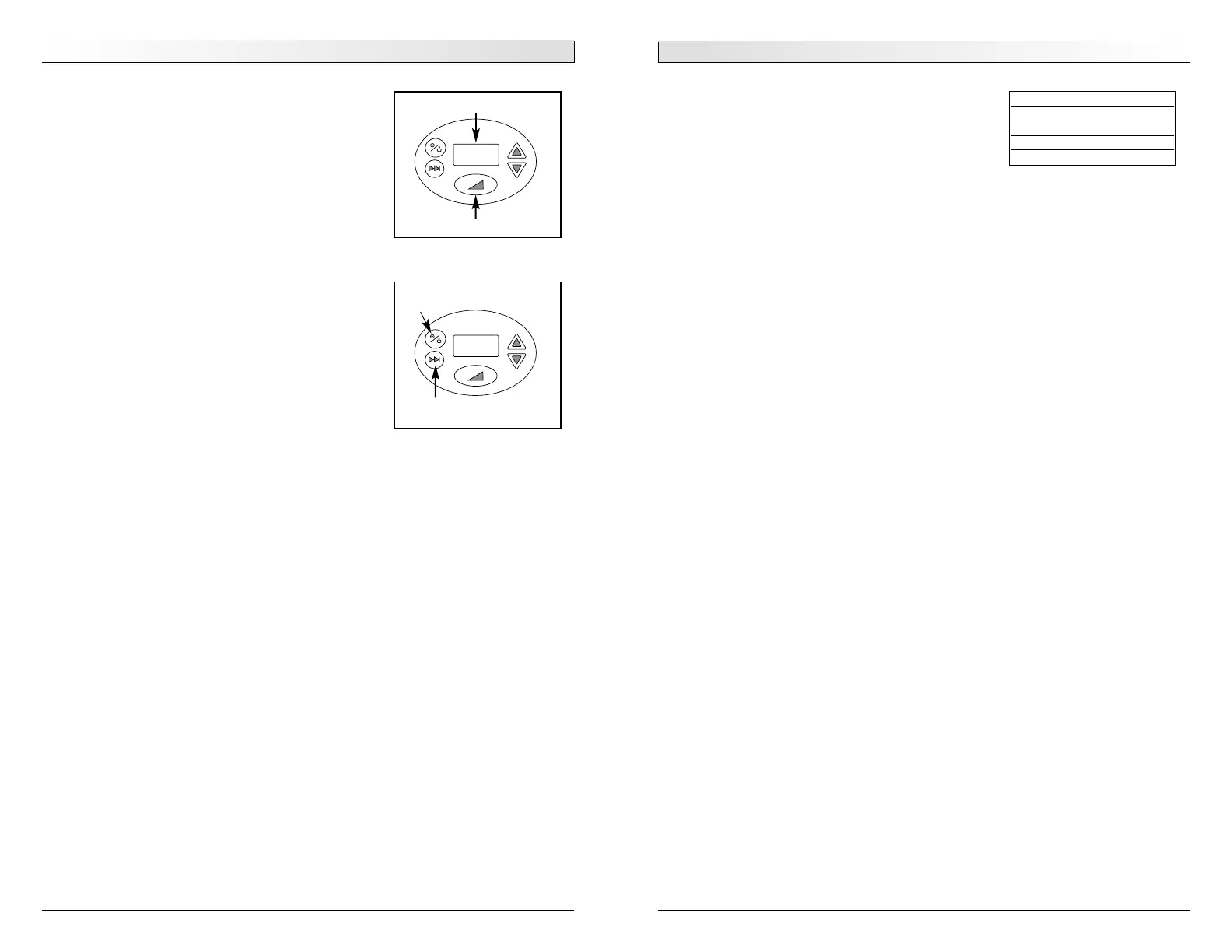
4. Press the Delay button
Figure 8 to start the
pressure delay cycle if prescribed. Pressure will
decrease to the Delay Pressure setting and return
to the prescribed Set Pressure after the Delay
Time has expired.
5. When you awake in the morning, press the
ON/OFF button to turn the blower OFF
Figure 9.
ON/OFF
Figure 8
LCD Display
Delay button
Figure 9
Select button
Set Pres
8.0 cmH
Altitude LCD Symbol
0-2500 1
❙
2500-5000 2
❙❙
5000-7500 3
❙❙❙
7500-9000 4
❙❙❙❙








 To Next Page