EasyManua.ls Logo

Devolo GIGAGATE - LED Indicator Behavior

Devolo GIGAGATE
43 pages
Print Icon
To Next Page IconTo Next Page
To Previous Page IconTo Previous Page
Loading...
14 Introduction
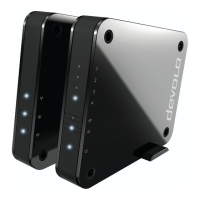
devolo GigaGate
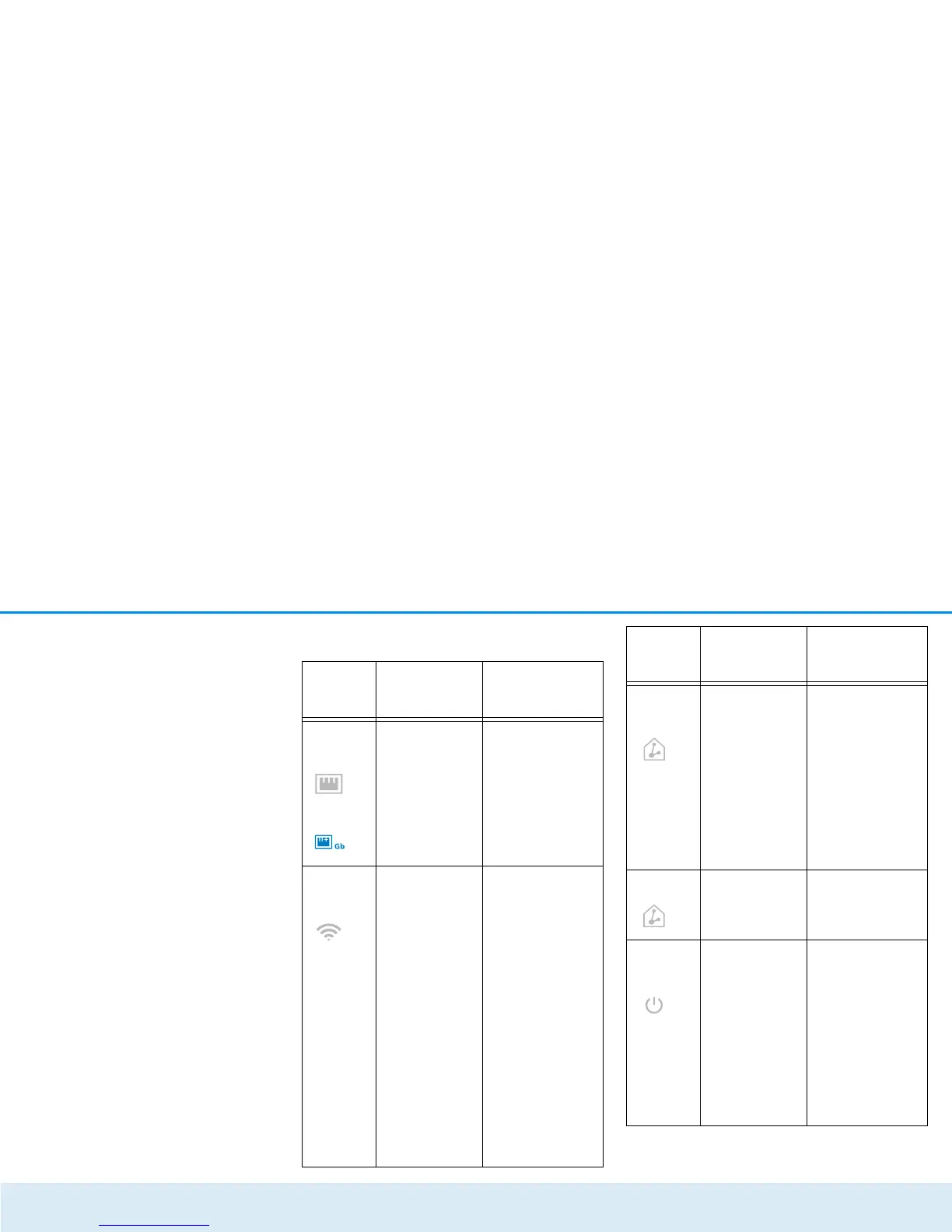
Flashing behaviour of the LEDs
LED
Flashing
behaviour
Meaning
White
LED
Lights up
steady
Network-compati-
ble devices are
connected to
devolo GigaGate
devices using a
network cable
White
LED
Flashes at
intervals of 0.5
sec. (on/off)
Lights up
steady
A secure WiFi
connection (WPS)
is established
between the
devolo GigaGate
and a network
device
There is an
encrypted WiFi
connection
between the
devolo GigaGate
and a network
device
White
LED
Flashes at
intervals of 2
sec. (on/off)
Lights up
steady
A gigabit connec-
tion is estab-
lished between
the base and the
satellite
Data transmis-
sion rate in opti-
mum range
Red LED Lights up
steady
Data transmis-
sion rate not in
optimum range
White
LED
Flashes at
intervals of 2
sec. (on/off)
Lights up
steady
devolo GigaGate
devices are in the
start-up process
devolo GigaGate
devices are sup-
plied with power
and are ready to
operate
LED
Flashing
behaviour
Meaning

Other manuals for Devolo GIGAGATE

Related product manuals