Initial use 17
devolo GigaGate
3Initial use
This chapter covers everything you need to know to set
up your devolo GigaGate. We provide a brief
description of the connection to both devices and
briefly introduce the devolo software. Further, detailed
information is available at www.devolo.com
.
3.1 Package contents
Please ensure that the delivery is complete before be-
ginning with the installation of your devolo GigaGate.
쎲 Starter Kit
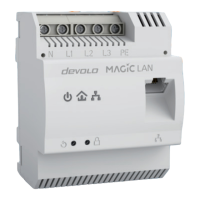
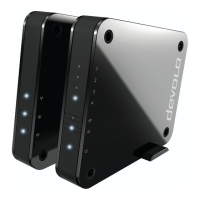
쑗 devolo GigaGate Base
쑗 devolo GigaGate Satellite
쑗 Two mains adapters with power cables
쑗 Two network cables (Cat 5e, 1000 Mbps)
쑗 Hard copy of installation guide
쑗 CE declaration
or
쎲 Expansion:
쑗 devolo GigaGate Satellite
쑗 One mains adapter with power cable
쑗 One network cable (Cat 5e, 1000 Mbps)
쑗 Hard copy of installation guide
쑗 CE declaration
devolo AG reserves the right to change the package
contents without prior notice.
3.2 System requirements
쎲 Operating systems: Windows 7 (32 bit/64 bit),
Windows 8 (32 bit/64 bit), Windows 8 Pro (32 bit/
64 bit), Windows 10 (32 bit/64 bit), Windows 10
Pro (32 bit/64 bit), Linux (32 bit/64 bit), Mac (OS
X 10.6)
쎲 Network jack
You require a router with a free giga-
bit network connection for the opti-
mal transmission rate of the devolo
GigaGate. Connect the devolo Gi-
gaGate Base and the router using the
included network cable.


 To Next Page