B. Manual Reset Over temperature Safety Thermostats- The second hi-limit
thermostat is located on the right side of each burner housing as you view from the back of the
machine. It is just above the gas valve and covered by a guard with a small access hole.
1. The manually resettable thermostat limits the operating temperature a dryer can reach should
some abnormal situation occur.
2. Should one of the thermostats be tripped, that particular tumbler will cease to heat until the
thermostat is reset. Once the dryer cools, the thermostat may be reset by inserting a pencil or
stick through the opening in the thermostat cover.
REMOVAL: To remove either the hi-limit thermostat on the rear of the burner housing or the
over-temperature thermostat on the right side of the burner housing, remove the mounting
screws holding its respective guard. Next, remove the terminal of each wires attached to the
thermostat. Lastly, remove the mounting screws holding the thermostat to the burner.
Pressure Regulator Adjustment
Use the following procedure whenever it is necessary to check the pressure regulator setting.
NOTE: Any adjustment of the pressure regulator must be made with a manometer
attached at the plug in the main burner manifold.
1. Shut o the gas supply to the dryer.
2. Remove the 1/8” pipe plug from the end of the main burner manifold.
3. Attach a manometer to the manifold end.
4. Remove the pressure regulator cover screw on the gas valve.
5. Open the shuto valve, and operate the dryer.
6. Adjust the pressure for a manometer reading of 3.5” water column gas pressure. (11.0” for L.P.)
NOTE: The main burners must be operating when adjusting the pressure regulator.
7. Shut o the gas supply to the dryer. Remove the manometer and install the 1/8” pipe plug in the
manifold.
8. Open the shut o valve, start the dryer and check for gas leaks while the burners are ignited.
Heat Sensor
This unit takes the place of the regulating thermostat on a mechanical timer dryer. The Heat Sensor
is a thermistor. The way these work is fairly simple. As the temperature goes up, the resistance in the
thermistor (heat sensor) goes down. As the temperature drops, the resistance in the thermistor (heat
sensor) goes up.
Electronic Control Removal
Unlock the retaining lock in the control assembly. Slide the control out of the machine holding the control
by the metal tray. There is enough wire length to allow removing the control tray from the machine before
disconnecting the wires.
Membrane Switch Replacement
The control buttons are an adhesive membrane switch assembly which may be replaced separately. Slide
the control out to gain access to disconnect the ribbon connector. The ribbon connector must be pushed
solidly and squarely into its connector when connecting a new membrane switch.
Temperature Sensor Testing
If either tumbler display shows an F1 or F2, that is an indication of possible temperature sensor problems
for that tumbler. Before replacing a sensor, check the wires and connections of the sensor for damage.
The sensor lead wires are very small and care should be used in routing and connecting them. The
sensors are located under the tumblers and may be viewed by removing the lint screen. The temperature
sensor should have 10,000 ohms resistance at room temperature if okay.
Temperature Testing
To check the temperature in the dryer tumbler, press and hold the upper or lower start button for the
tumbler being checked and while holding the start button also press the temperature button for the
temperature to be checked. The display will read out the current temperature.
20Lb Stack Temperature Sensor Removal
UPPER - Remove front panel, see front panel removal procedure, in the Control area remove the two
gray wire nuts connecting the Temp sensor harness. Remove cap plug and slide Temperature probe into
the control compartment area, be carful not to loose the retainer clip (9486-137-002) that is on the Temp
probe inside the lint tray area. Reinstall in reverse operation.
LOWER - Remove Lower Panel, see lower panel removal procedure, in the left lower cavity remove the two
gray wire nuts connecting the Temperature Sensor harness. Slide the Temperature Probe to the left cavity
area to remove, be carful not to loose the retainer clip (9486-137-002) that is on the Temp probe inside
the lint tray area. Reinstall in reverse operation.
20Lb Stack Upper Front Panel Removal
UPPER - To remove the front panel the door assembly must be removed. First remove control and lint
screen, next remove Door hinge upper special screw, 9545-052-001 3/16 allen wrench, and remove door.
Next remove the four hinge strap torque screws, T20, and the upper right torque screw, and the three
torque screws on the left hand side. Now the panel is loose. Next you must disconnect the door switch
wires before you can remove the panel.
LOWER - To remove the Lower front panel the Control and upper lint screen plus the door must be
removed. The front panel has to be loosened by removing the two lower torque screws (T20) on the
upper door hinge and the left lower torque screw to loosen the front panel. The lower lint screen must be
removed. Next remove Door hinge lower special screw, 9545-052-001 3/16 allen wrench, and remove door.
Next remove the four hinge strap torque screws, T20, and the two torque screws on the left hand side.
Now the panel is loose. Next you must disconnect the door switch wires before you can remove the panel.
NOTE: Always remove power from the machine before performing mainte-
nance on the machine.
Final Drive Belt Replacement
To replace the nal drive belt turn the cylinder slowly by hand and work the belt o of the large pulley.
Motor Drive Belt Replacement
To replace the motor drive belt the nal drive belt should be removed as above. Cut the old motor belt and
remove. The new motor drive belt ts inside of three of the four motor mounting bolts. To achieve this,
remove these three bolts one at a time and slide the belt in past each in turn. In this way the motor is
always supported by 3 bolts at any time.
NOTE: All drive belts are self adjusting.
Tumbler Pulley Removal And Installation
Remove the 1 1/2” nut and lock washer. Pull the pulley o the shaft. Watch for the locking key on the
tumbler shaft. Upon installation, the tumbler nut should be torqued to 150 ft./lbs.
48 49
Part # 8533-108-001 10/22 Part # 8533-108-001 10/22
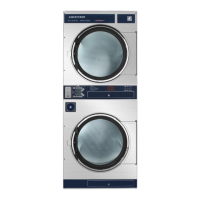
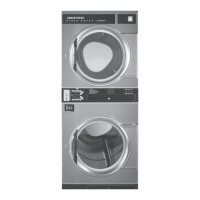
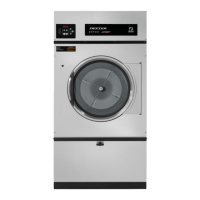
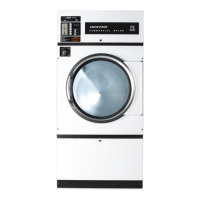
Electric Heated
Parts Data




 To Next Page