20
Chapter 2 Hardware Installation
Chapter 2
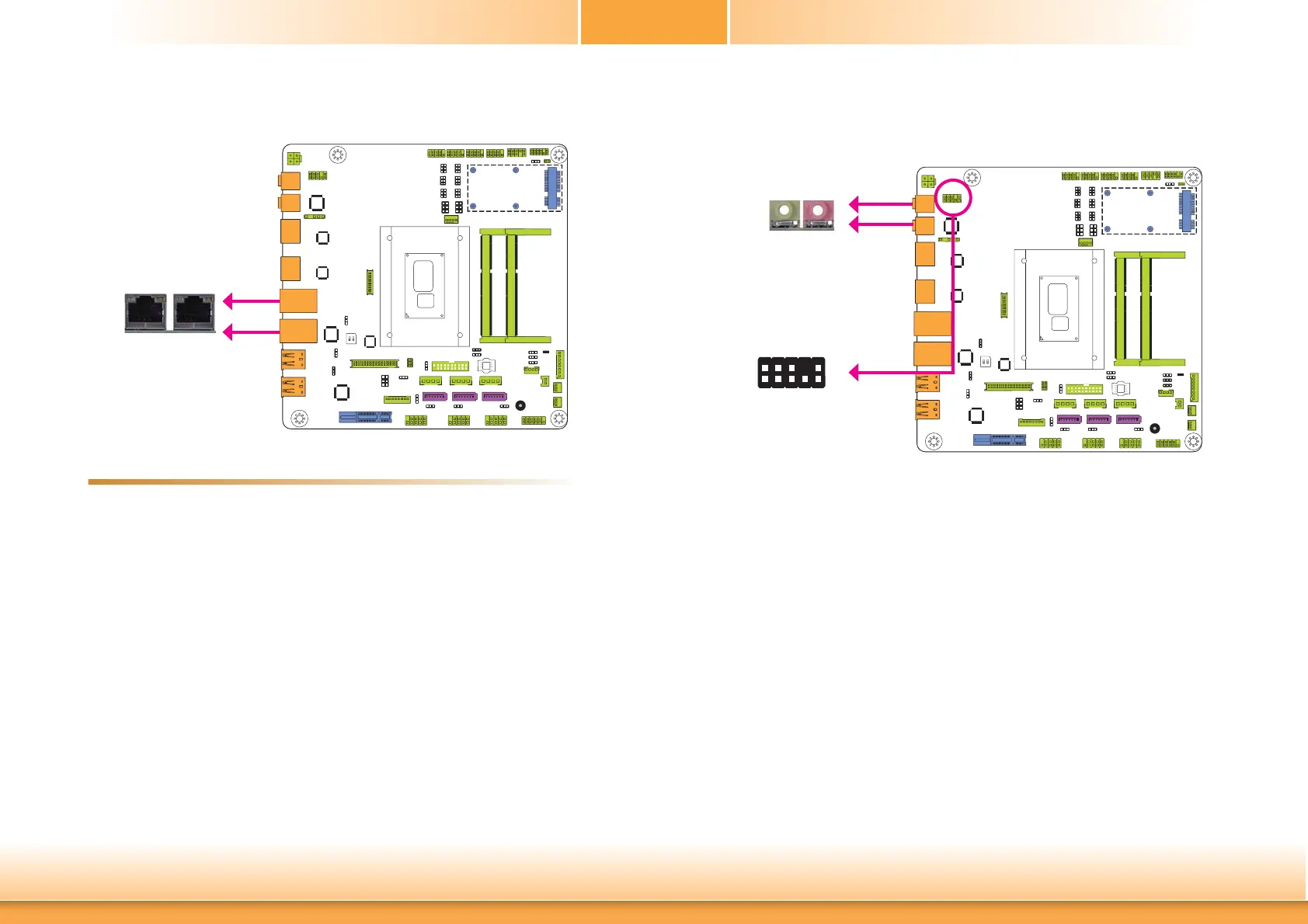
RJ45 LAN Ports
Features
• Intel
®
I210 PCI Express Gigabit Ethernet controller
• Intel
®
I218 with iAMT9.5 Gigabit Ethernet Phy
The LAN ports allow the system board to connect to a local area network by means of a
network hub.
BIOS Setting
Configure the onboard LAN in the Chipset menu (“PCH-IO Configuration” submenu) of the
BIOS. Refer to chapter 3 for more information.
Driver Installation
Install the LAN drivers. Refer to chapter 4 for more information.
LAN 2
LAN 1
LAN 1LAN 2
Audio
Rear Audio
The system board is equipped with 2 audio jacks. A jack is a one-hole connecting interface for
inserting a plug.
• Line-out Jack (Lime)
This jack is used to connect a headphone or external speakers.
• Mic-in (Pink)
This jack is used to connect an external microphone.
Front Audio
The front audio connector allows you to connect to the second line-out and mic-in jacks that
are at the front panel of your system.
Driver Installation
Install the audio driver. Refer to the chapter 4 for more information.
Line-out
Mic-in
Front
Audio
1
Mic2-L
Line2-R
Front_IO_Sense
GND
Presence Signal
Key
2
9
Mic2-JD
Line2-JD
10
Mic2-R
Line2-L
Line-out
Mic-in



 To Next Page