www.dfi .com
61
Chapter 4 Supported Software
Chapter 4
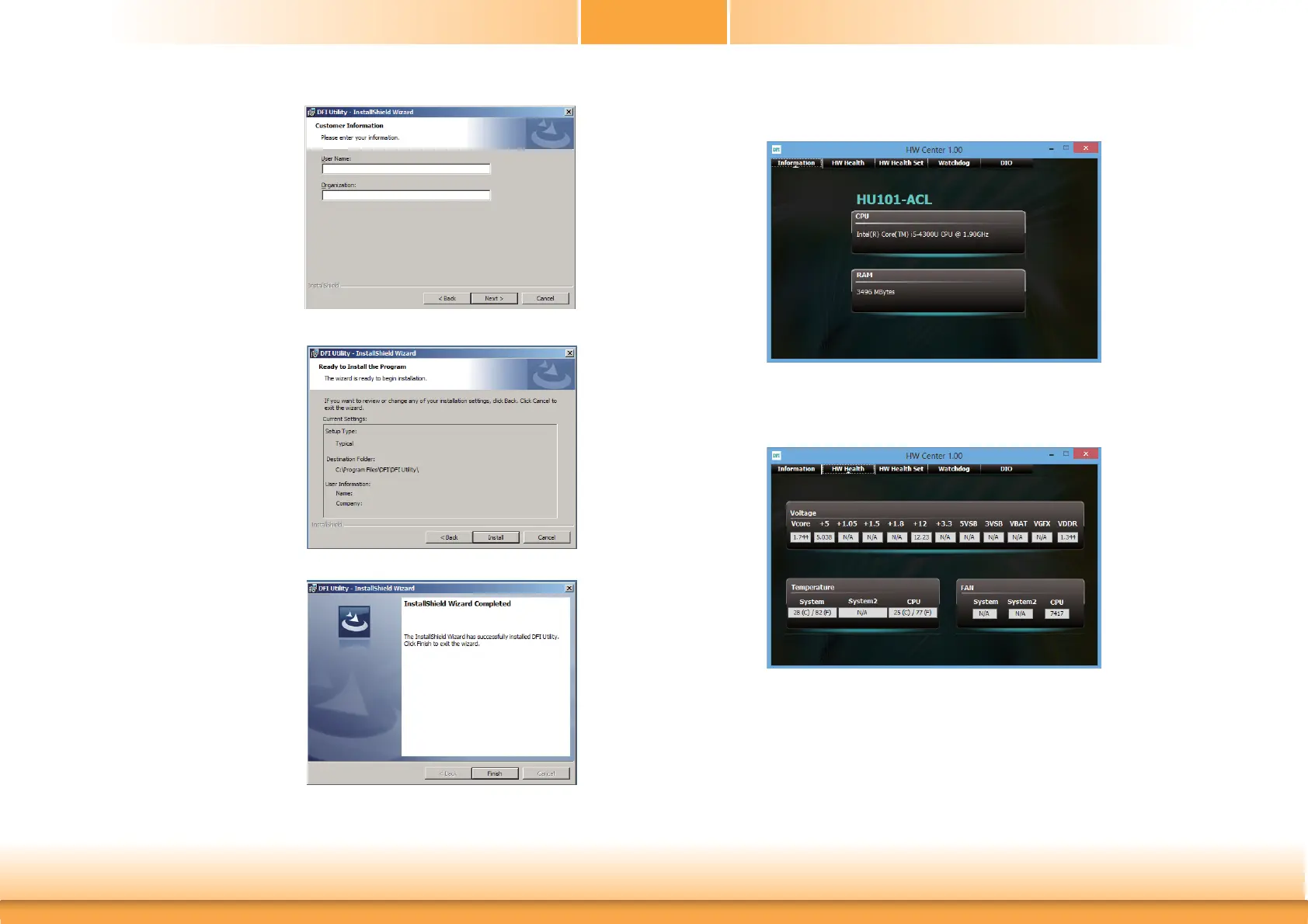
4. Click “Install” to begin the
installation.
5. After completing installa
tion, click “Finish”.
3. Enter “User name” (SB102)
and “Organization” information
then click “Next”.
The DFI Utility icon will appear on the desktop. Double-click the icon to open the utility.
Information
HW Health


 To Next Page