84
Chapter 7 Intel AMT Settings
Chapter 7
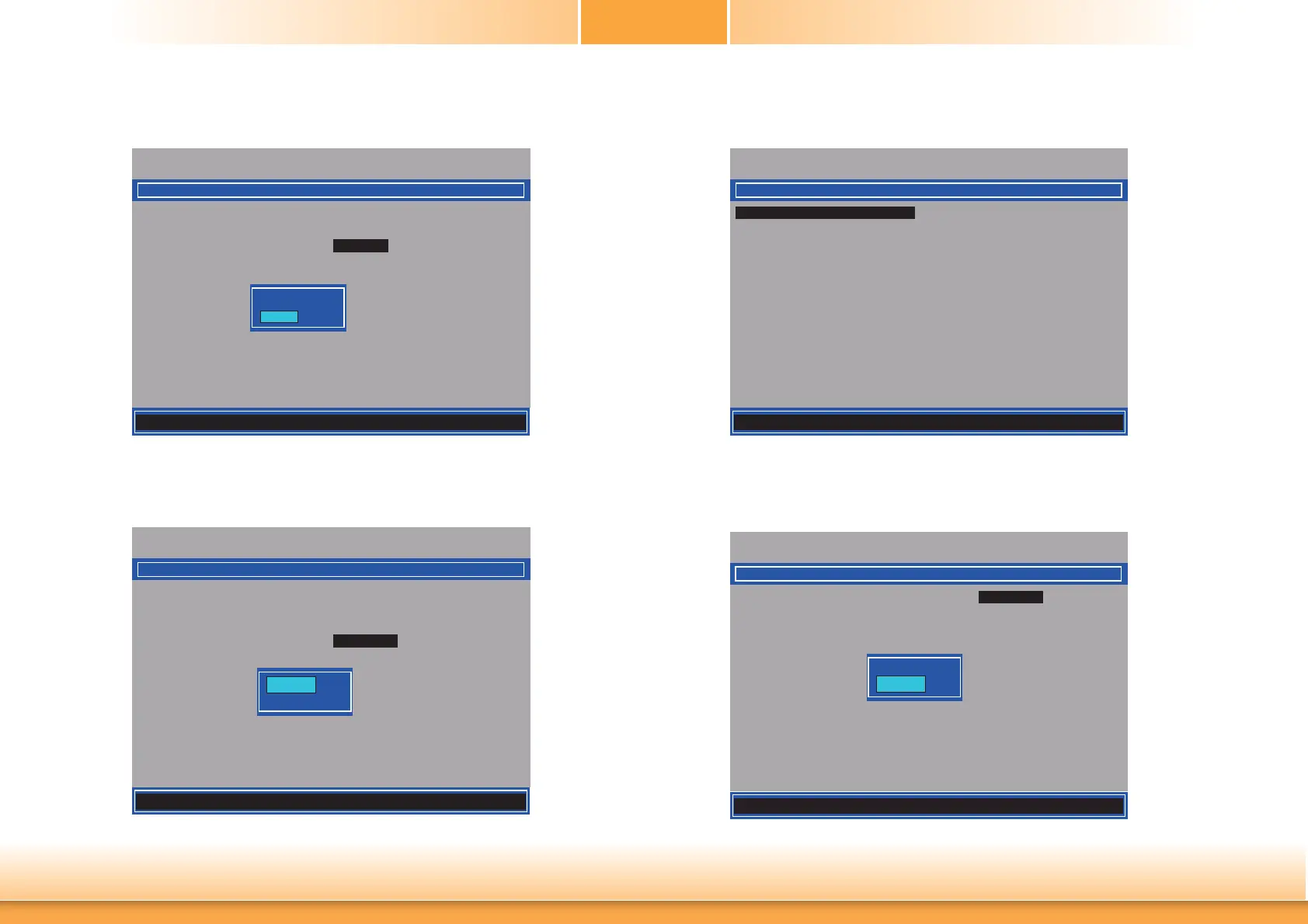
25. Select Shared/Dedicated FQDN then press Enter. Select Shared or Dedicated then
press Enter.
Intel(R) Management Engine BIOS Extension v9.0.0.0029/Intel(R) ME v9.5.30.1808
Copyright(C) 2003-13 Intel Corporation. All Rights Reserved.
INTEL (R) ME NETWORK NAME SETTINGS
Host Name _
Domain Name _
Shared/ Dedicated FQDN
<Shared>
Dynamic DNS Update <Disabled>
Dedicated
Shared
26. Select Dynamic DNS Update then press Enter. Select Enabled or Disabled then press
Enter.
Intel(R) Management Engine BIOS Extension v9.0.0.0029/Intel(R) ME v9.5.30.1808
Copyright(C) 2003-13 Intel Corporation. All Rights Reserved.
INTEL (R) ME NETWORK NAME SETTINGS
Host Name _
Domain Name _
Shared/ Dedicated FQDN
<Shared>
Dynamic DNS Update
<Disabled>
Disabled
Enabled
27. Select Previous Menu until you return to the Intel(R) ME Network Setup menu. Select
TCP/IP Settings then press Enter.
Intel(R) Management Engine BIOS Extension v9.0.0.0029/Intel(R) ME v9.5.30.1808
Copyright(C) 2003-13 Intel Corporation. All Rights Reserved.
[] = Move Highlight [Enter] = Select Entry [Esc]= Exit
TCP/ IP SETTINGS
> Wired LAN IPV4 Confi guration
28. In the TCP/IP Settings menu, select Wired LAN IPV4 Configuration then press
Enter.
Intel(R) Management Engine BIOS Extension v9.0.0.0029/Intel(R) ME v9.5.30.1808
Copyright(C) 2003-13 Intel Corporation. All Rights Reserved.
WIRED LAN IPV4 CONFIGURATION
DHCP Mode <Enabled>
Disabled
Enabled
[] = Move Highlight [Enter] = Complete Entry [Esc]= Discard Changes
[] = Move Highlight [Enter] = Complete Entry [Esc]= Discard Changes
[] = Move Highlight [Enter] = Complete Entry [Esc]= Discard Changes



 To Next Page