Running in the disc changer
Run-in the disc changer to stabilize the disc changer's up/down movement.
Procedure
1.
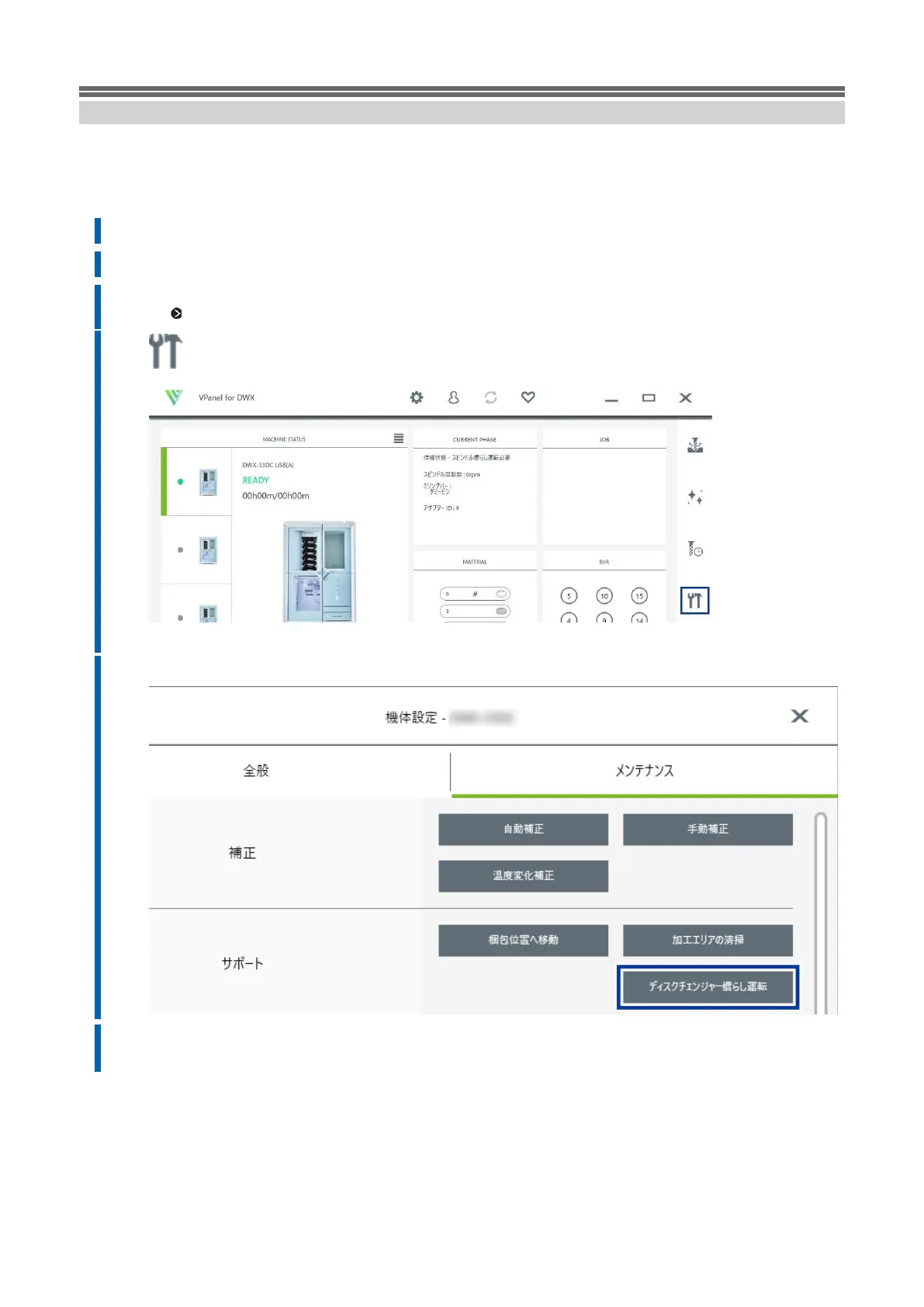
Close all covers.
2.
Turn on the power of this unit.
3.
Displays VPanel.
P. Show 39VPanel
4. Click OK.
The [DWX-53DC Aircraft Sets] window appears.
5.
Click [Disk Changer Run-in] in the [Maintenance] tab.
6.
When the following window appears, click [OK].
Starts running-in.



 To Next Page