Transmitters 9 November 2001 113
Next Chapter
Tran sm it te r
Connecting the RF
Signal
RF signal level that is too high
or too low causes poor
performance.
1. Use a spectrum analyzer to verify that the RF signal level
(from the input cable) matches the level required by the
system design.
2. Connect the cable containing the RF signal to the
transmitter module as follows:
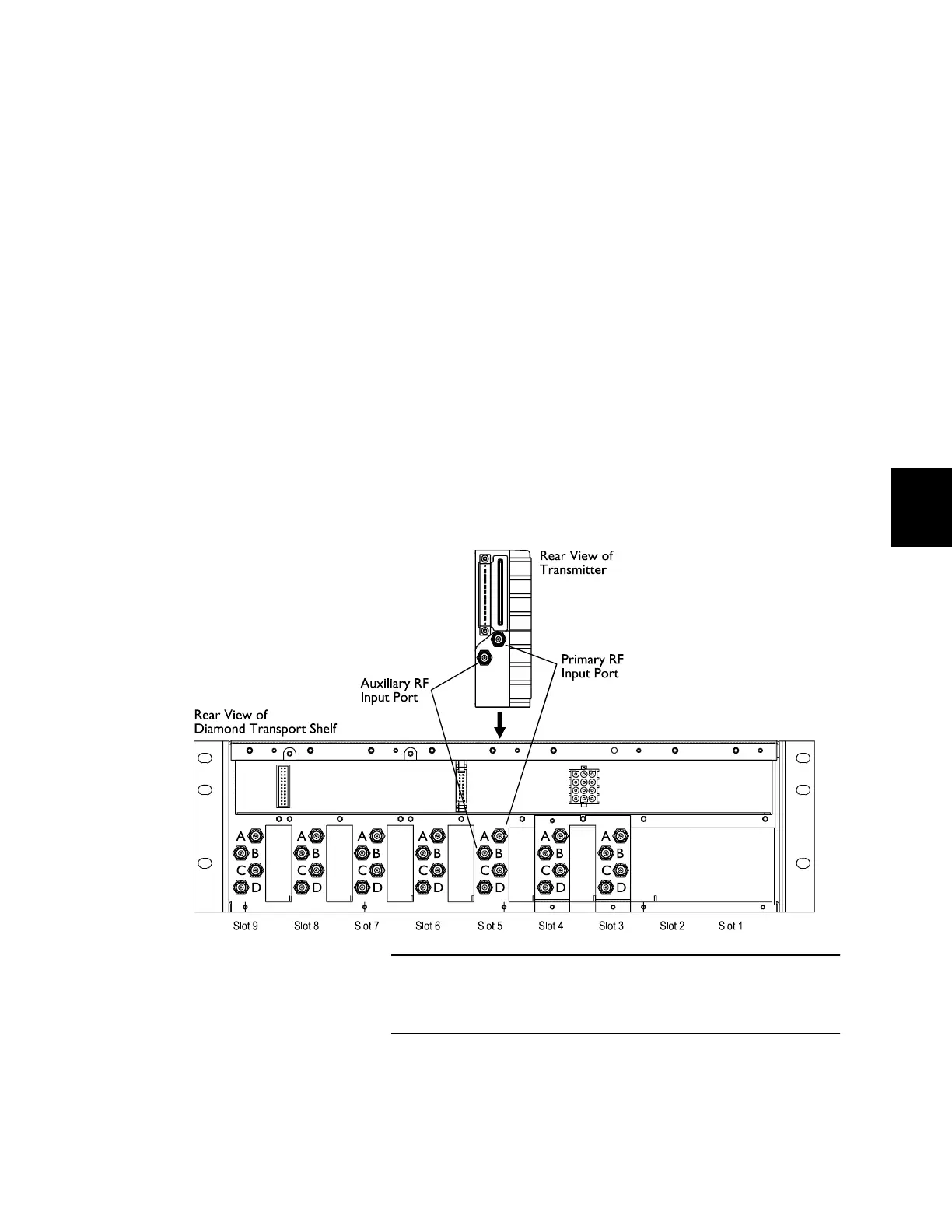
• If the RF input is at the specified level, connect RG-59
cable to the primary RF input port, labeled A. (See
Figure 52.)
DT-QTX transmitters have
only a primary RF input.
• If you plan to use an auxiliary RF input, verify the
signal level matches the system design. Then,
connect the cable to the auxiliary RF input port,
labeled B.
• If you do not plan to use the auxiliary RF input,
terminate that port with a 75-ohm, F-type terminator.
End of Procedure. Proceed to “Setting Up the Transmitter”
on page 114.
Figure 52. RF Input Connectors
Connect the cable containing the primary RF input signal to the
primary RF input port on the shelf.



 To Next Page