OPERATOR’S MANUAL
PM300, PM332, PM400 Planter Monitors
11001-1372-201702 Rev B
18 / KEY FUNCTIONS
EDITING SCREEN FIELDS USING KEYS
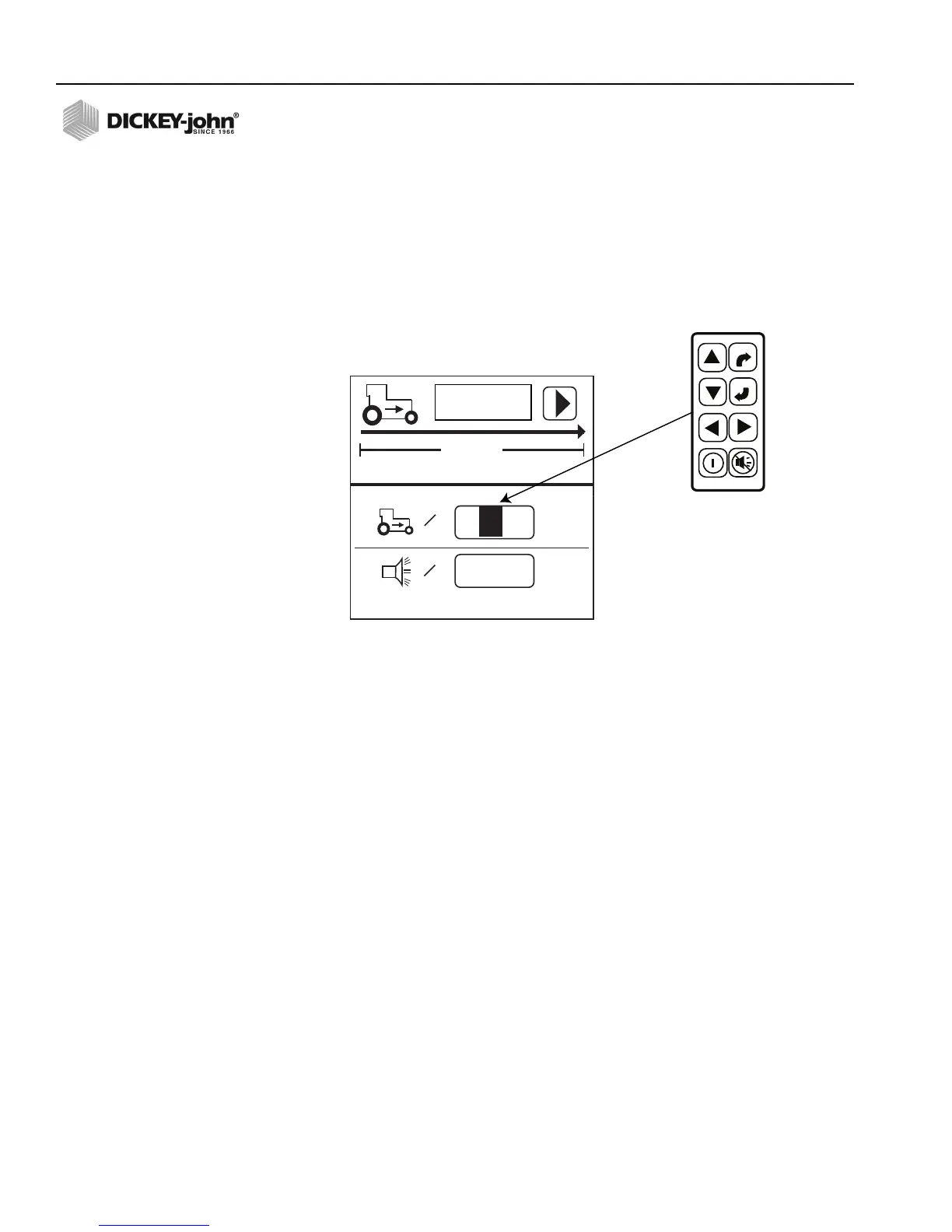
The term “highlight” used throughout the manual refers to pressing a key to
activate and move the blinking cursor until the desired digit on the screen is
highlighted. Pressing Enter accepts and confirms the selection.
HIGHLIGHTED DIGIT FOR EDITING
6096
00.0
mph
400ft
=
0.0
mph
=
GNDSPD CONSTANT
A highlighted digit can be edited by
using the Arrow keys on the Control
Panel. Press Enter to accept
and confirm the selection.
ENTER
ESCAPE



 To Next Page