OPERATOR’S MANUAL
PM300, PM332, PM400 Planter Monitors
11001-1372-201702 Rev B
INSTALLATION / 19
INSTALLATION
The monitor is tested and inspected before shipping to ensure the unit is
fully operational and meets measurement specifications. Inspect for
damage that may have occurred during transit. Save all packing materials
until the inspection is complete. If damage is found, immediately file a claim
with the carrier and notify your DICKEY-john Sales Representative.
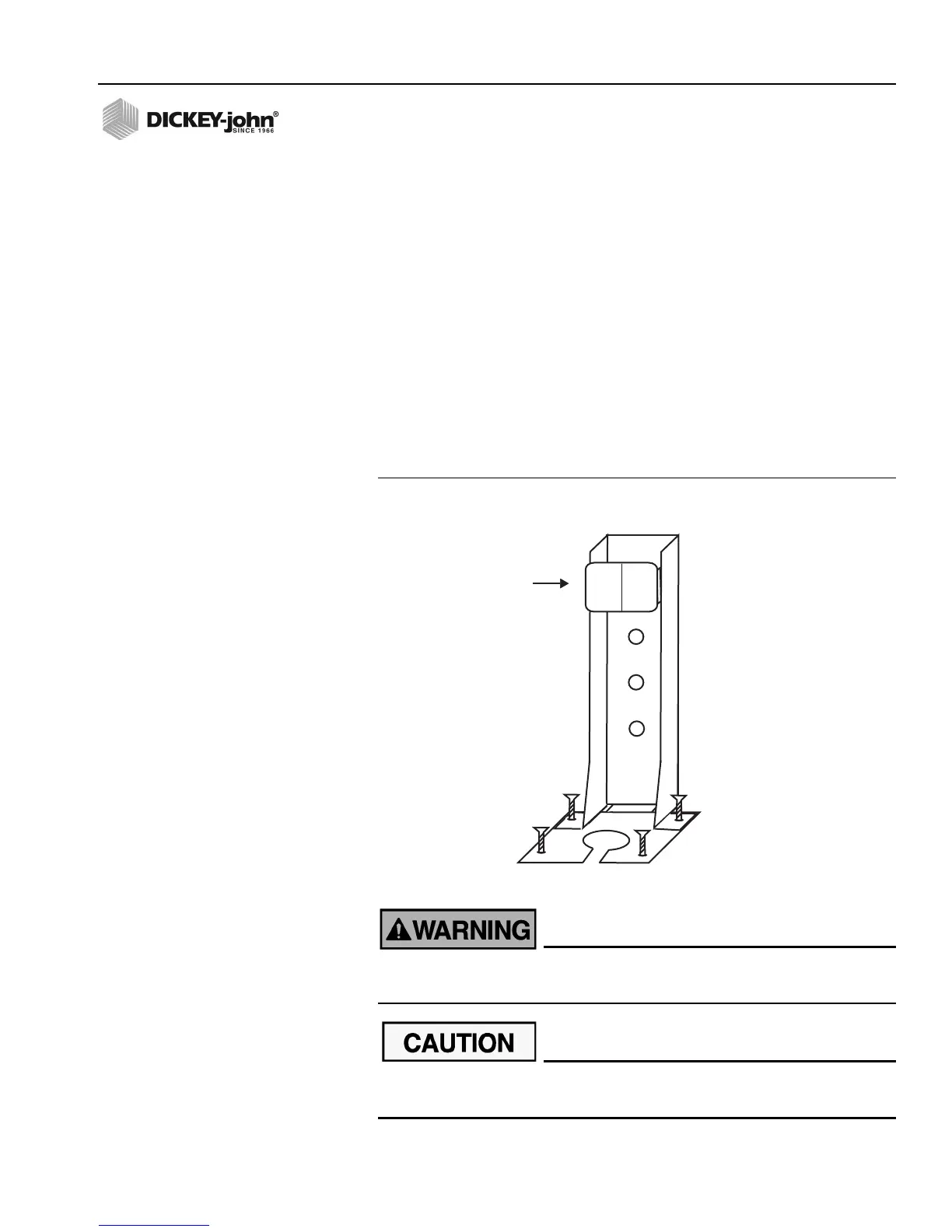
STANDARD MOUNTING BRACKET
NOTE: When mounted to a vertical
surface, a tie-wrap may be
used to secure the cables to the
bottom of the bracket.
Install the mounting bracket at the desired location using locally acquired
hardware. Install the console to the bracket by aligning the console mating
grooves with the bracket and sliding the console onto the bracket until the
snap engages.
Figure 9
Standard Mounting Bracket
The console must not obstruct the view of the operator or interfere
with the operation of the tractor.
To prevent damage to the console, be sure the snap fully engages
during installation.
Slide console
until snap
engages
Mount on vehicle
with locally acquired
hardware



 To Next Page