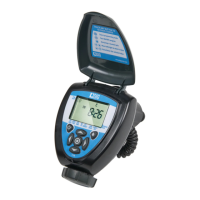
10
10. SETTING CURRENT TIME, DAY OF THE WEEK AND DATE
To enable the controller to operate the system at the correct times, the current
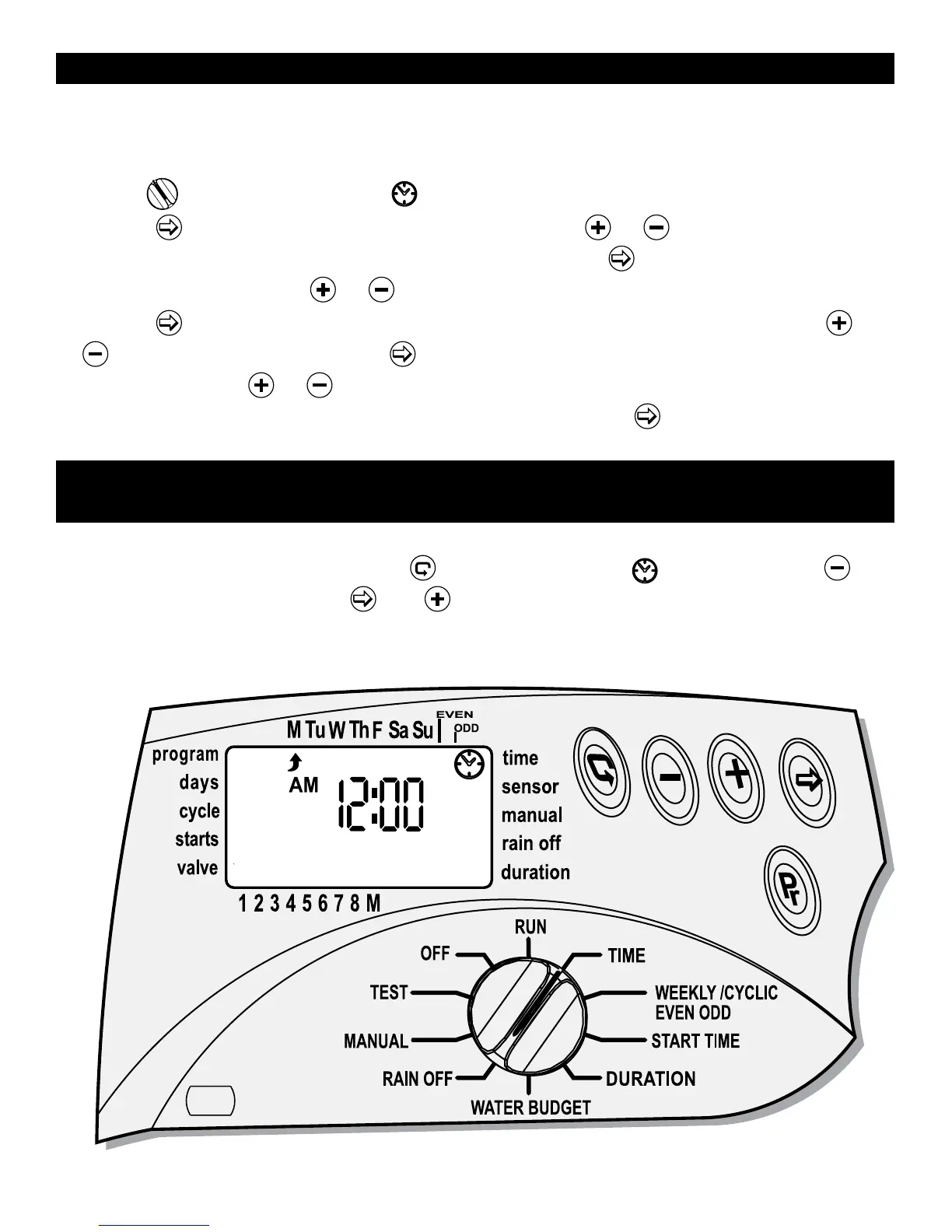
time and current day of the week must first be set. Steps below explain how to set
the day and time.
Turn the
to TIME/DATE mode .
Press the
and the hour digits will flash. Press the or to set the current
hour (note: use of AM and PM designations). Press the
, minutes digit flash, set
the current minute using
or .
Press the
, the year, month date appear with the YEAR blinking. Press the
or
and set the year. Press the , the month appears with the MONTH digit
blinking. Press the
or and set the month. Repeat the steps to and the date
and day of the week. To repeat or review any step, press
button.
11. TIME FORMAT (SWITCHING BETWEEN AM/PM
AND 24 HOUR)
The default time format is AM/PM. There is also a 24-hour time format. After the
date and time have been set press
several times until appears. Press ,
hour digit will blink. Press the
and simultaneously. The clock reading switches
from AM/PM to a 24-hour time display or vice versa.


 To Next Page