14
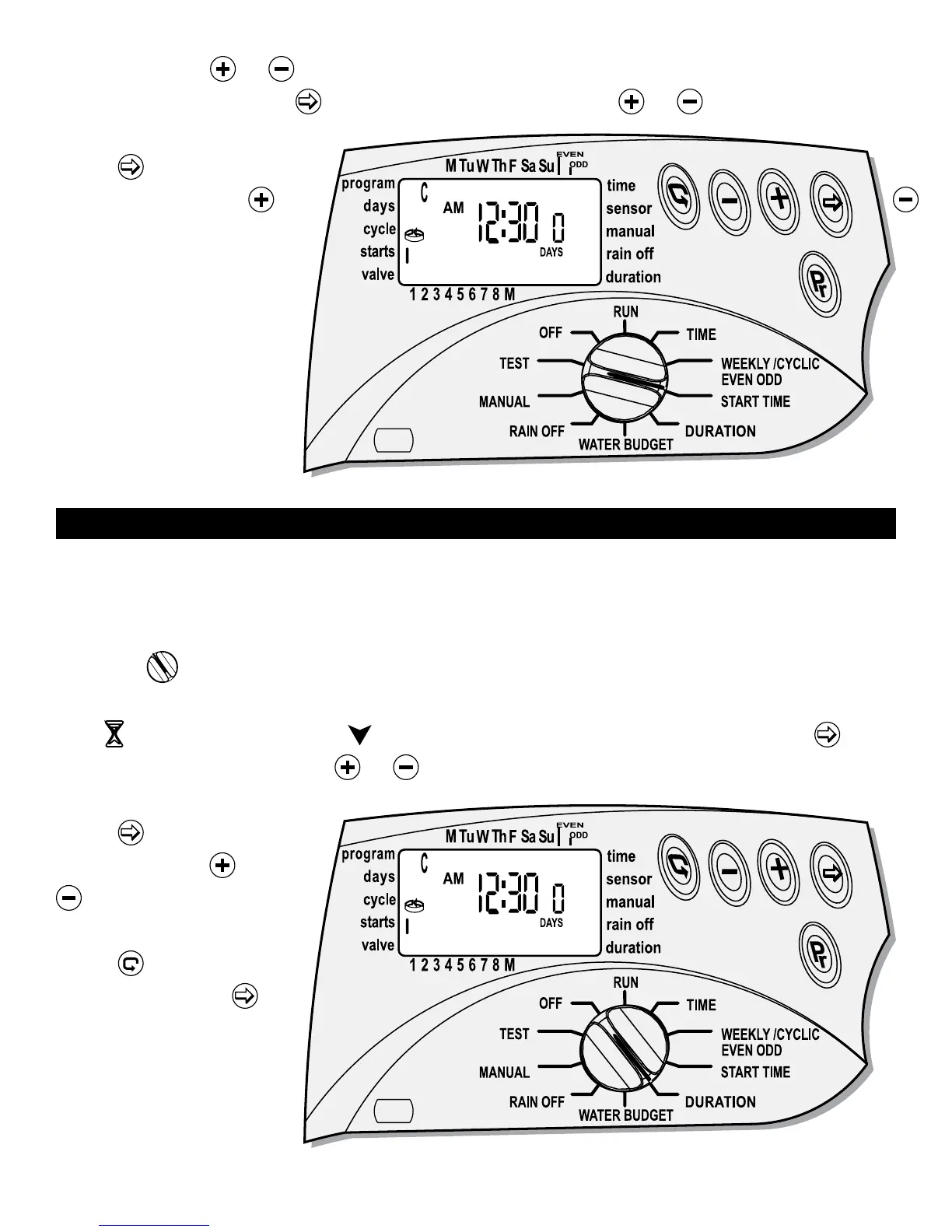
blinking. Press or to set the desired start time hour (12), please note and
select AM or PM. Press
the minute is blinking, press or to set the desired
start time minute (30).
Press
and 1 day is
blinking. Press the
or
to select the number of
days to delay the start
time.
14. PROGRAMMING WATERING DURATION
This setting determines the length of time that each valve will remain open. Up to
4 hours of watering can be selected for each valve on each program in 1-minute
increments.
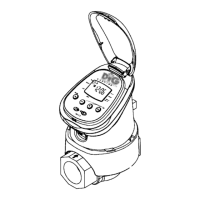
Turn the
to DURATION mode.
The screen with the program used A, B or C, the time is set to 0:00, the duration
icon
appears and the icon above the valve # appears blinking. Press the
hour digit is blinking. Press
or and set the desired duration time in hour (Max
of 3:59 can be added).
Press
the minute is
blinking, press
or
and set the desired
time in minutes (30).
Press
and skip to
next valve. Press
the
hour digit is blinking.
Repeat the same steps
for each active valve.


 To Next Page