HI, MI, WI-700 service manual - 4 –servicing
4-42 Issue 9 04/2020
Signature labeller - removal of thermal head
If the thermal head is to be disconnected and removed, the electrical power
to the labeller must be turned off.
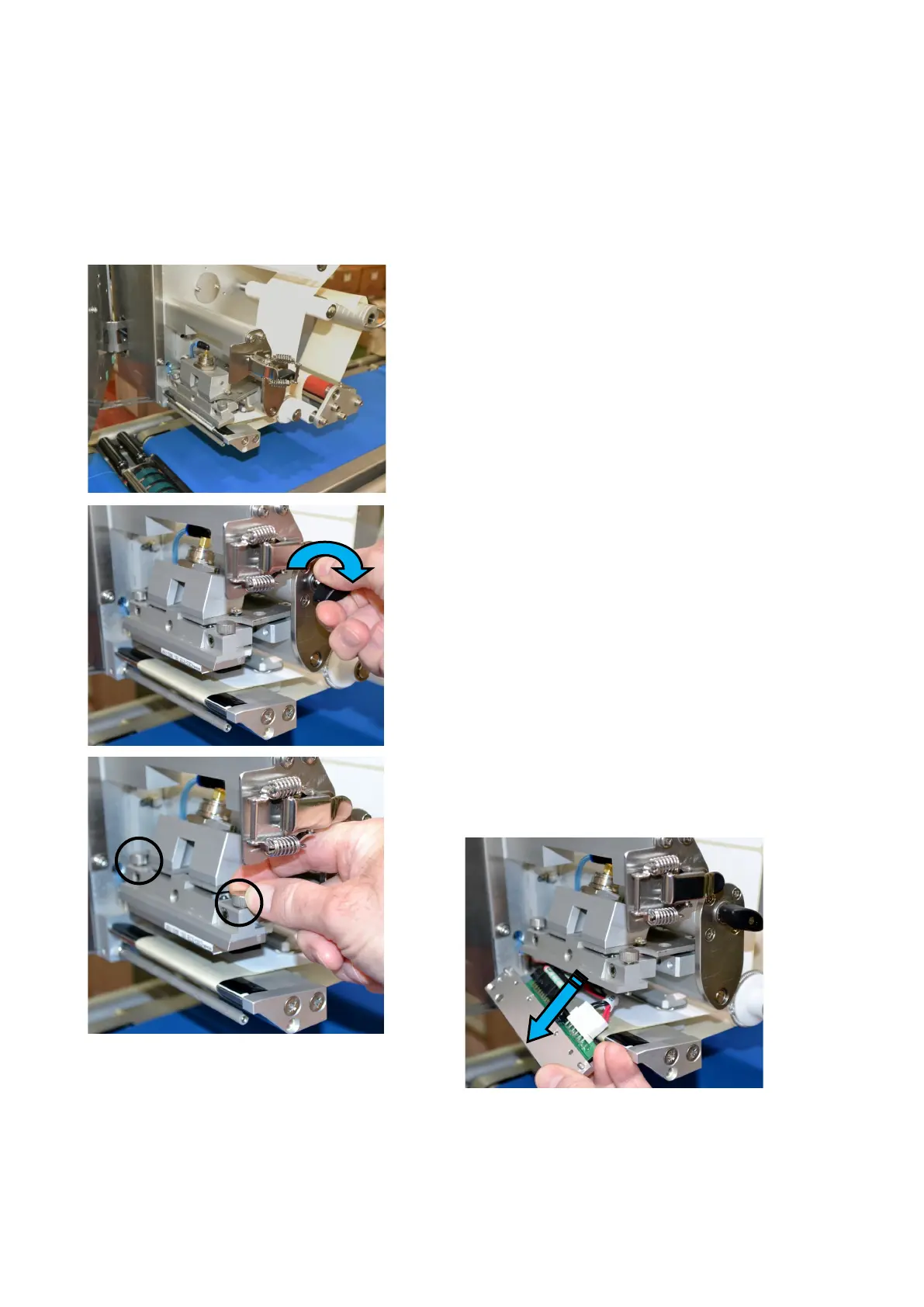
Open the applicator latch and hinge the applicator
away from the print head area.
Turn the black knob to open the print head area
Un-screw the two clamping screws to release the
thermal head (and its bracket) from the head
assembly (no need to fully remove screws)
Un-plug the two cables (power cable & data ribbon
cable) from the thermal head



 To Next Page