HI, MI, WI-700 service manual - 4 –servicing
4-43 Issue 9 04/2020
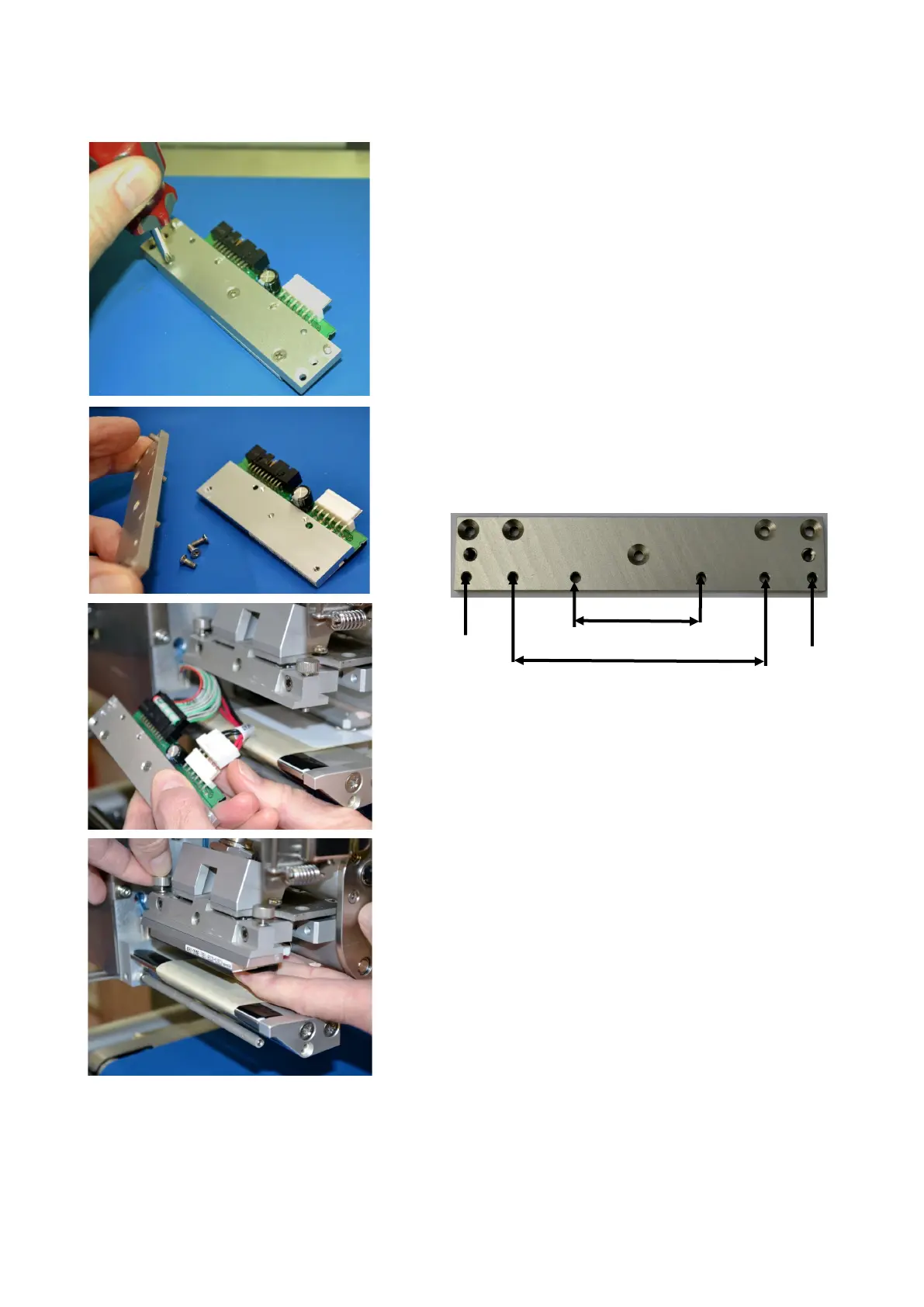
Un-screw the carrier plate from the thermal head (3
cross-head screws)
Replace the carrier plate onto the new thermal head.
Note the location pins in the carrier plate that locate
into the holes in the thermal head.
The locating pins in the carrier plate are in different
positions for a 80mm head and a 108mm head.
Ensure correct carrier plate is used for head size
Re-connect the two cables to the thermal head
Re-fit head with carrier plate to head mounting
bracket ensuring the outer pins locate correctly
Re-tighten the two clamping screws
Pin location
Outer pin
Outer pin
80mm t/head pin location
108mm t/head pin location



 To Next Page