HI, MI, WI-700 service manual - 4 –servicing
4-46 Issue 9 04/2020
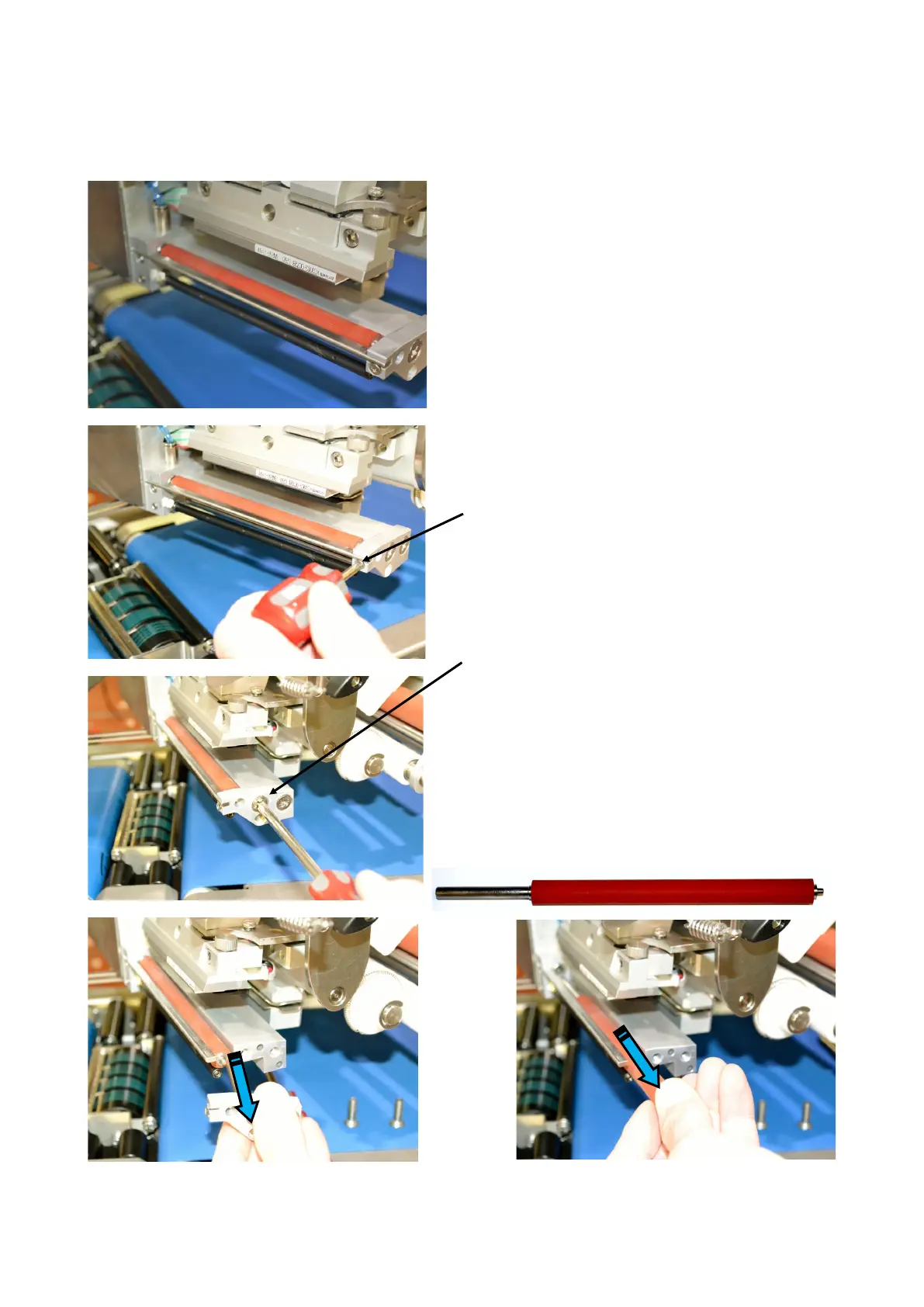
Signature labeller - platen roller replacement
If the platen roller becomes damaged whereby the
surface is not smooth and even or worn causing
indentation the print quality will deteriorate.
To replace the platen roller,
Unscrew the outer c/sunk screw holding the
stripping bar
Unscrew the two c/sunk screws holding the platen
roller front block and remove bock
Withdraw platen roller from rear bearing .
When installing the new platen roller check it
rotates freely once the front block is re-fitted.
Check front & rear bearings if rotation is poor



 To Next Page