HI, MI, WI-700 service manual - 4 –servicing
4-53 Issue 9 04/2020
Signature labeller - thermal head vertical position
When the air pressure is off the thermal head should be in a certain position when locked down with a set
gap between the thermal head print face and the wear strip or platen roller.
The setting of this position should be carried out after setting the head horizontal set-up position
Checking head gap
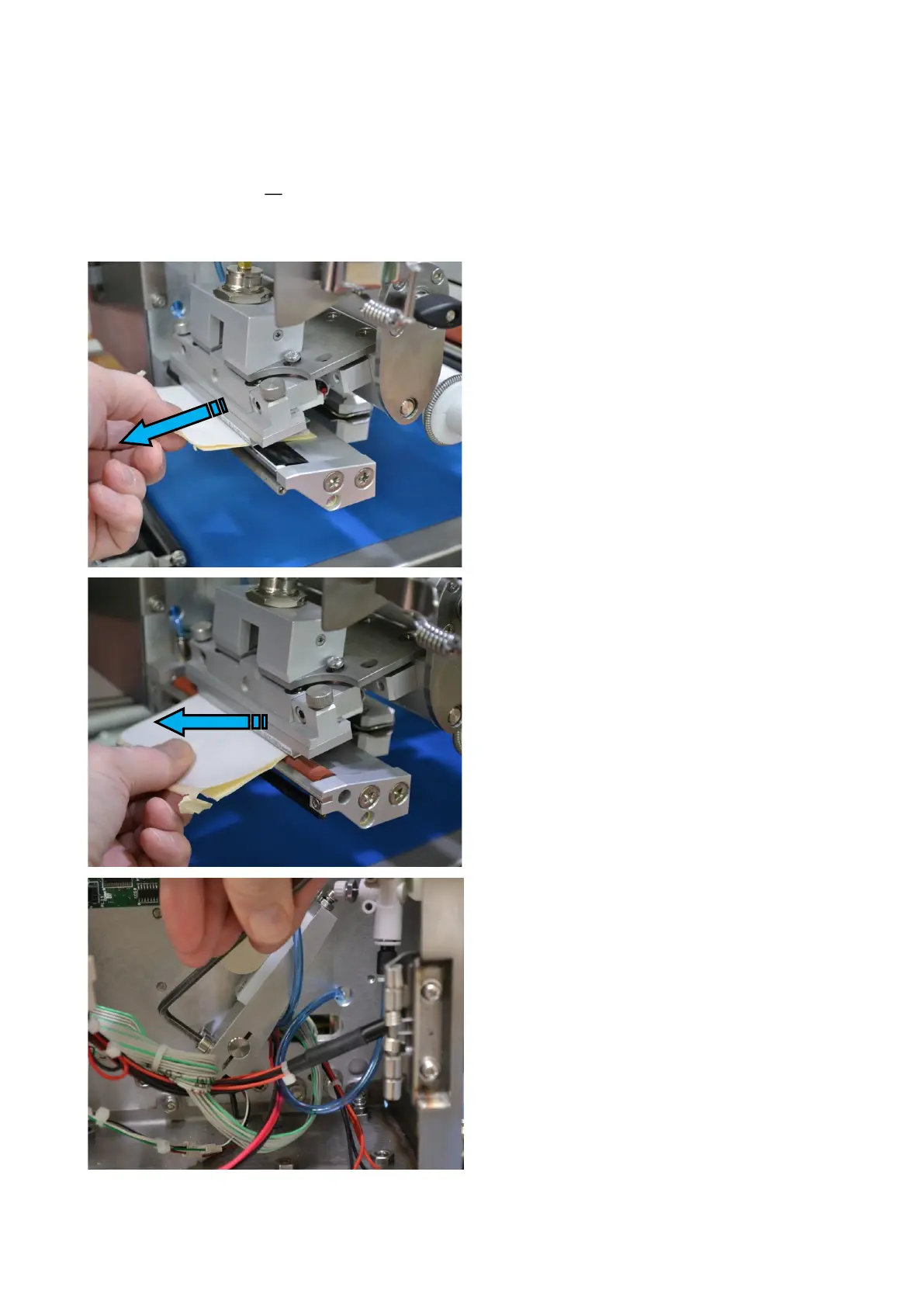
To check the thermal head has the correct
gap, fold two labels with backing paper
together.
Place under the thermal head between
head and wear strip or platen roller
Ensure head is in its down position and
the air supply is off
Pulling the labels through, they should just
rub gently with a minimal amount of
resistance
Note: roller may rotate, therefore move
labels sideways to check resistance
Adjusting head gap
If the gap as described above is found to
be incorrect, loosen the two screws which
hold the cam arm to the pivot shaft in the
rear of the labeller.
With the labels (as shown above) set in
position the correct gap can be set.
Retighten the two screws on the cam arm



 To Next Page