HI, MI, WI-700 service manual - 4 –servicing
4-58 Issue 9 04/2020
Signature labeller - electronic board
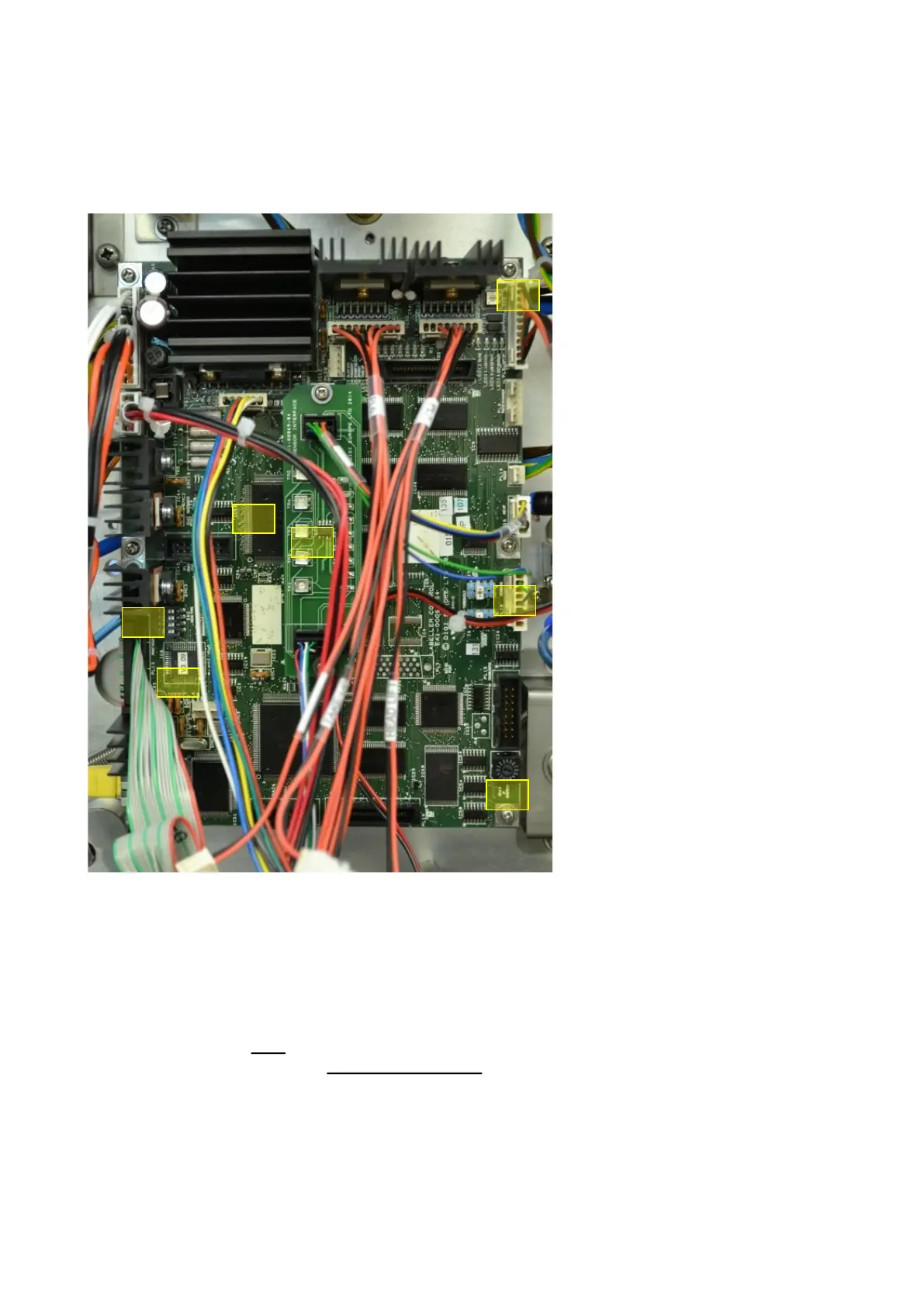
If the labeler electronic board is to replaced, ensure the following settings are correct:
1
2
3a
4
5
6
6. Software version - Check software version for the CP & PHP
parts of the board is correct (check in service menu / labeller once board is installed into labeller).
The PHP version is also indicated on the board with a white sticker
If the PHP software needs to be updated, refer to the labeller software update in the section.
If software version is 4.13 or below, the pack labeller type selection in service menu /
communication settings will be ‘High speed Classic’ for 2nd stage and Classic labeller types.
Labeller software after this version will have each labeller type listed for selection.
1. IP address setting – Ensure
the rotary switch is set to the
correct number for the required
labeller. E.G. – for labeller
1= position 1, labeller 2=
position 2 etc.
2. Option dip switch settings –
As default all these switches
will be OFF.
3a. Gap sensor jumpers – set as
previous board. Default is ‘B’.
Refer to gap sensor setup in
this section for setting option
values.
3b. Senor I/F board - set as
required for gap sensor
sensitivity
4. Take-up motor torque con-
trol - set as previous board.
May need to adjust if the back-
ing paper take-up motor does
not have sufficient power to
wind paper onto the take-up
spool.
5. Pic chip software version -
check this version by the white
sticker on the pic chip
3b



 To Next Page