HI, MI, WI-700 service manual - 4 –servicing
4-103 Issue 9 04/2020
Signature labeller - fit printer door - continued
Fitting to labeller - continued
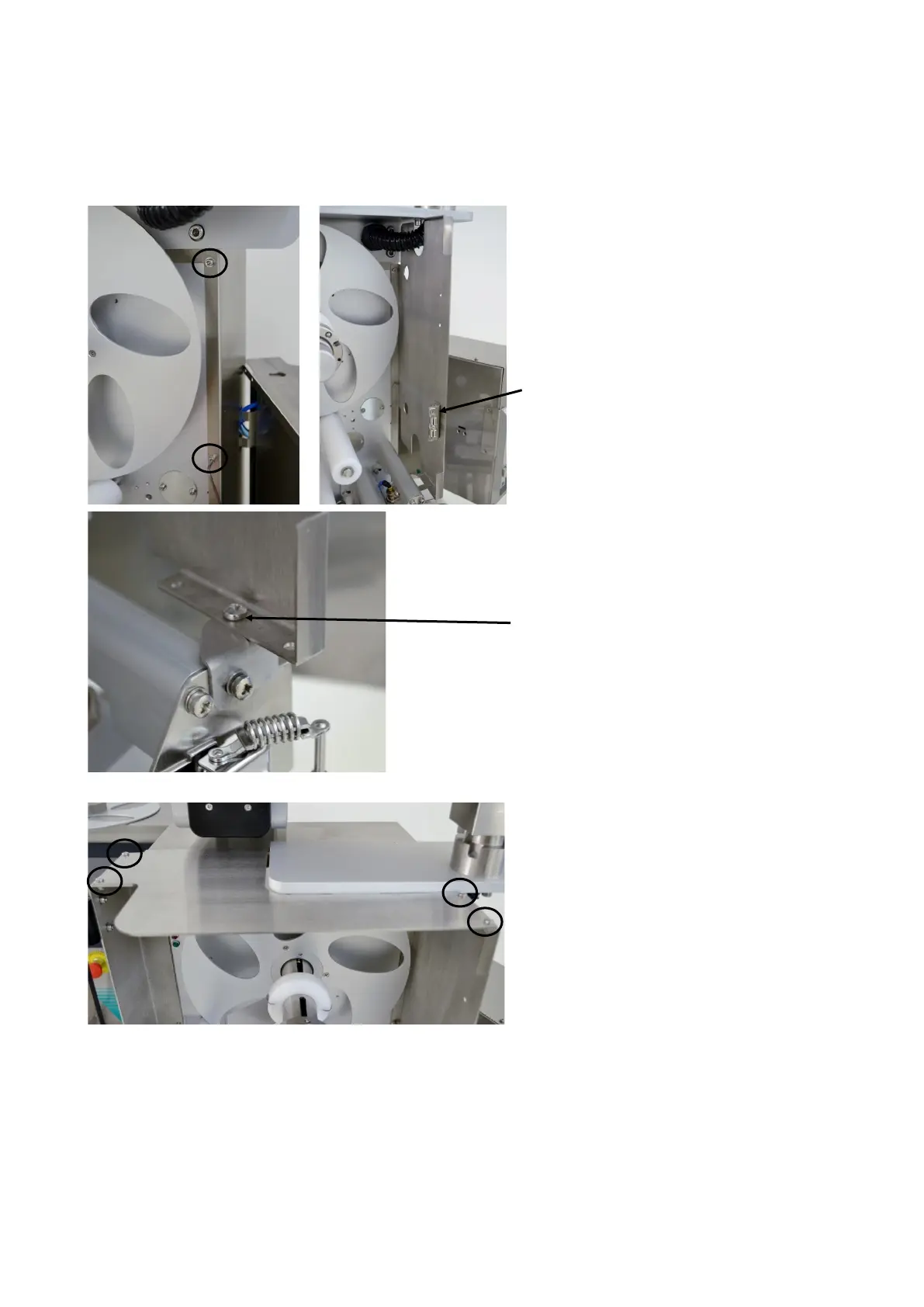
At the applicator side of the labeller,
remove the two screws which secure the
back-plate and labeller frame together
(circled left).
Fit the side bracket, noting orientation for L-
R or R-L, the ball catch will be in the lower
position
Re-fit the two screws to secure the bracket
Fit side support - 701-0145-A between side
bracket and applicator latch mounting plate
(remove one pozi screw to fit)
Also secure with M4x16 pozi pan screw
plus M4 nylock nut & washer
Fit top plate - 701-0142-A
Use four M4x10 pozi pan screws plus M4
nylock nut and plain washer



 To Next Page