HI, MI, WI-700 service manual - 4 –servicing
4-102 Issue 9 04/2020
Signature labeller - fit printer door - continued
Fitting to labeller - continued
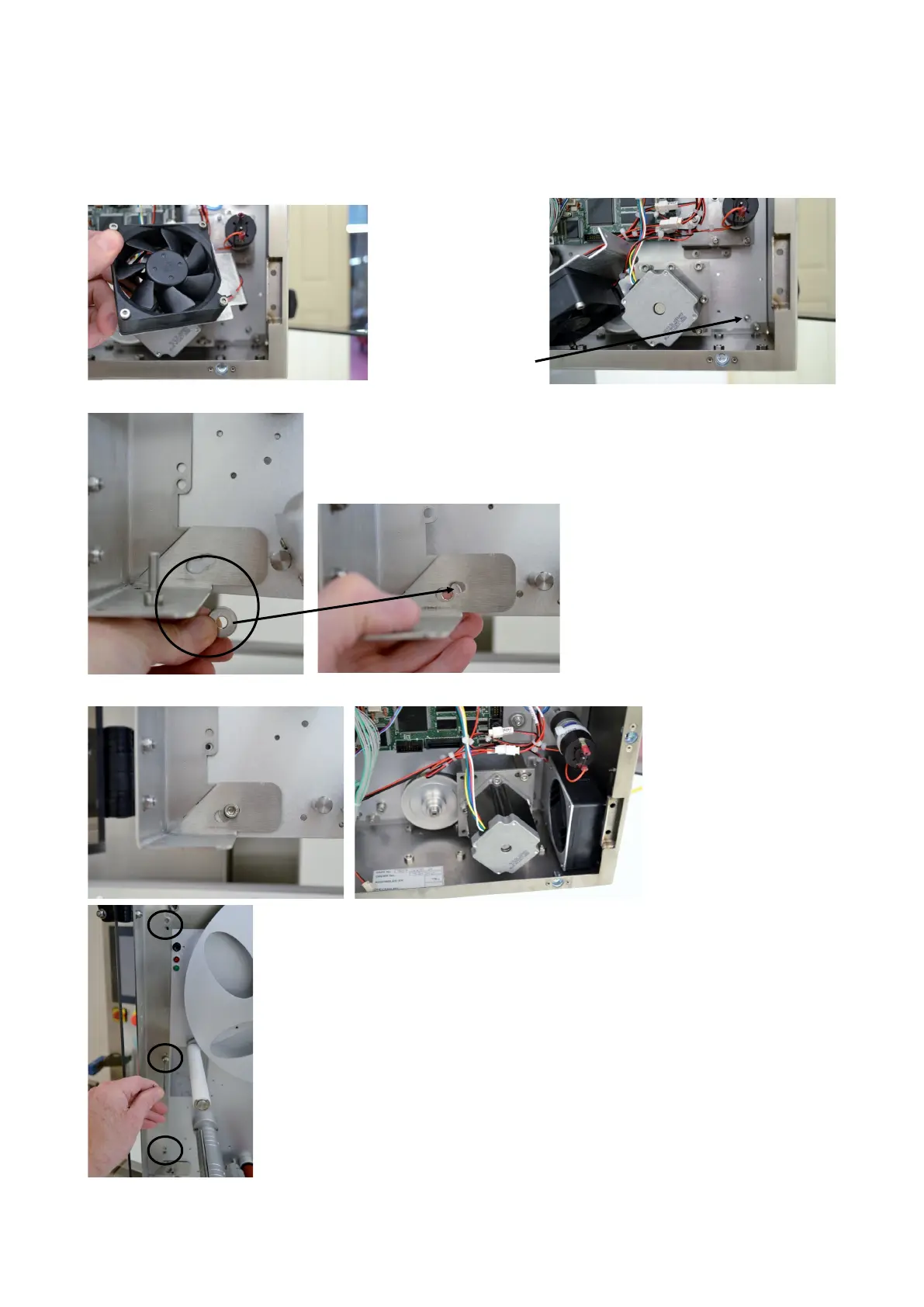
At the lower mounting point for the hinge bracket, fit washer
F25-06025 (25mm dia washer) between the bracket and the labeller
back-plate
Secure in place with M6x20
caphead screw plus M6 nut, spring
& plain washers at the rear of the
back-plate
Re-fit the fan/bracket once nut is
tightened
At the rear of the
labeller, unscrew the
stepper motor fan
bracket from the back-
plate and move to one
side
This allows access to
the lower mounting
hole
Re-fit the three screws previously remove, now securing the hinged
bracket to the back-plate



 To Next Page