HI, MI, WI-700 service manual - 4 –servicing
4-101 Issue 9 04/2020
Signature labeller - fit printer door - continued
Fitting to labeller
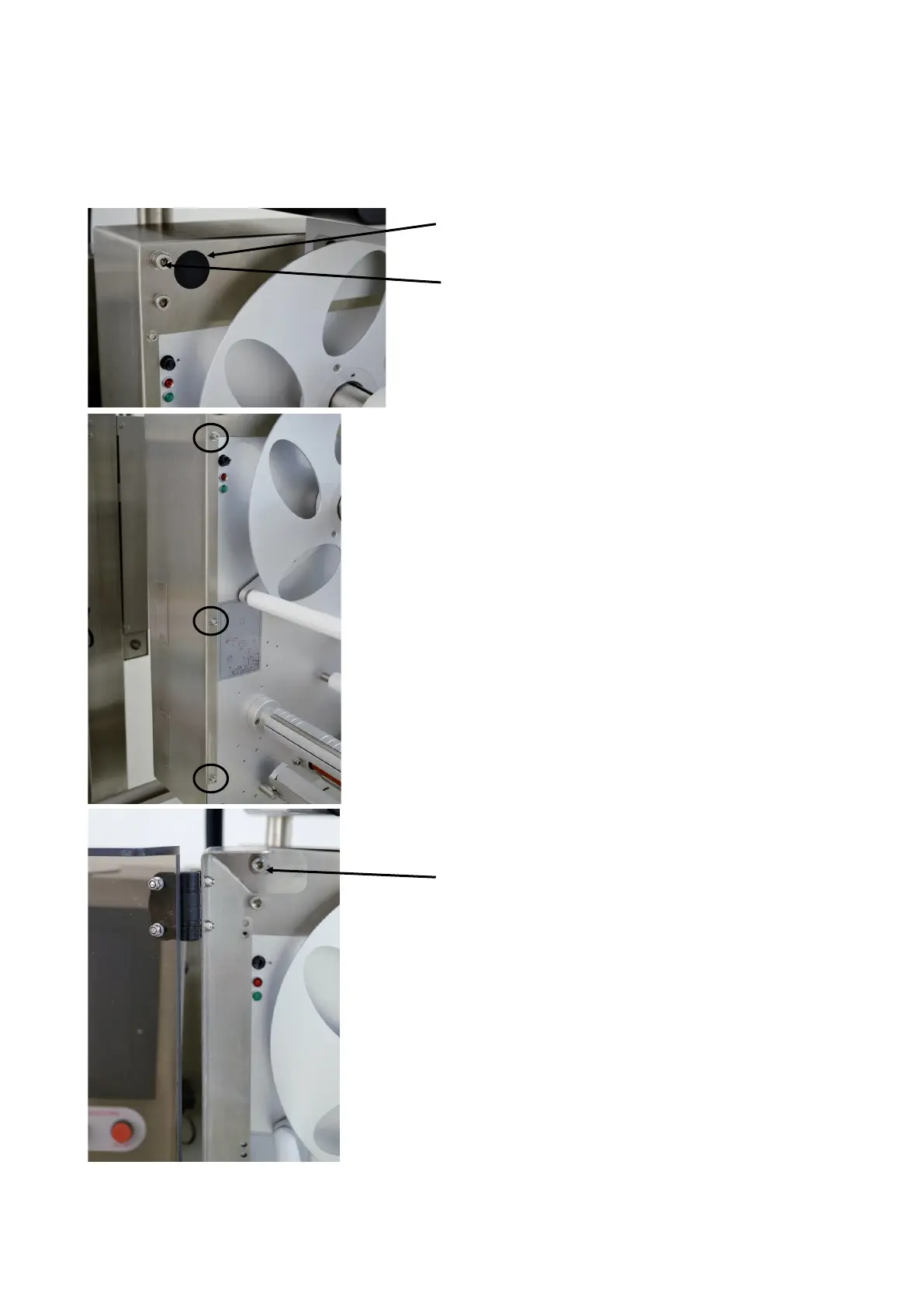
Remove black blanking plug
Remove the cap head screw (top one only)
For the side where the door & hinge bracket is to fitted,
remove the three screws which secure the back-plate
and labeller frame together (circled left)
Fit door & hinge bracket assembly in position.
Re-fit the top cap head screw



 To Next Page