HI, MI, WI 700 service manual - 1 - Installation
1-26 Issue 9 04/2020
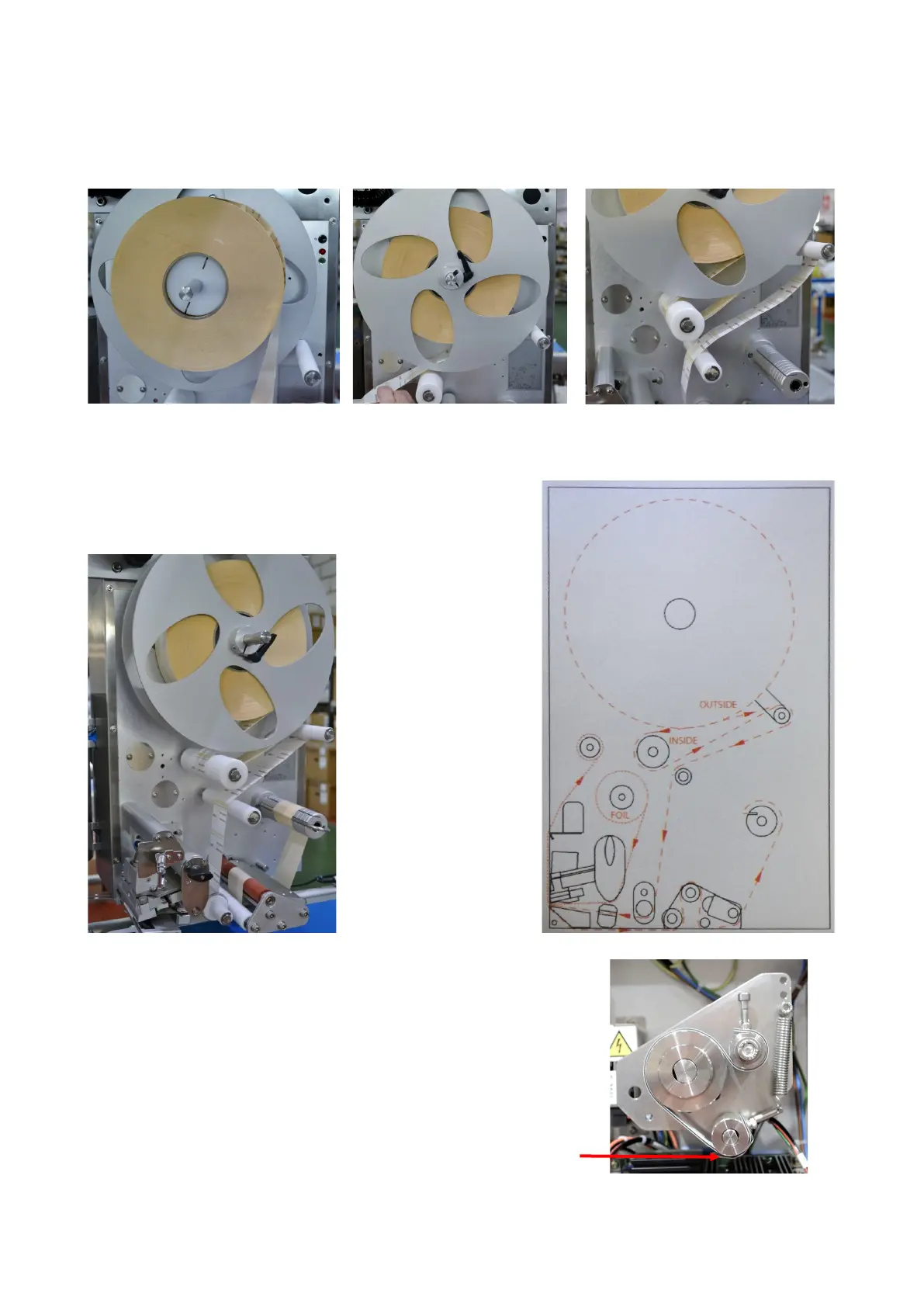
For inside wound label the label path uses the large web roller
For inside wound labels, place the
labels on the reel as above
Feed labels around large web
(white) roller
Return labels up and over the
brake arm
For the remainder, feed the labels in
the same way as the outside wound
labels
Important note if using inside wound labels
If all labels to be used are going to be inside wound, it is recommended
the brake belt in the rear of the labeller is re-routed for inside label
operation.
Refer to the section 4 servicing for details on how to re-route the brake
belt
Standard brake belt route shown left. If a combination of outside & inside
wound labels are to be used, keep the belt route as standard, ensuring
the brake belt support is fitted



 To Next Page