HI, MI, WI-700 service manual - 2 - component parts
2-58 Issue 9 04/2020
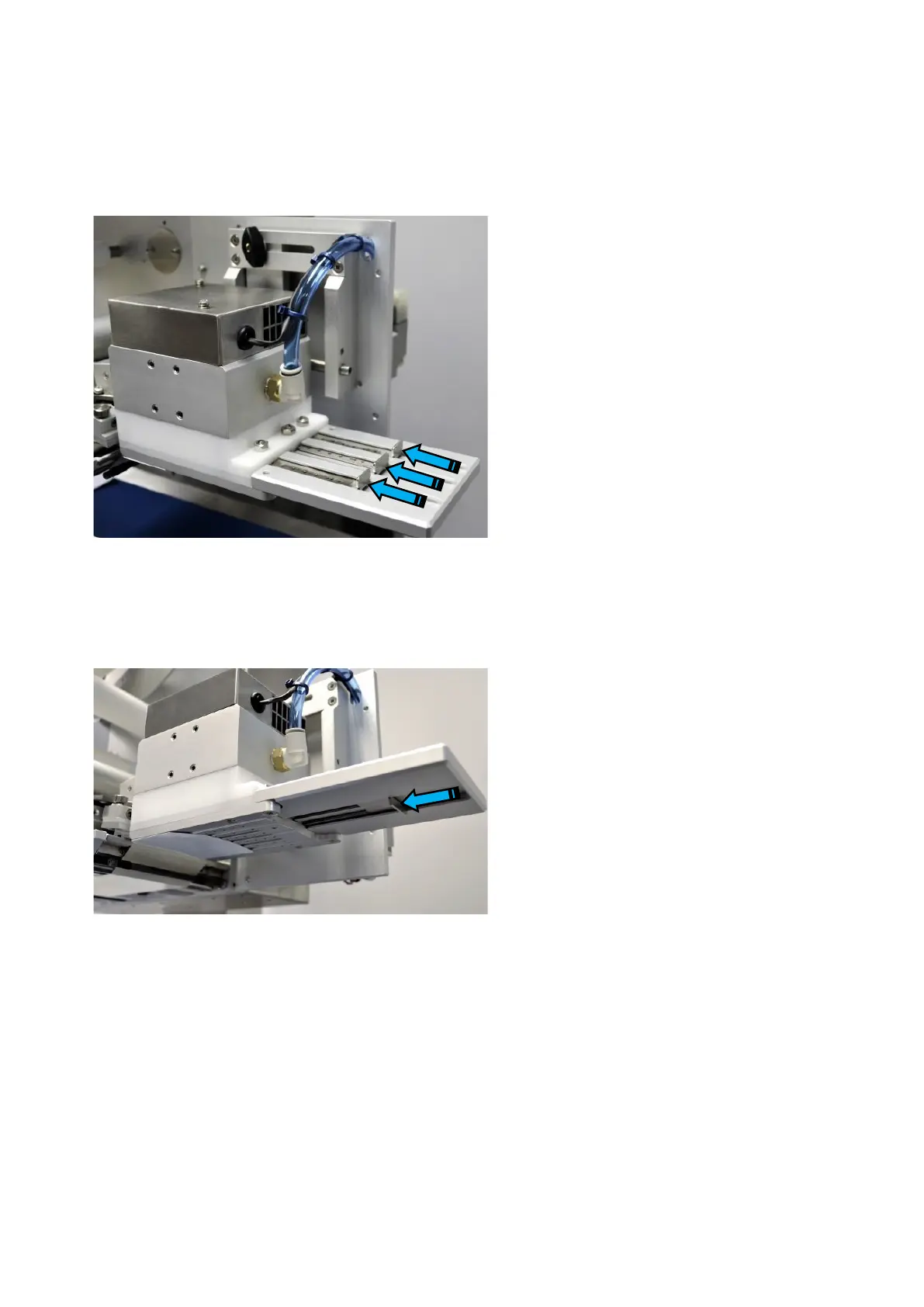
Air jet restriction
Move the sliding blanking plates to increase
or decrease the amount of holes on the
underside of the label receiver that will allow
air out to blow the label down to the pack.
Inwards (towards applicator body) reduces
air holes.
Outwards (extending blanking plates out of
applicator body) increase air holes
On the underside of the applicator move the
fan blanking plate in or out to change the
size of area in the receiver where the
vacuum is created by the fan
Inwards (towards applicator body) reduces
vacuum area
Outwards (extending blanking plate out of
applicator body) increase vacuum area.
Fan suction adjustment
HS blow applicator



 To Next Page