BAS-SVX069F-EN
29
Figure 28. Create the new VPN
11. Click CClloossee.
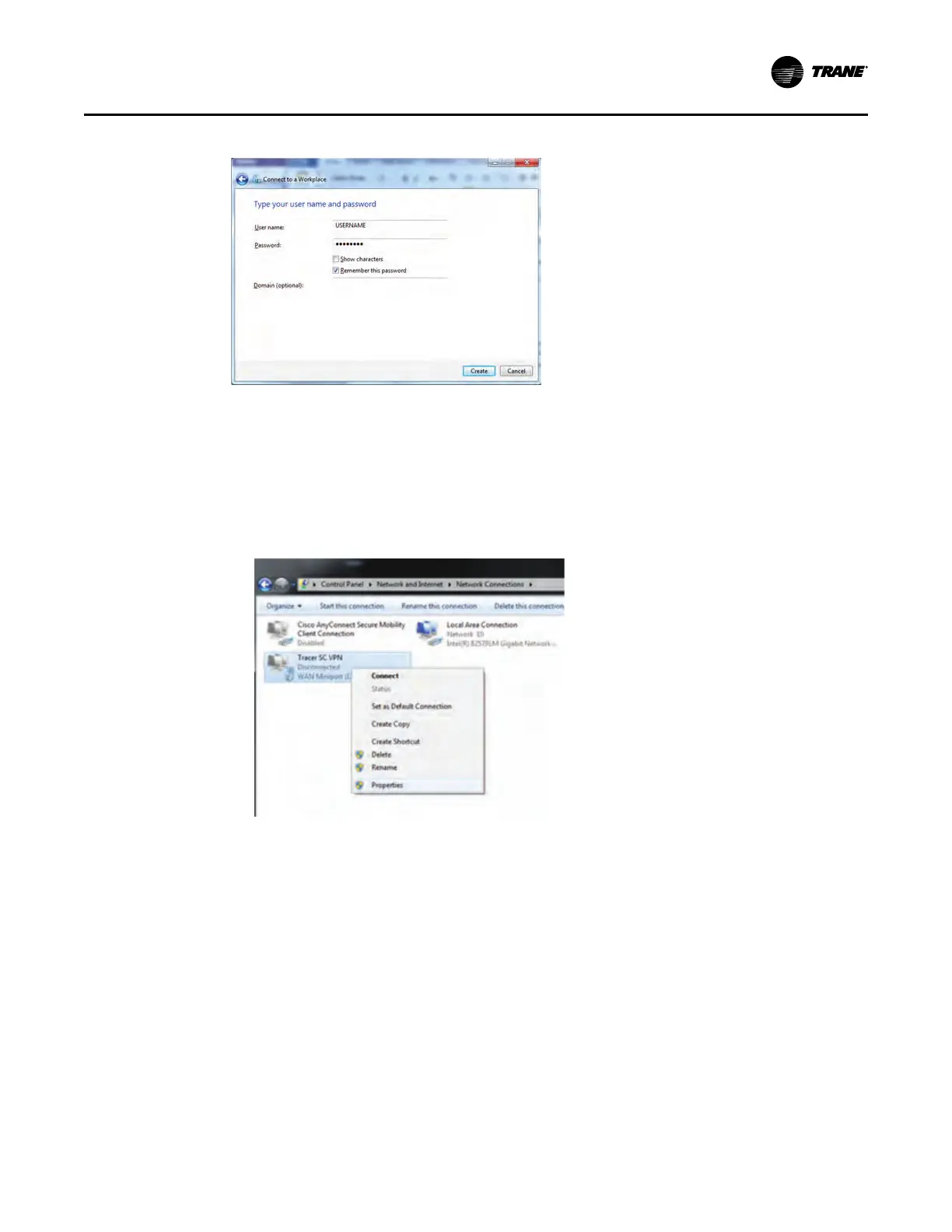
12. Return to the Network and Sharing Center and click CChhaannggee aaddaapptteerr sseettttiinnggss.
13. Find the VPN connection you just created. Right click on the connection and select
PPrrooppeerrttiieess.
Figure 29. Change adapter settings
14. Click the SSeeccuurriittyy tab.
a. In the Type of VPN drop-down box, select LLaayyeerr 22 TTuunnnneelliinngg PPrroottooccooll wwiitthh IIPPsseecc ((LL22TTPP//
IIPPSSeecc)).
b. In the Data encryption drop-down box, select MMaaxxiimmuumm ssttrreennggtthh eennccrryyppttiioonn.
c. Click AAddvvaanncceedd SSeettttiinnggss.
CCuussttoommeerr RReemmoottee AAcccceessss CCoonnffiigguurraattiioonn














 To Next Page