C|24 Guide40
The Automation Write To switches invoke the
manual “Write to Start/End/All/Punch”
commands and the automatic “Write to
Start/End/All/Punch on Stop” automation com-
mands in Pro Tools. These switches mirror the
function of the corresponding buttons in the
Automation window.
See “Working with Automation” on page 98.
All Switch Writes the current automation value
of all write-enabled parameters to an entire se-
lection or track when performing an automa-
tion pass.
Start Switch Writes the current automation
value of all write-enabled parameters to the start
of a selection or track when performing an auto-
mation pass.
End Switch Writes the current automation value
of all write-enabled parameters to the end of a
selection or track when performing an automa-
tion pass.
Punch Switch Writes the current automation
value of all write-enabled parameters back to the
punch point (the location in the track where the
current automation pass started).
Next Switch Writes the current automation
value of all write-enabled parameters forward to
the next automation breakpoint.
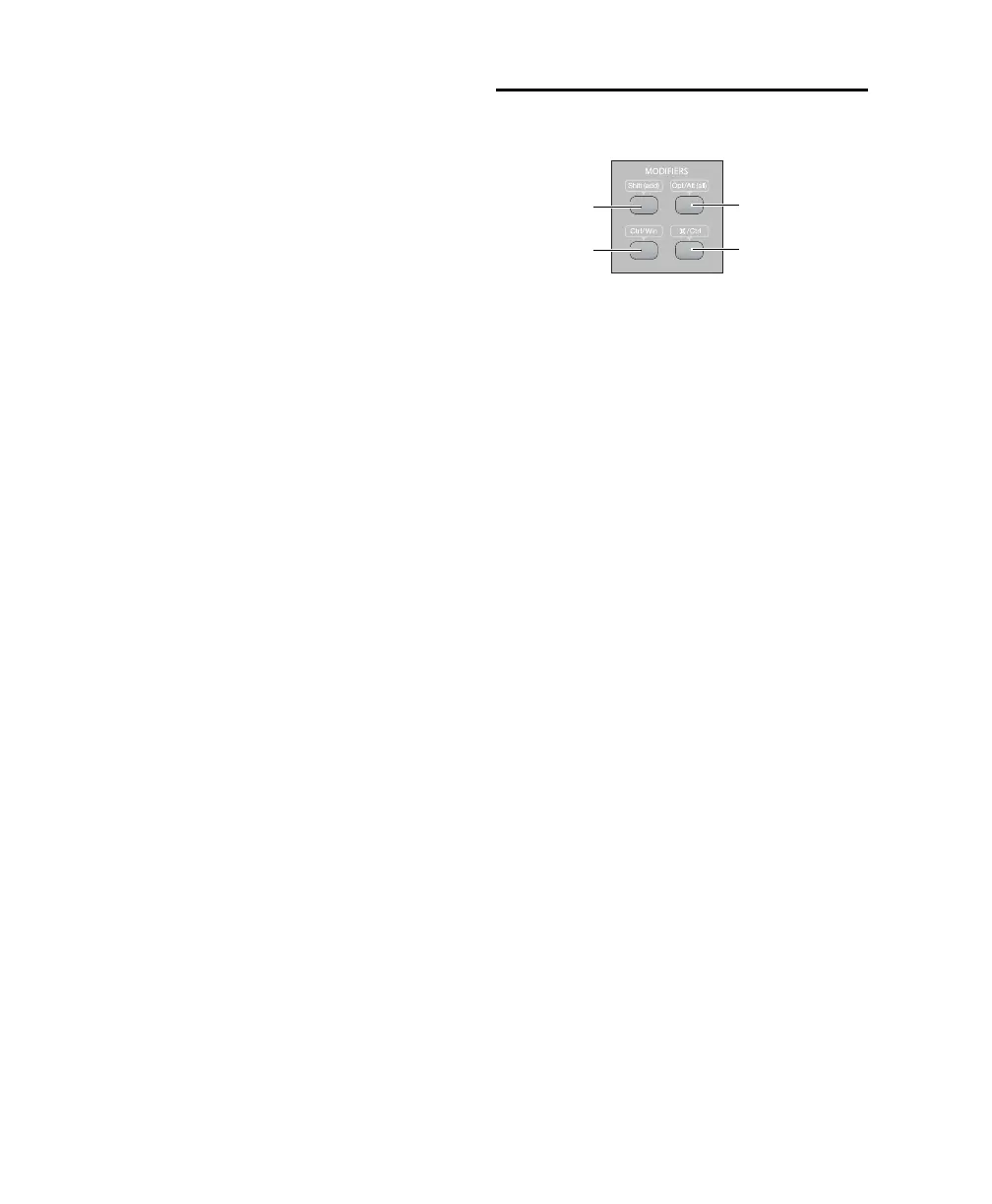
Modifier Switches
The Modifier keys duplicate the function of the
Pro Tools computer keyboard modifiers.
Shift Switch (Mac and Windows) The Shift (add)
Modifier switch duplicates the function of the
Shift key on the computer keyboard.
Control (Mac) or Win (Windows) Switch
The Ctrl/Win Modifier switch duplicates the
function of the Control key (Mac) or the Win-
dows key, also called the Start key, (Windows)
on the computer keyboard.
Option (Mac) or Alt (Windows) Switch
The Opt/Alt (all) Modifier switch duplicates the
function or the Option key (Mac) or the Alt key
(Windows) on the computer keyboard.
Command (Mac) or Control (Windows) Switch
The Command/Ctrl Modifier switch duplicates
the function of the Command key (Mac) or the
Control (Windows) key on the computer key-
board.
Modifier switches
Shift (add)
switch
Control/Win
switch
Option/Alt (all)
switch
Command/Ctrl
switch



 To Next Page