Chapter 6: C|24 Pro Tools Controls 49
Groups
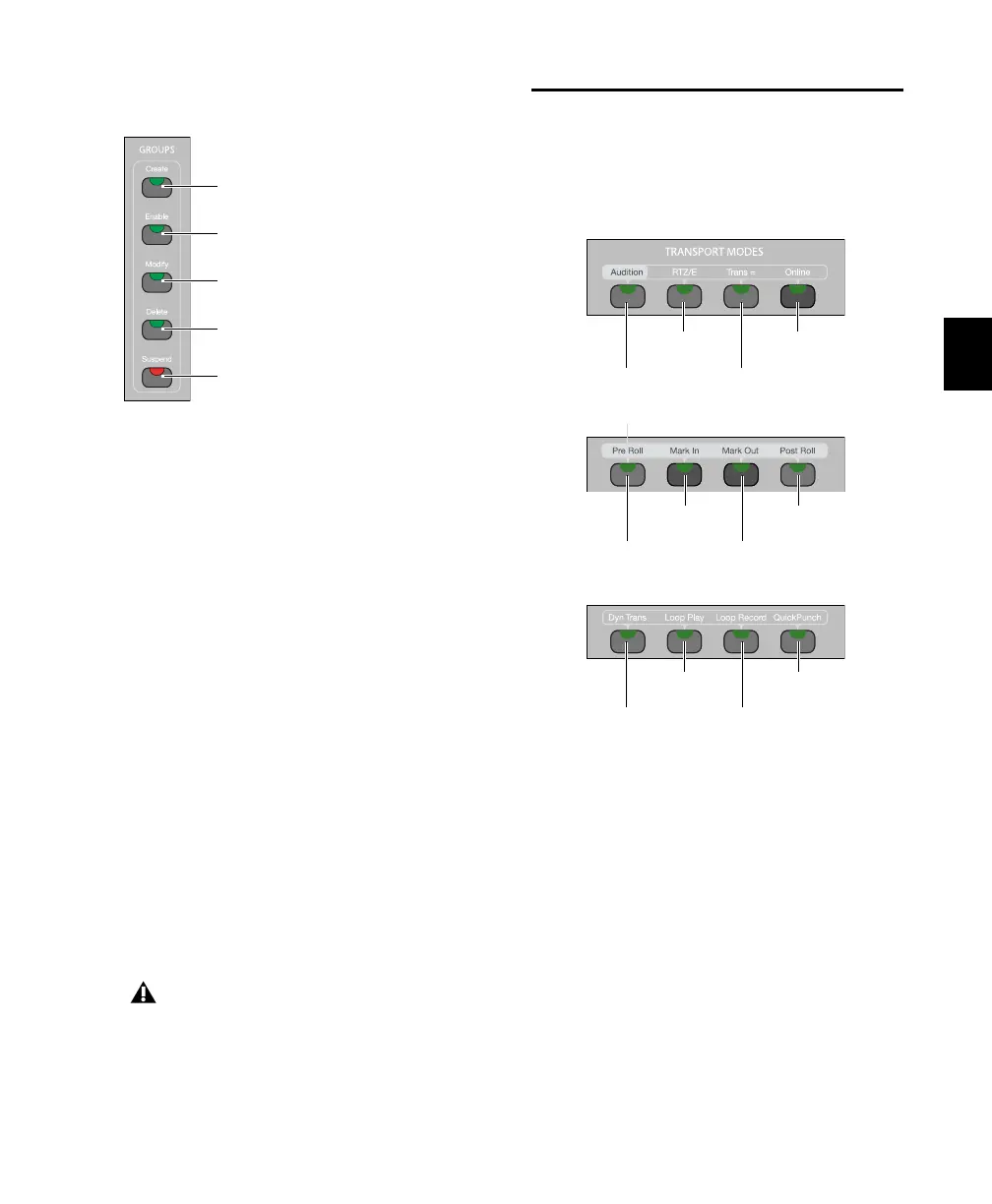
Create Switch
The Create Switch lets you use C|24 to select a
Group ID and select tracks to create new
Mix/Edit Groups. See “Creating Groups” on
page 79.
Enable Switch
The Enable switch lets you toggle the enabled
status of current groups. See “Enabling and Sus-
pending Groups” on page 79.
Modify Switch
The Modify switch lets you use C|24 to modify
Mix/Edit groups. See “Modifying Groups” on
page 80.
Delete Switch
The Delete switch executes the Delete Groups
command. See “Deleting Groups” on page 80.
Suspend Switch
The Suspend switch suspends all groups in the
session.
Transport and Navigation
Controls
Transport Mode Switches
Audition Switch
The Audition switch toggles Audition mode on
and off. When Audition mode is on, this switch
lights.
In Audition mode, you can listen to either the
start or end of a selection, with or without pre-
roll or post-roll, by pressing the following
switches:
Groups switches
Deleting groups cannot be undone.
Create Groups switch
Enable Groups switch
Modify Groups switch
Delete Groups switch
Suspend Groups switch
Transport Mode switches
Audition
switch
RTZ/E
switch
Trans=
switch
Online
switch
Mark In
switch
Mark Out
switch
Post-Roll
switch
Pre-Roll
switch
Loop Play
switch
Loop Record
switch
QuickPunch
switch
Dyn Trans
switch



 To Next Page