C|24 Guide42
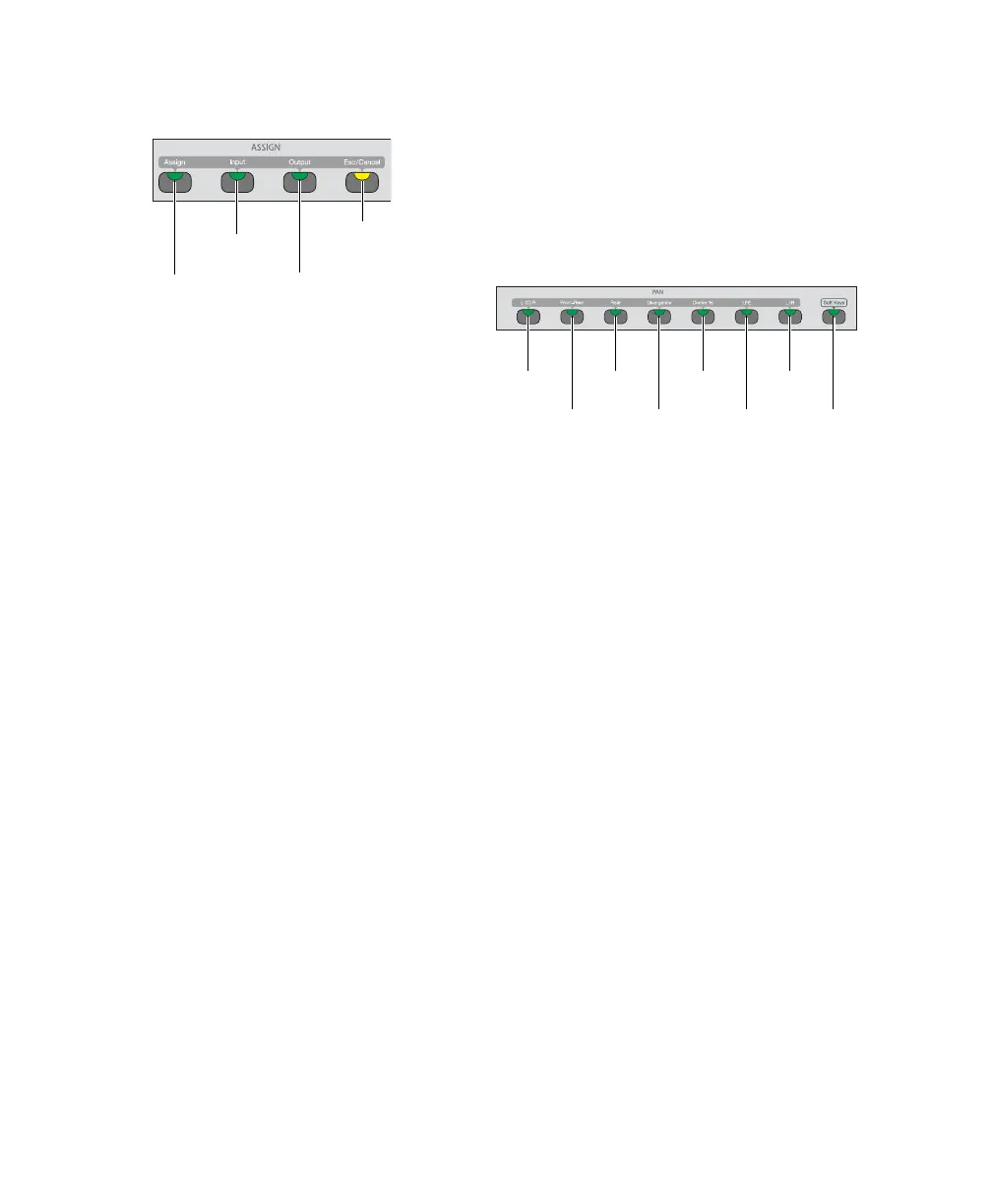
Assign Section
Assign Switch
The Assign switch puts C|24 into Assign mode,
which lets you assign inputs, outputs, inserts,
and sends from the rotary encoders.
See “Assign Mode” on page 83.
Input and Output Switches
The Input and Output switches display channel
input and output pathnames in the bottom row
of the LCD displays.
In Assign mode, the Input and Output switches
bring the inputs and outputs to the rotary en-
coders for assignment.
Escape/Cancel Switch
The Escape/Cancel switch is used to exit modes
and to cancel operations or on-screen dialogs.
When an action has occurred that can be exited
or canceled with the Escape/Cancel switch, the
switch flashes.
Pan Section
When in Pan Console view, Expanded Pan view,
and Expanded Send view, the switches in the
Pan section determine which pan controls are
assigned to the channel encoders. The corre-
sponding pan, divergence, or percentage values
are shown in the LCD displays.
L(C)R Switch
The L(C)R switch assigns Left-Right pan (stereo
tracks) or Front pan (multichannel tracks) to the
encoder. When the Divergence switch is lit, this
switch assigns Front divergence control to the
encoder.
Front-Rear Switch
The Front-Rear switch assigns Front-Rear pan to
the encoder. When the Divergence switch is lit,
this switch assigns Front-Rear divergence con-
trol to the encoder.
Rear Switch
The Rear switch assigns Rear pan to the encoder.
When the Divergence switch is lit, this switch
assigns Rear divergence control to the encoder.
Assign section of the Channel Bar
Assign
switch
Input
switch
Output
switch
Escape/
Cancel
switch
Pan section of the Channel Bar
L(C)R
switch
Front-Rear
switch
Rear
switch
Divergence
switch
Center %
switch
LFE
switch
L/R
switch
Soft Keys
switch



 To Next Page