C|24 Guide44
ChanWn (Channel Window Display) Determines
whether displaying plug-in or send parameters
opens the corresponding plug-in or send win-
dow on-screen in Pro Tools.
When this preference is set to “Yes,” the on-
screen display of plug-in and send windows
changes to reflect the state of the control sur-
face.
When this preference is set to “No,” the on-
screen display of plug-in and send windows does
not change to reflect the state of the control sur-
face.
2KbPan (Two-Knob Panning) (Pro Tools HD Only)
Toggles linking of front and rear pan controls in
surround panner windows to facilitate left-right
motion in the surround field.
Actions
(Pro Tools HD Only)
Prview (Preview) Puts Pro Tools in Preview
mode.
PchPrv (Punch Preview) Executes the Punch Pre-
view command.
SusPrv (Preview Suspend) Suspends Preview
mode.
Captre (Capture) Executes the Capture com-
mand.
PchCap (Punch Capture) Executes the Punch
Capture command.
Automation Preferences
(Pro Tools HD Only)
AutoJn (AutoJoin) Sets tracks in Latch mode to
automatically resume writing of automation af-
ter the transport is stopped and started again
during an automation pass.
LchStp (Allow Latch Prime in Stop) Toggles the
Allow Latch Prime in Stop preference, which al-
lows tracks in Latch mode to be primed for writ-
ing automation while the transport is stopped.
ColVCA (Coalesce when Removing Slaves from
VCA Group) Toggles the preference that auto-
matically coalesces automation to slave track
when they are removed from a VCA-controlled
group.
ColTrm (Coalesce Trim Automation) Sets the
preference that determines when Trim automa-
tion is coalesced. The preference settings are as
follows:
• EveryP: After Every Pass
• OnExit: On Exiting Trim Mode
• Manual: Manually
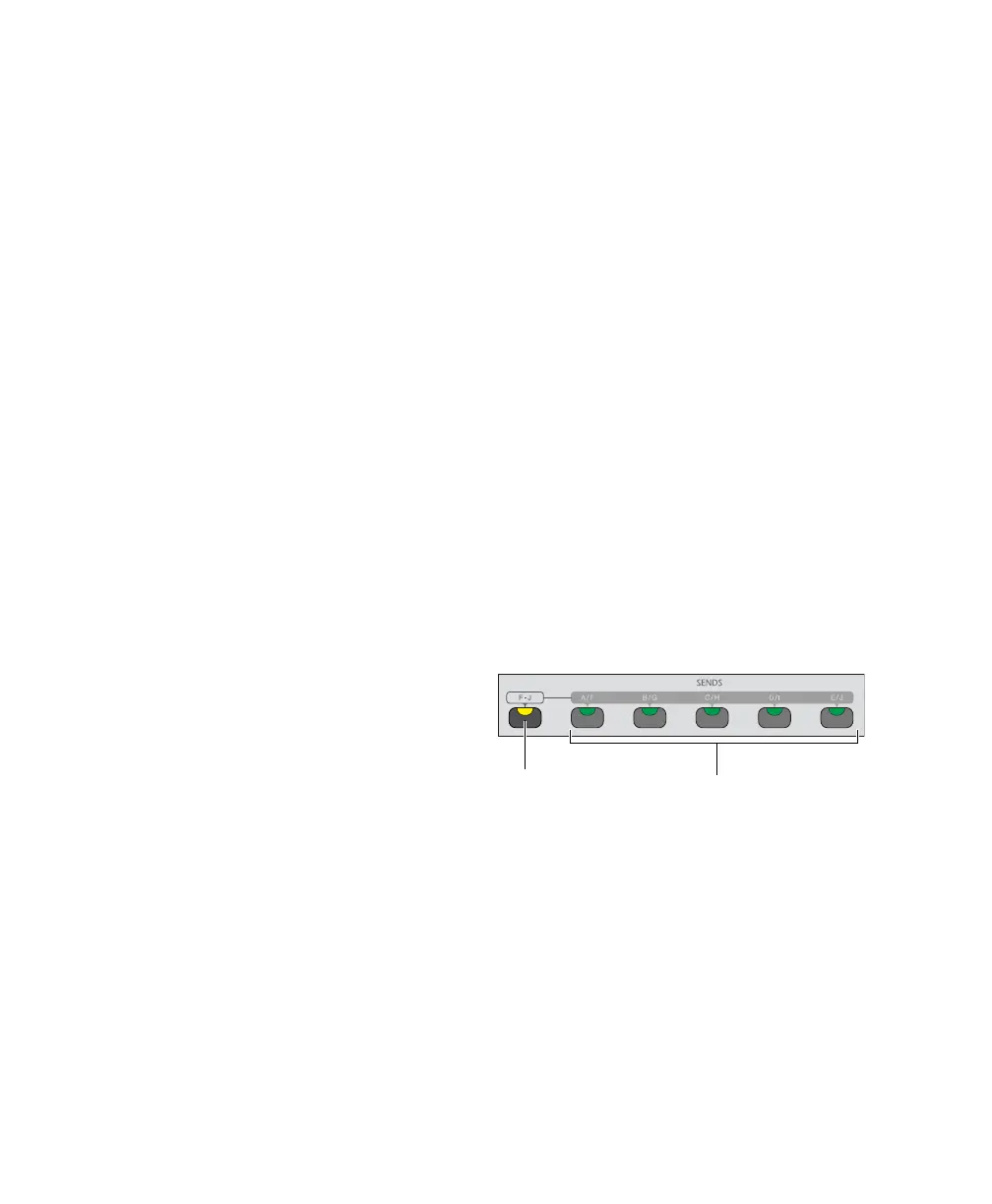
Sends Section
The Sends section switches are used in Console
view to focus sends in the LCD displays. Send
volume is controlled by the encoders.
F-J switch
The F-J switch selects the bank of Sends accessi-
ble from the Sends switches.
When the F-J switch is off, the Sends switches
control Sends A through E. When the F-J switch
is on, the Sends switches control Sends F
through J.
Sends section of the Channel Bar
F-J
switch
Sends
switches (A-E/F-J)



 To Next Page