C|24 Guide56
Channel Meters
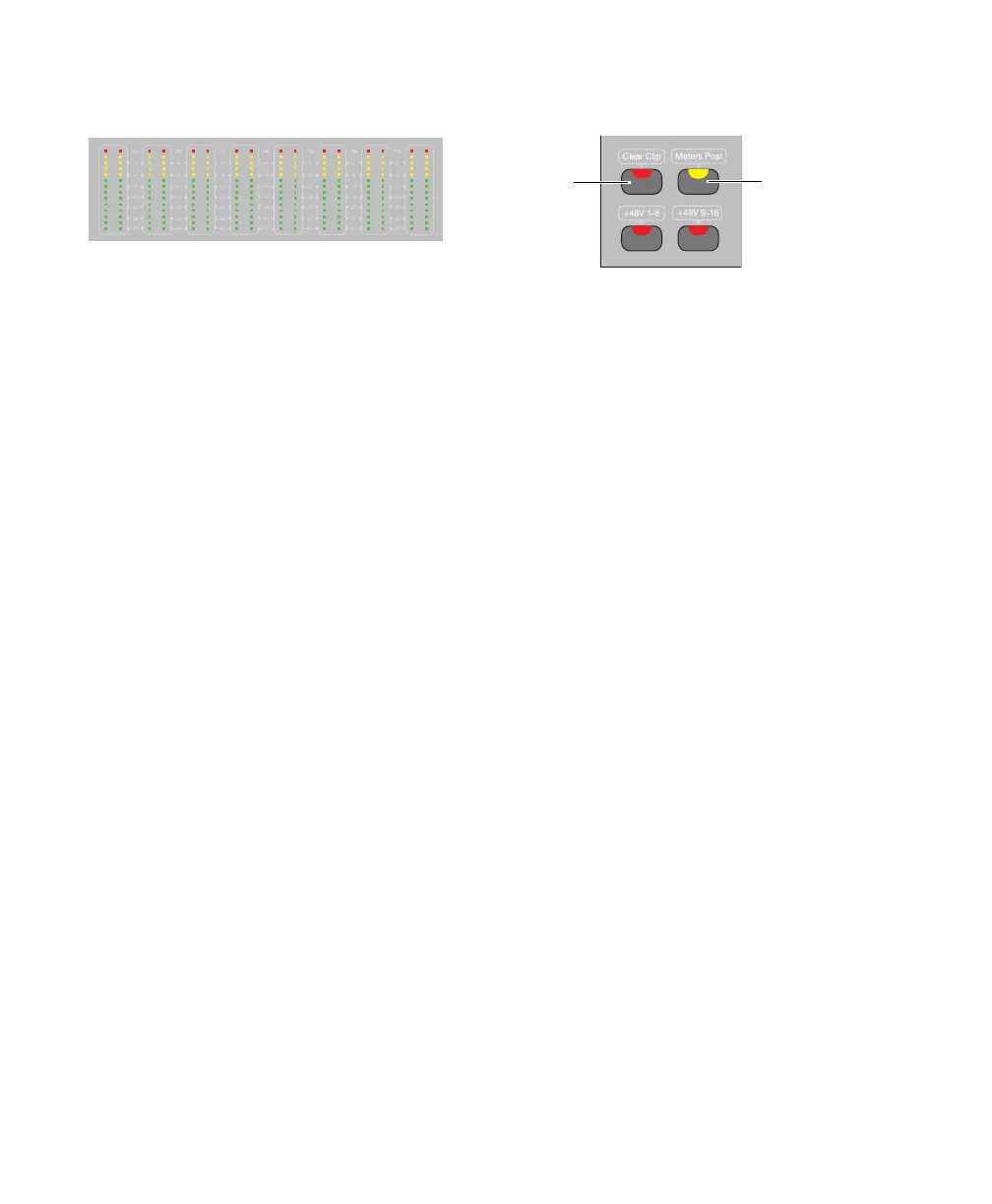
The left side of the C|24 meter bridge has 24
pairs of 14-segment LED bar graphs for display-
ing track levels. These meters can display pre- or
post-fader levels, depending on the state of the
Meters Post switch.
Mono tracks use only the left side of the LED
pair on a channel. Stereo and multichannel
(Pro Tools HD only) tracks use both sides of the
LED pair on a channel.
Meter Controls
Clear Clip Switch
The Clear Clip switch on the left-hand side of
C|24 clears clip indications on all channel and
output meters on C|24 and all meters in
Pro Tools, including any plug-in clip indica-
tions. To clear clips on the Master meters, hold
Opt/Alt (all) and press the Clear Clip switch. The
Clear Clip switch lights to indicate clipping any-
where in the Pro Tools session.
Meters Post Switch
The Meters Post switch toggles the Channel
Meters between pre-fader and post-fader opera-
tion. This switch mirrors the state of the Pre-
and Post-Fader Metering options in Pro Tools.
The Meters Post switch lights when channel
meters are set to post-fader operation.
Channel Meters
Clear Clip switch and Meters Post switch
Clear Clip
switch
Meters Post
switch



 To Next Page