24 TMR3610 Operators Manual D4023-EN
11.5 Re-Use Recipe/Pen Data
Note: When re-using data stored in indicator, it takes recipe and pen information and removes
completed weights loaded or unloaded and marks them undone. It will accumulate data day to
day.
Download data to USB Drive before re-using recipe and pen data stored. D.A.N. 6214,
ERASFD Feature will erase the DONE feed-lines, when info is downloaded to the USB.
Note: For continuous re-use, set D.A.N. 6205 to on.
11.6 Mixer Time
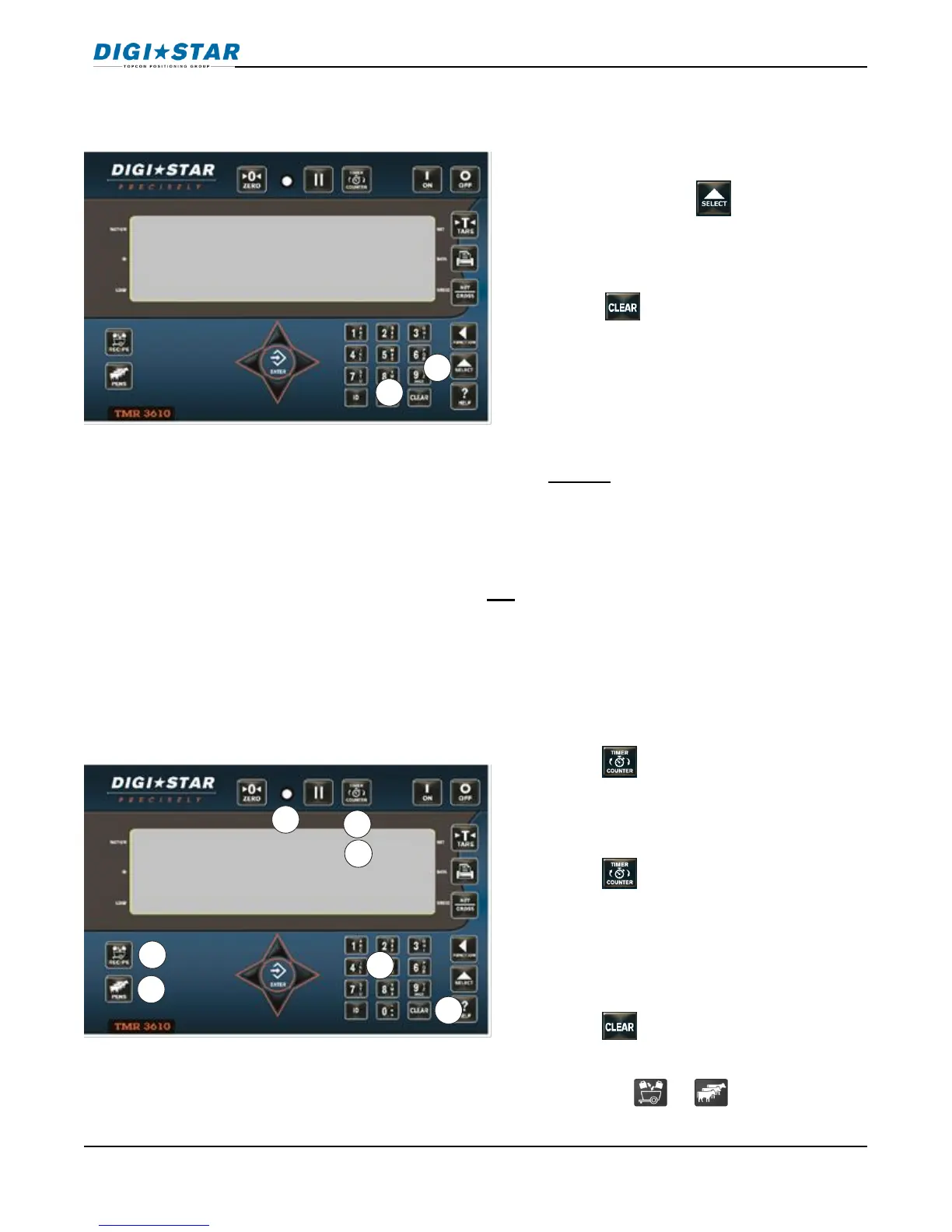
The mix timer allows the operator to set a timer to alert the operator when the mixing is
completed. This can be manually entered or entered as part of the recipe using the TMR
TRACKER or other software package.
1. To re-use recipe/pen data enter D.A.N.
8201, then press .
On=Clear, Clear=Reuse, Net=exit
2. Press to reuse recipe/pen data.
1. Press .
2. Use the numeric keypad to enter the
amount of time.
3. Press .
4. The MixTimer will begin to count down.
When it reaches zero the alarm light
and buzzer will turn on.
5. Press to enter the weighing mode.
6. Press the or key to re-enter
the batching mode.



 To Next Page