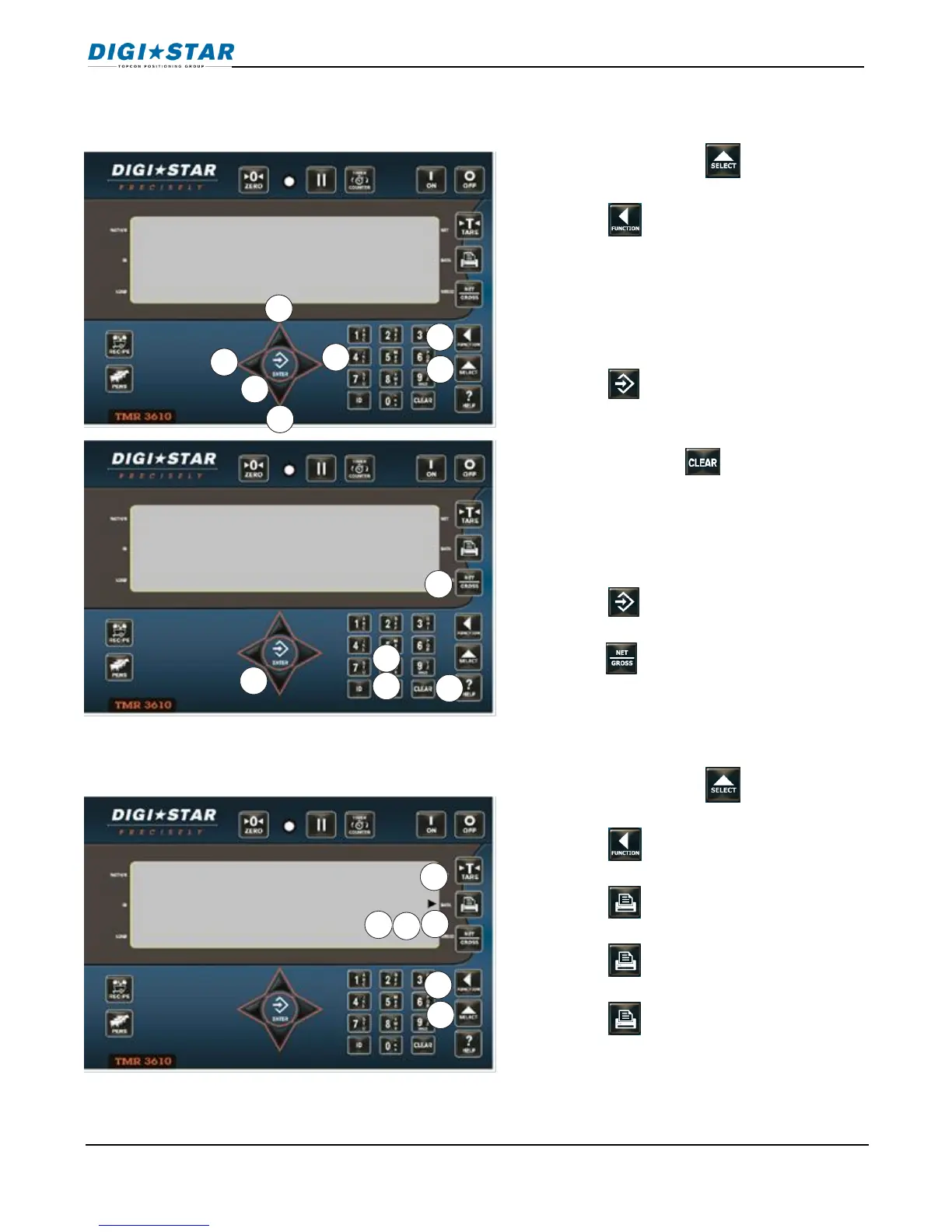
1. Repeatedly press until rename
displays.
2. Press quickly and hold for three
seconds.
3. Then first ingredient is shown. Use UP
or DOWN arrows to select ingredients
to edit. (Press RIGHT arrow to display
pens. Press LEFT arrow to display
ingredients)
4. Press again to edit ingredient.
Display briefly shows edit and flashing
cursor is displayed.
5. Press and hold , erases ingredient
6. Press “1” key once enters 1, twice
enters A, three times for B, other
numbers on keypads work the same.
7. Pause for one second after entering a
number/letter and they shift to the left.
8. Press .
9. When done entering ingredients,
press to exit.
1. Repeatedly press until rename is
displayed.
2. Press quickly and hold for three
seconds.
3. Press , prints total accumulations
for ingredient displayed.
4. Press again prints accumulations
for all currently used recipes.
5. Press again, prints names for all
ingredients. Ingredients not used by
recipe and shows unused.
6. When being printed, DATA will have a
flashing arrow.



 To Next Page