Digitize Inc Steps For Using The Debug Monitor
7
3.2 Setting up the software
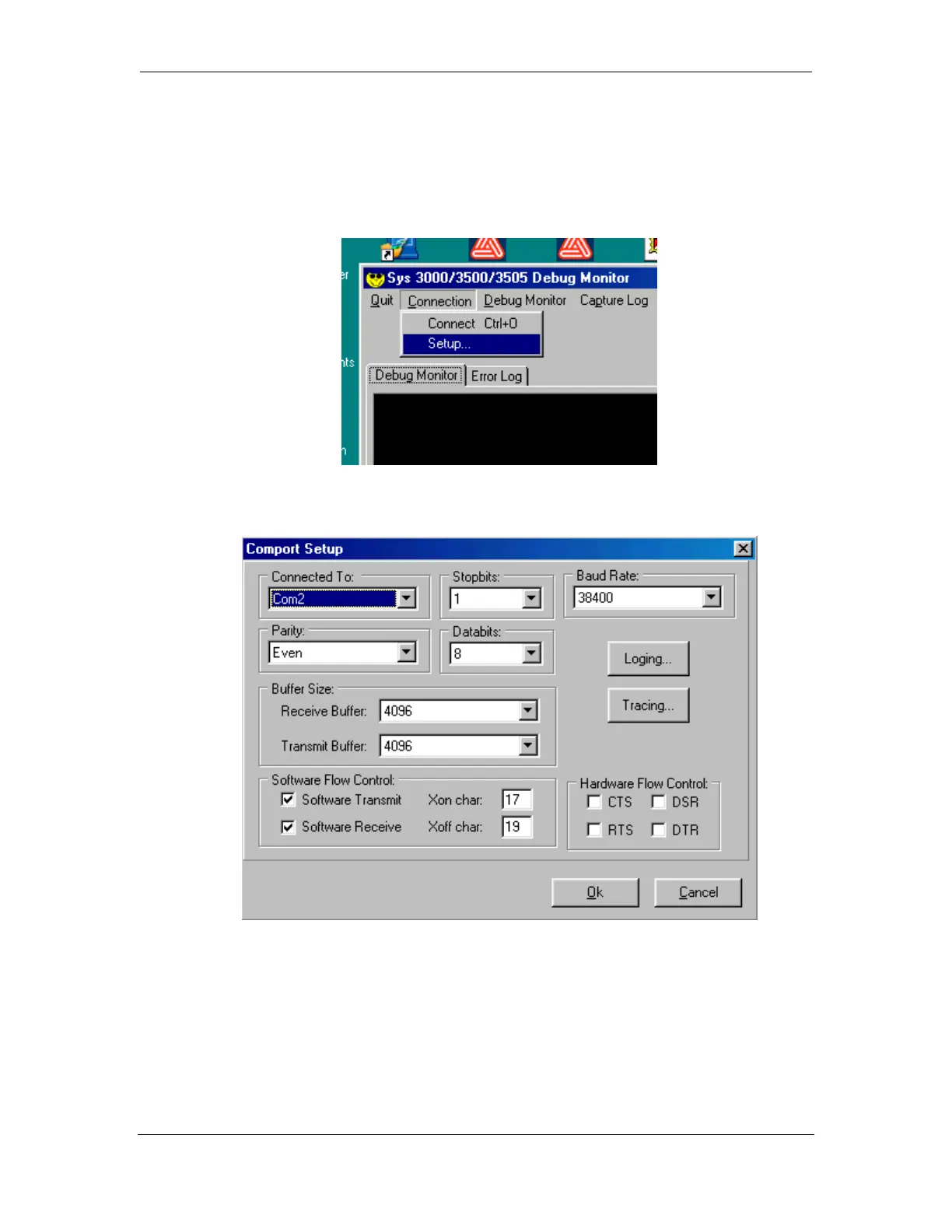
In order to capture data, you must setup the connection from your computer. From
the Connection Menu, select Setup.
The following screen should appear.
The Debug Monitor was designed to work specifically with the Digitize 3500
Systems. Therefore most of the settings (Baud Rate, Stop Bits, etc.) in the Setup
Menu are pre-configured to work properly with a System 3500.
The only setting that must be selected is the Com Port. See Section 3 for more details
on how to setup the Debug Monitor software.



 To Next Page