Steps For Using The Debug Monitor Digitize Inc.
22
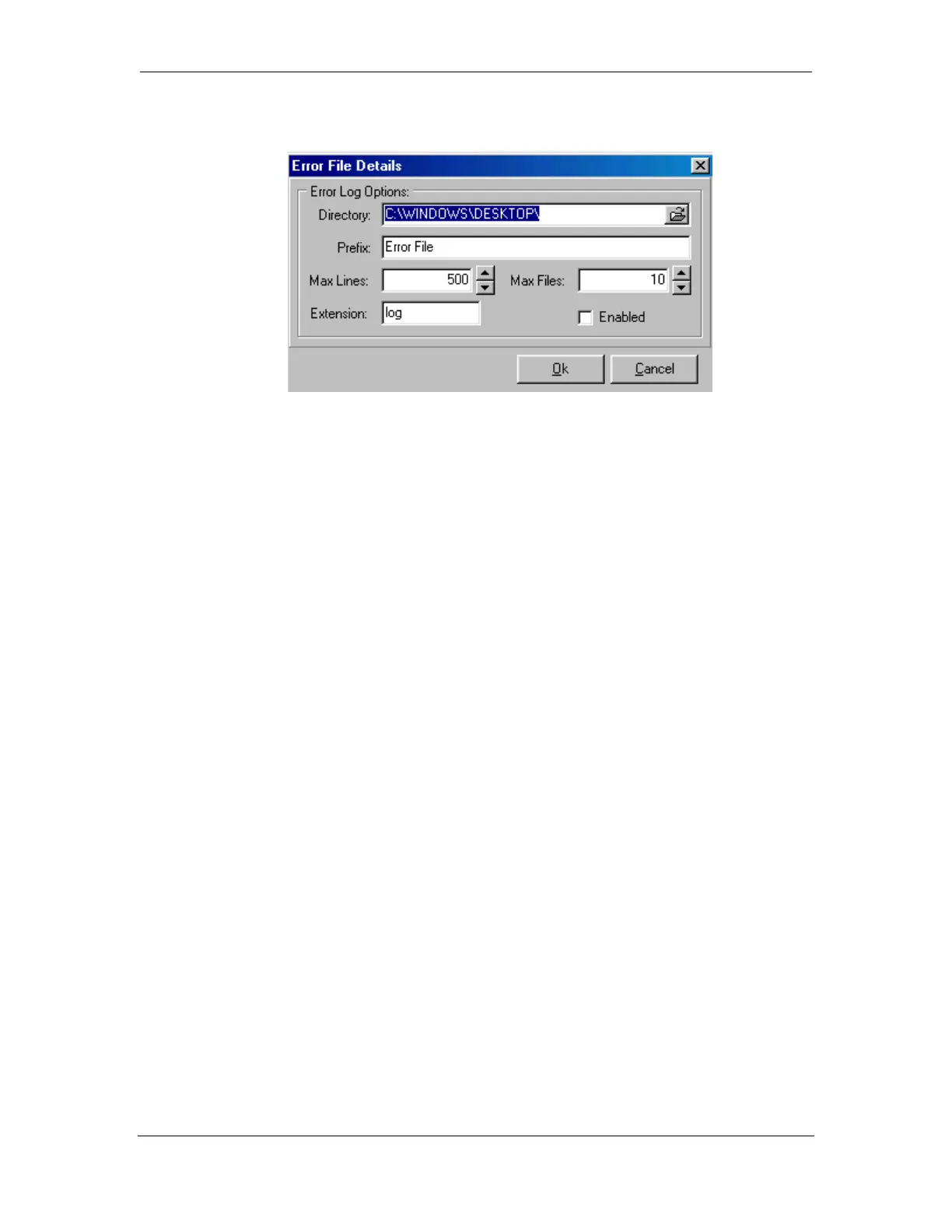
4.6.1 Error File Details
Directory: The directory ( folder) is where the Error Files will be located. The
example will place the files on the computers desktop.
Prefix: The letters that will be at the beginning of each Error File created. The date
and time will be included in the name of the Error File.
Max Lines: Maximum number of entries in each file. Prevents the file from
becoming so large that it hard to work with. 500 is the default.
Max Files: The maximum number of capture files to create. This will prevent the
captures from filling up the hard disk on the computer.
File Extension: The extension for the Error File. “Log” is customary, but you may
wish to change it to “Txt” so you can load the file in your word processor.
Enabled: When selected, enables the Error File output



 To Next Page