Chapter 9 HYBRID Coater Service Manual ver1.1
84
9.9.5 Adjusting the Limits for the Ø Axis with the HC-200
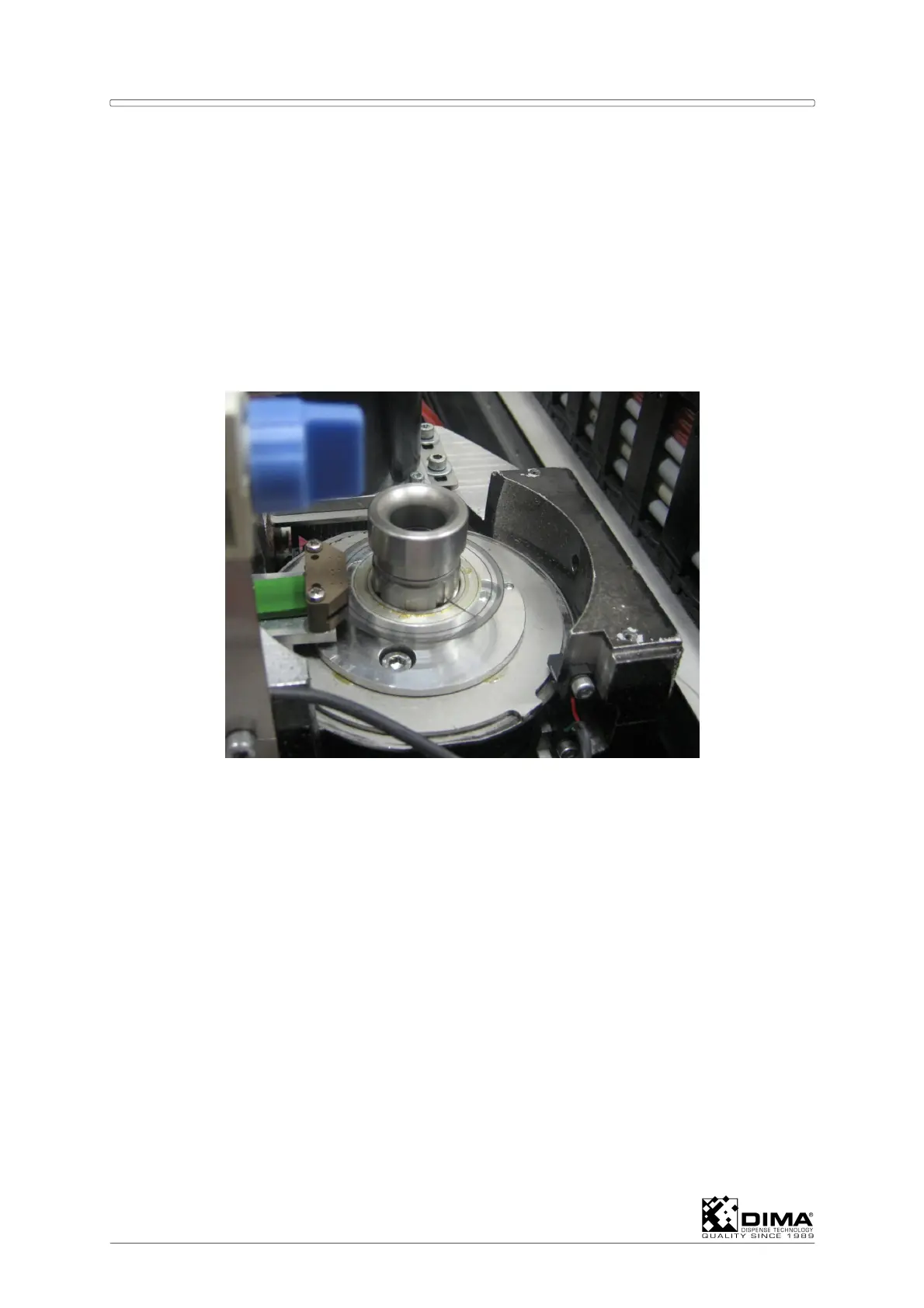
Remove the cover and remount the sensor nut. Move the Coating Head all the way
counterclockwise by hand and check if the single radio button changes into a red vane when
the limit is reached.
When necessary, adjust the limit sensor of the Ø axis as follows.
ATTENTION: Never touch the Encoder Disk, this is a very delicate part.
The height must stay stable at 2mm under the mechanical stop. Check that the distance
between the Z-sensor and the sensor nut stays between 1 and 2mm. Also check that the Z-
sensor stays active.
Check if the Ø indication vane turns red when the cam on the metal disc meets the sensor.
The indication must turn red just before the counterclockwise rotation reaches its mechanical
stop. For checking and adjusting the 0 (Zero) position of the Coating Head see Section 9.7.
9.10 Replacing the Differential Pressure Switch
The Differential Pressure Switch is mounted in the front compartment of the HYBRID on the
right hand side. It measures the differential pressure before and after a restriction in the
exhauster pipe.
1. Remove the three short bolts which hold the cover and only loosen the long bolt. Retract
the cover and swing it down. Loosen the four electrical wires inside the cover. Undo the
union nut and pull the electrical cable out of the housing. Remove the two air lines at the
under side of the housing. Remove the two attachment bolts of the housing.


 To Next Page