10
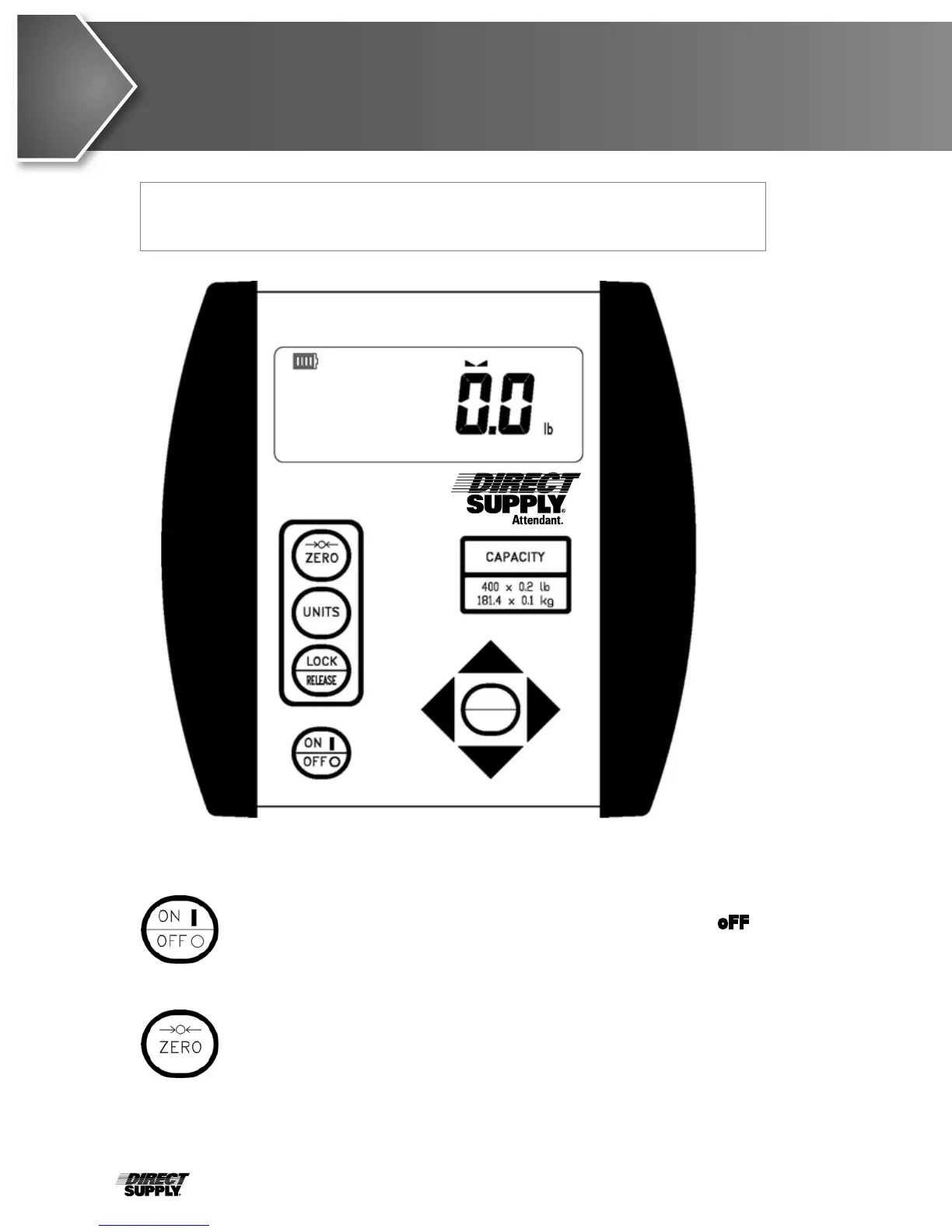
Keypad Functions
ENTER
PRINT
Figure No. 10
With the indicator off, pressing this key will apply power to the indicator and
turn on the display. If the indicator is on, pressing this key will display oFF and
turn the indicator off.
Basic Functions
This key is used to reset the display to zero up to the selected limit of
either 4% or 100% of scale capacity. The zero limit is set during setup and
calibration of the indicator.
CAUTION! DO NOT operate the keypad with pointed objects (pencils, pens,
etc.). Damage to keypad resulting from this practice is NOT
covered under warranty.



 To Next Page