11
1-800-245-9917
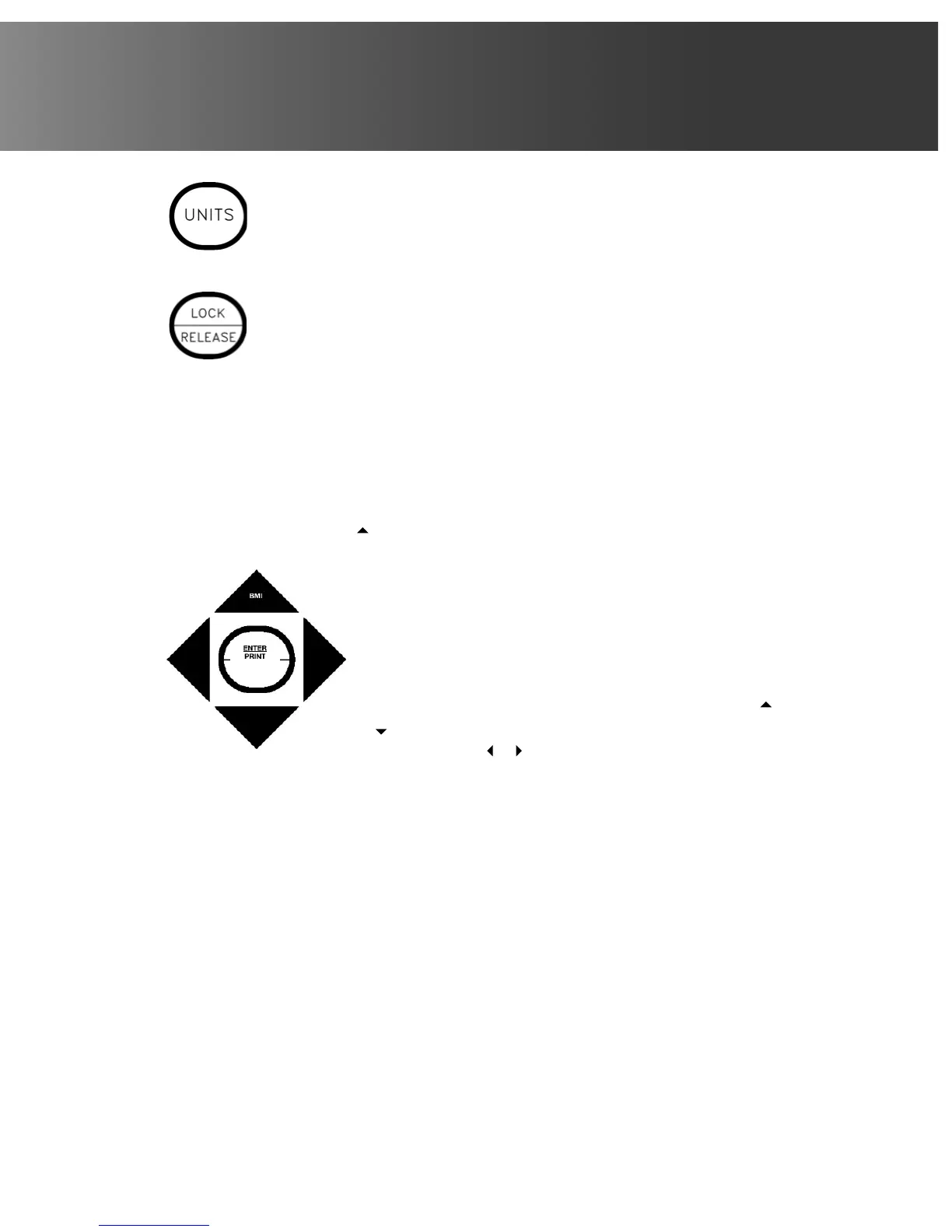
This key is used to change the weighing units to the alternate units of
measurement. For example, with pounds displayed, pressing this key
will change the weighing units to kilograms. NOTE! This feature must be
enabled during setup and calibration for this key to be operational.
This key is used to lock and unlock the display. If the HOLD feature was
enabled during setup and calibration, pressing this key (after obtaining a
stable weight) will cause the indicator to lock onto the weight. Pressing this
key again will unlock the display and return it to zero.
If AUTO LOCK feature was enabled, weight display will lock after placing a
load on the scale and obtaining a stable weight. Pressing this key will unlock
display and return it to zero, or if another load is applied, lock onto new
weight after obtaining a stable weight. NOTE! The lock feature is for non-
commercial (NOT “Legal for Trade”) applications.
Body Mass Index (BMI) Functions
/BMI (Up Arrow/BMI)
This key is used during normal operation to begin the Body
Mass Index (BMI) calculation and to increase the value of the
selected digit (blinking character).
Arrow Keys
The arrow keys are used during setup and calibration to
select setup values. During operation, they are used to
increase or decrease the BMI height values. Pressing the
or keys will increase or decrease the value of the selected
digit. Pressing the or keys will move the cursor (blinking
character) to the next character position.
ENTER/PRINT
The ENTER/PRINT key serves several purposes. During setup and calibration, pressing
it will display the current setting of the parameter. Pressing it a second time (without
selecting a new parameter value) will save the current value and advance to the next
prompt. Pressing the ENTER/PRINT key after selecting a new value will save the value
selected and advance to the next prompt. Note that when moving through the setup
prompts, the default or previously selected value appears first on the display.
During operation, the ENTER/PRINT key is used to signal completion of the data entry
and process the data entered.
NOTE! The indicator will not respond to pressing the ENTER/PRINT key unless the
weight display is stable.



 To Next Page